Building a reliable small business network comes down to three things: planning what you need, picking the right gear, and setting it up for solid security and performance. The most successful network rollouts don't start with buying hardware; they start with a clear plan for what your business actually needs to run smoothly.
Start with a Smart Network Plan, Not Just Hardware
I see it all the time: a business owner rushes out to buy the latest router and a few switches, only to find themselves with a network that's slow, unreliable, and insecure. It's a costly mistake. Think of your network as the central nervous system of your business. You wouldn't start building a house without a blueprint, and the same logic applies here.
Whether you're a dental practice that needs to shuttle massive digital X-ray files across the office or a law firm requiring ironclad, secure access to confidential documents, the foundation is everything. This initial planning phase is where you ask the hard questions to figure out your real-world operational needs.
Skipping this step is a recipe for disaster. You either end up overspending on powerful equipment you'll never fully use or, even worse, underspending and creating frustrating bottlenecks that bring productivity to a halt.
Assess Your Current and Future Needs
First things first, you need to take stock of your entire tech setup. This isn't just about counting computers. It's about getting a handle on how your team uses technology every single day and, just as importantly, where you see the business going.
Start by sketching out a simple floor plan of your office. This low-tech approach is incredibly helpful for figuring out where you need hardwired connections and where your Wi-Fi coverage has to be rock-solid. A visual map immediately highlights potential dead zones, especially in older buildings with thick walls or offices spread across multiple floors.
Next, make a list of every single device that needs to connect to the network. Be thorough here.
- Workstations and Laptops: The daily drivers for your team.
- Servers: Both any physical servers you have on-site and the connections to your cloud services.
- VoIP Phones: Voice traffic is sensitive; it needs a stable, prioritized connection to prevent choppy, unprofessional-sounding calls.
- Printers and Scanners: Easily forgotten, but they're critical workflow components.
- Mobile Devices: Don't forget employee smartphones, tablets, and any company-issued gear.
- Specialized Equipment: This could be anything from Point-of-Sale (POS) systems in a retail shop to diagnostic machines in a medical clinic or the security cameras watching the building.
Crucially, you have to plan for growth. If you expect to hire three new people over the next year, your network needs the headroom to support them without grinding to a halt. A network built only for today is already obsolete.
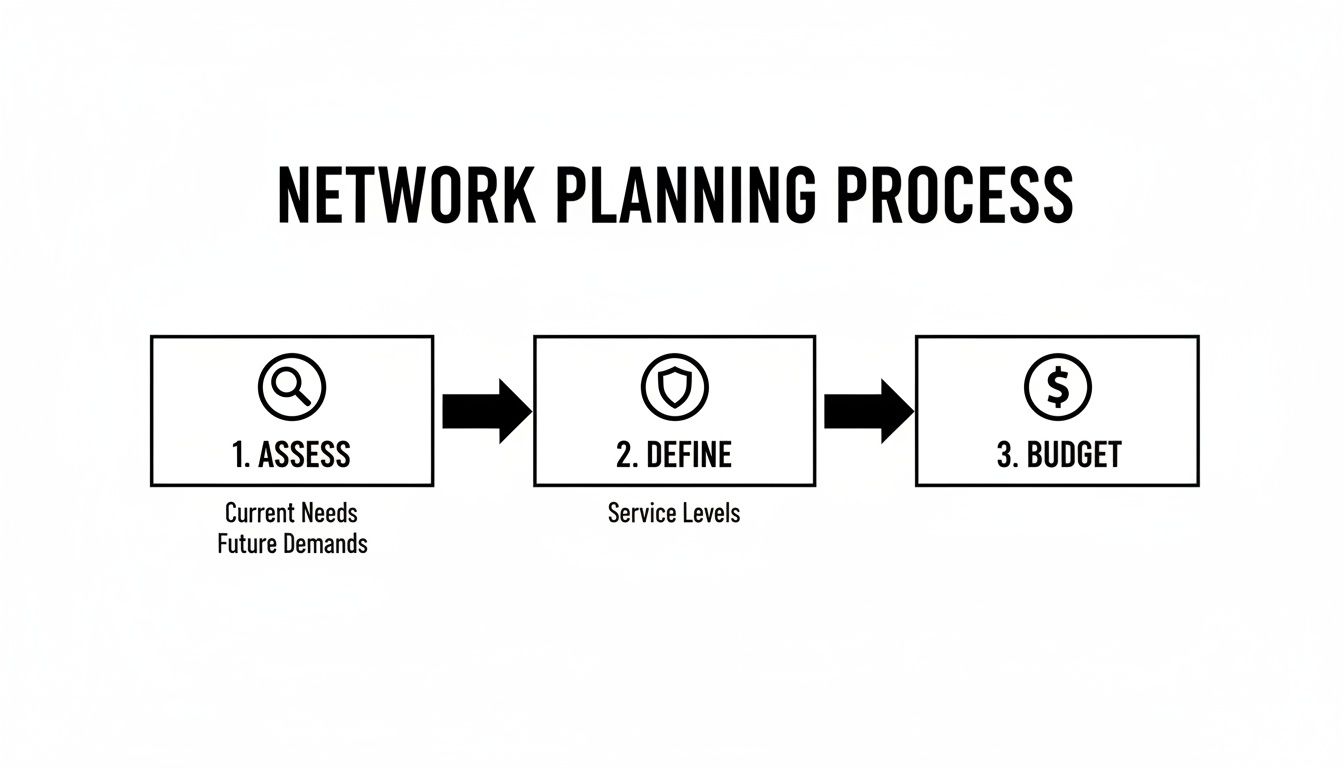
This process shows how a methodical approach—moving from assessment to defining your requirements and finally to budgeting—is the key to getting it right.
Define Your Security and Performance Requirements
Once you know what's connecting, you need to decide how it all should work together. Security is absolutely non-negotiable. One of the most important decisions you'll make is how to segment your network traffic.
A classic example is creating a completely separate Wi-Fi network for guests. This is a security fundamental. It builds a digital wall that prevents a visitor on their phone from ever getting near your internal servers or sensitive company files.
A well-planned network intentionally separates traffic to protect what matters most. Your guest Wi-Fi should never share the same digital highway as your financial records or client files.
Performance needs are just as critical. A law firm that lives on video conferencing needs a network optimized for that kind of low-latency, high-bandwidth traffic. A small dental office, on the other hand, might be more concerned with high-speed internal transfers for those huge imaging files. Nailing down these specific needs is what guides you to the right hardware later on. You can get more insights by exploring the different parts of IT infrastructure for small business in our detailed guide.
Establish a Realistic Budget
Finally, your plan needs a realistic budget. And I'm not talking about the price of a consumer-grade router off the shelf at a big-box store. A proper small business network budget accounts for the whole picture:
- Pro-Grade Hardware: This includes your routers, switches, firewalls, and wireless access points.
- Structured Cabling: The cost of having a professional run Ethernet cables properly through walls and ceilings.
- Installation & Configuration: The labor cost if you bring in an expert to set everything up correctly.
- Ongoing Maintenance: Don't forget potential costs for managed IT support contracts or future upgrades.
By mapping out your needs and requirements first, you can build a budget that makes sense for your business goals. This ensures you're making a smart investment in a network that will actually support your growth for years to come.
Choosing the Right Pro-Grade Network Hardware

Let's be clear: the all-in-one router from the big box store isn't going to cut it for a real business. When you're serious about your operations, stepping up to professional-grade hardware is a foundational move. This isn't just about faster speeds; it's about reliability, security, and the ability to handle dozens of devices without breaking a sweat.
Unlike consumer gear that crams everything into one plastic box, a pro network is modular. It separates key functions into dedicated components, giving you far more control and building a system that actually fits how you work.
The Core Building Blocks of a Business Network
A solid network is built from four essential pieces of hardware. Each one has a specific job, and together, they keep your business running smoothly and securely.
- The Router: This is your gateway to the internet. A business-class router does more than just connect you; it offers advanced security and traffic management features that are essential for protecting your data.
- The Firewall: Often part of the router, a dedicated firewall acts as your network's security guard. It meticulously inspects all data coming in and out, blocking threats before they can do any damage. For a law firm or any business handling sensitive information, a robust firewall is absolutely non-negotiable.
- The Switch: Think of the switch as the central nervous system for your wired devices. It connects your desktops, printers, and servers with high-speed Ethernet, directing internal traffic efficiently so that large files move quickly without creating bottlenecks.
- Wireless Access Points (APs): These are what provide your Wi-Fi. Instead of relying on a single, weak signal from one box, you strategically place multiple APs throughout your office. The result is strong, seamless coverage everywhere, from the reception desk to the back storeroom.
This separation of duties is what gives you power. A creative agency constantly moving huge video files will need a switch with serious throughput. An accounting firm with a remote team needs a firewall with rock-solid VPN (Virtual Private Network) capabilities for secure off-site access.
Comparing Pro-Grade Network Hardware Brands
When you start looking at equipment, a few big names will pop up. Each one strikes a different balance between performance, features, and ease of management, making them a better fit for different types of businesses.
Choosing the right hardware brand isn’t about finding the "best" one—it's about finding the best fit for your budget, your technical comfort level, and your long-term goals.
To help you navigate the options, I’ve put together a quick comparison of the three brands we see most often in small and medium-sized businesses.
Comparing Pro-Grade Network Hardware Brands
| Brand | Best For | Key Features | Typical Price Point |
|---|---|---|---|
| Ubiquiti UniFi | Businesses with some IT know-how (or a partner like us) looking for top performance without monthly fees. | A powerful suite of hardware managed via a free controller (on-site or cloud). Famous for its incredible performance-to-cost ratio. | $$ |
| Cisco | Businesses in regulated industries or those needing enterprise-grade security and absolute reliability. | The gold standard in networking. It offers unmatched reliability and a deep feature set but requires significant technical expertise to manage. | $$$$ |
| Meraki (by Cisco) | Businesses without dedicated IT staff who want powerful networking that's incredibly simple to manage. | The entire system is managed through a clean web dashboard, making setup a breeze. This convenience requires an annual licensing fee. | $$$ |
Ultimately, one of these will feel like a better match for your business's personality. There's no single right answer, just the right answer for you.
Making the Right Choice for Your Business
Your hardware choice should be a direct reflection of the needs you uncovered during planning.
A dental practice working with massive 3D imaging files absolutely needs a network switch with 10Gbps ports to prevent frustrating slowdowns. A consulting firm where half the team works remotely needs a firewall that can handle dozens of simultaneous VPN connections without faltering.
Getting your Wi-Fi right is just as crucial. The number and placement of your wireless access points can make or break the user experience. For a deeper dive, check out our guide on selecting the best wireless access points for business to make sure you get it right the first time.
This isn't just an IT decision—it's a business decision that directly impacts your team’s productivity and your company's security.
Laying the Physical Foundation for Your Network
Excellent Wi-Fi and blistering speeds don't just happen. They're built on a thoughtfully designed physical infrastructure. Even the most powerful hardware on the market is dead in the water without a solid foundation, so let's get our hands dirty with the essentials: structured cabling and smart hardware placement.
Think of your network cabling as the interstate highway system for your data. While Wi-Fi is fantastic for mobility, nothing beats a stable, high-speed wired connection for your mission-critical devices—desktops, servers, printers, and VoIP phones. Getting this physical layer right from day one saves you from countless performance headaches later on.
Choosing the Right Cabling for Tomorrow's Demands
When it comes to Ethernet cables, the conversation almost always boils down to Cat6 versus Cat6a. They might look the same, but their capabilities are worlds apart. Making the right call now is about future-proofing your investment.
- Cat6 Cable: This has been the workhorse for years. It can push up to 10 Gigabits per second (Gbps), but only across shorter distances—think up to 55 meters. For a lot of small offices today, this works just fine.
- Cat6a (Augmented) Cable: This is the smarter, long-term play. It reliably delivers that same 10 Gbps speed over the full 100-meter ethernet run. It also comes with better shielding, which is a big deal for reducing electronic "chatter" and interference from nearby power lines.
Sure, Cat6a costs a bit more upfront. But that small investment today means you won't be tearing open your walls to re-cable the entire office five years from now when new technologies demand more bandwidth.
Smart Placement for Hardware and Access Points
With your cabling plan in place, it’s time to decide where your hardware will live. One of the most common complaints I hear—frustrating Wi-Fi dead zones and dropped connections—is almost always due to poor placement of wireless access points (APs).
Imagine a law firm spread across two floors. An attorney needs to take a call on their mobile device and walk from their first-floor office to a second-floor conference room without the call dropping. This is only possible with multiple, strategically placed APs that create overlapping zones of coverage, letting devices "roam" seamlessly between them.
The goal isn't just signal everywhere; it's a strong, consistent signal everywhere. A professional Wi-Fi site survey is the only way to truly guarantee this. It maps out the perfect AP locations based on your building's unique layout, construction materials, and potential interference.
When you're choosing your hardware, remember that modern solutions like Wi-Fi VoIP phones can add a ton of flexibility and even reduce the need for cabling runs in some areas, giving you more options for placement.
A Clean Network Rack Is Non-Negotiable
All those cables you run have to end up somewhere. That "somewhere" should be a central, organized network rack. A messy "spaghetti cabinet" of tangled wires isn't just ugly; it's a troubleshooter's worst nightmare.
A professional setup always includes a clean rack with:
- A Patch Panel: All the cable runs from around the office terminate here. It keeps things tidy and makes it simple to connect devices to your switch.
- A Network Switch: The central hub that connects all your wired equipment.
- A Firewall/Router: Your secure gateway to the internet.
- Cable Management: Simple but essential tools like Velcro straps and organizers that keep cables neat and traceable.
Proper planning and execution here are everything. A professional network installation often takes 6-9 weeks, with the first 1-3 weeks dedicated to intensive planning. This upfront work—assessing the space, checking existing wiring, and ordering equipment—is what prevents 40% of common project delays. Later, during installation, simple disciplines like labeling every single cable can slash future maintenance time by 50%.
Keep your business running without IT headaches.
GT Computing provides fast, reliable support for both residential and business clients. Whether you need network setup, data recovery, or managed IT services, we help you stay secure and productive.
Contact us today for a free consultation.
Call 203-804-3053 or email Dave@gtcomputing.com
.
Getting Your Network Configured for Security and Performance
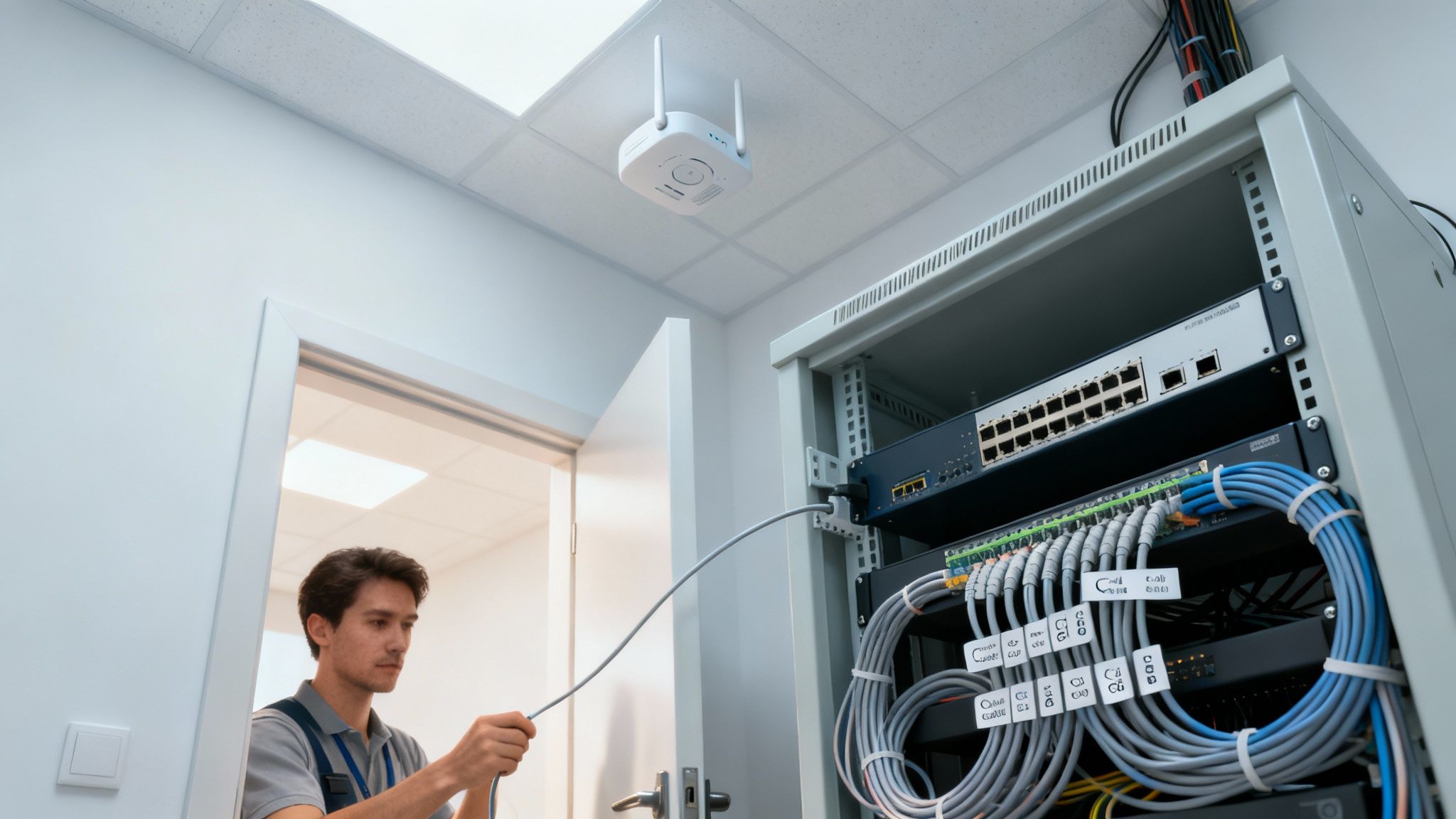
With your hardware racked and cables run, the physical work is done. Now it's time to bring that equipment to life with smart configuration. This is where a pile of boxes becomes a secure, high-performing business tool that actually protects your data and makes your team more productive.
This isn't just about flipping a switch to get things online. It's about making them work right. Proper configuration is what defends your network from threats, organizes your internal traffic for speed, and gives your team the access they need—whether they're in the office or working from home.
IP Addressing and Network Segmentation
The bedrock of any network configuration is IP addressing. Every single device, from a server down to a VoIP phone, needs its own unique IP address to talk to anything else. Having a solid grasp of core concepts like what is IP Version 4 is fundamental to getting devices communicating properly on your new network.
One of the most powerful security strategies you can implement is segmenting your network with VLANs (Virtual Local Area Networks). Think of a VLAN as creating separate, digital lanes on the same physical highway. It lets you group devices and completely isolate them from each other, even if they're all plugged into the same switch.
I consider VLANs a non-negotiable for any modern business. They build an invisible wall between your critical operations and less secure devices, which dramatically cuts down the risk of a breach spreading across your entire company.
A typical small business, like a law firm or dental practice, will benefit from several distinct VLANs:
- Management VLAN: A highly restricted network just for IT admins to manage the switches, firewalls, and other core hardware. No one else gets in.
- Corporate VLAN: This is for your trusted devices—employee desktops, laptops, and company servers. It's where your sensitive business data lives and breathes.
- Voice VLAN: Dedicated exclusively to your VoIP phone system. This ensures calls are prioritized for crystal-clear quality, without any stuttering or drops.
- Guest VLAN: A completely walled-off network for visitors. It gives them internet access but prevents them from seeing or touching any of your internal company resources.
This kind of segmentation is a foundational security practice. If a guest's laptop is compromised, that threat is contained on the guest network and can't jump over to your critical business systems.
Locking Down the Perimeter with a Firewall and VPN
Your firewall is the gatekeeper standing between your private business network and the Wild West of the public internet. Its main job is to inspect all traffic coming in and going out, blocking anything malicious before it can get a foothold. A solid starting point for any firewall configuration is to block everything by default, then create specific rules to permit only the traffic you know is legitimate.
Another must-have is a Virtual Private Network (VPN). A VPN creates a secure, encrypted tunnel over the internet, allowing your remote employees to connect to the office network as if they were sitting at their desks. This is absolutely vital for keeping data secure while giving staff seamless access to internal files and applications when they're working from home or traveling.
Looking ahead, these configurations are only getting more important. By 2026, we'll see Wi-Fi 7 and AI-driven security becoming standard, with comprehensive wireless setups costing between $3,000 and $8,000 for businesses with 25-50 users. These technologies are crucial for professionals like lawyers and dentists who need fast, low-latency access to massive, sensitive cloud files. You can learn more about these networking trends for SMBs on HPE's community blog. For a deeper look at securing your wireless connections, check out our guide on how to secure your Wi-Fi network.
Keep your business running without IT headaches.
GT Computing provides fast, reliable support for both residential and business clients. Whether you need network setup, data recovery, or managed IT services, we help you stay secure and productive.
Contact us today for a free consultation.
Call 203-804-3053 or email Dave@gtcomputing.com
.
Keeping Your Network Healthy for the Long Term
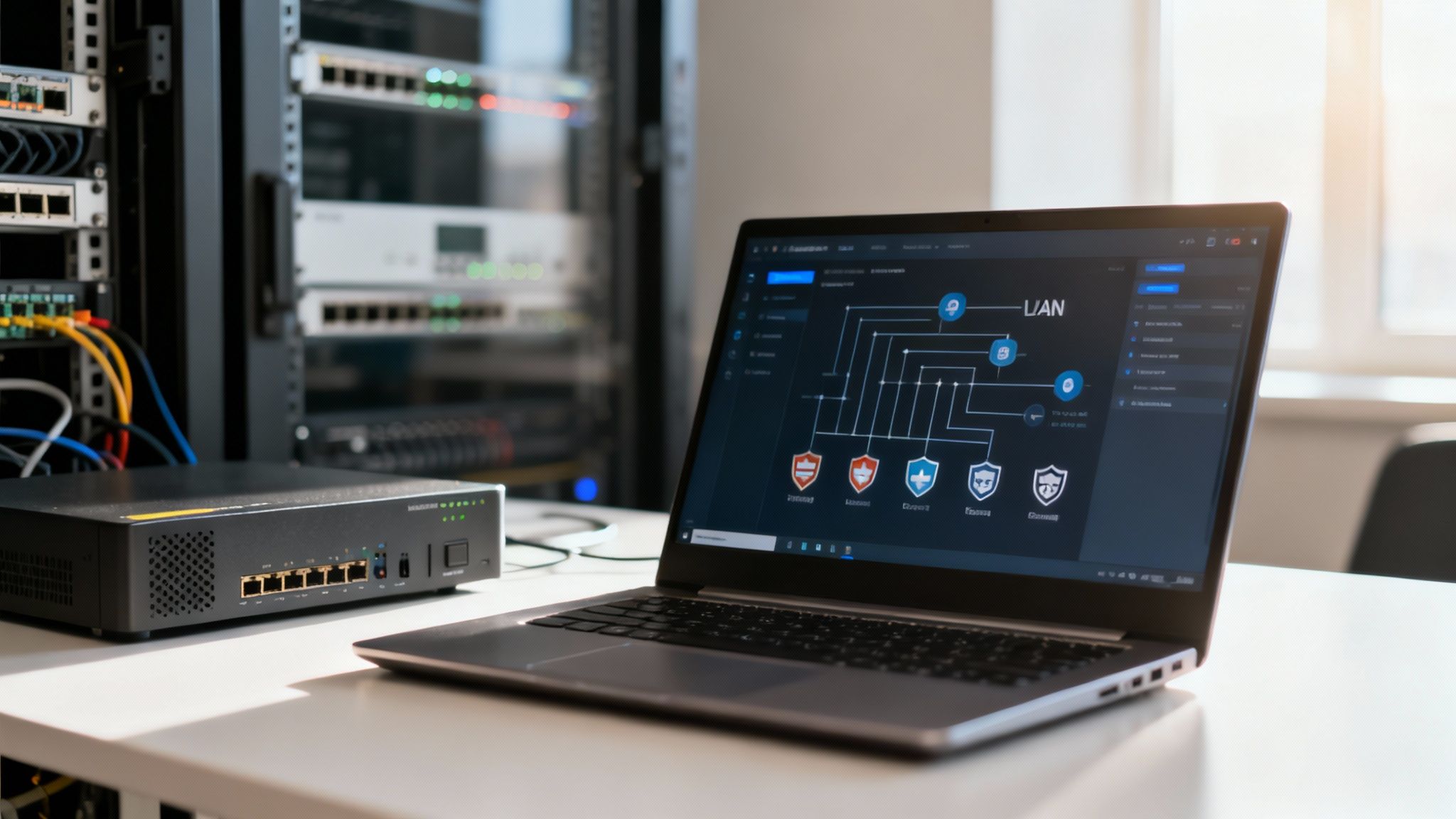
Getting your business network up and running is a huge milestone, but the job isn't over when the last cable clicks into place. A network is a living, breathing part of your business. It needs consistent attention to stay secure, fast, and reliable.
Think of it like a new car. It drives perfectly off the lot, but you still need to change the oil and perform regular check-ups to keep it that way. This ongoing care is what separates a professional, dependable network from one that's a constant source of frustration. Proactive maintenance is all about stopping small glitches from turning into catastrophic failures that bring your business to a grinding halt.
Documentation Is Your Most Valuable Asset
One of the most common mistakes I see is neglecting documentation. It might feel like a chore at the time, but creating a clear, detailed blueprint of your network is an absolute lifesaver down the road. Trust me, six months from now, you won't remember why a specific firewall rule was created or which device has what IP address.
Your documentation should be the go-to guide for your network, and it needs to include:
- A Network Diagram: A visual map showing how everything—your router, switches, and access points—is connected.
- IP Address Scheme: A clear record of your VLANs and how IPs are assigned across different devices and departments.
- Credentials: A secure, centralized place for all usernames and passwords for your network hardware.
- Configuration Backups: Fresh copies of the running configurations for your firewall, switches, and other critical gear.
When something goes wrong, good documentation is the difference between a five-minute fix and five hours of frantic guesswork. It’s the single best investment of time you can make after the initial install.
The Never-Ending Cycle of Updates and Patches
Cyber threats are always evolving, and hardware manufacturers are constantly releasing updates to stay ahead. These firmware updates for your firewall, switches, and access points patch security holes and often improve performance. Ignoring them is like leaving your office front door unlocked overnight.
The best practice is to establish a regular maintenance window—say, the third Thursday evening of every month—to check for and apply these critical updates. This simple, proactive routine ensures your network's defenses are always protecting your sensitive client or patient data against the latest threats.
Fortifying Your Human Firewall
All the best technology in the world can't protect you if your own team doesn't follow good security habits. Your employees are a crucial layer of your security posture.
Two of the most impactful policies you can put in place immediately are:
- Strong Password Policies: Ditch the simple passwords. Require long, complex passphrases and ensure they're changed regularly. This small step makes a huge difference in stopping brute-force attacks.
- Multi-Factor Authentication (MFA): This is non-negotiable in today's world. MFA adds a second layer of verification, like a code sent to a phone, making it exponentially harder for an attacker to gain access even if they steal a password.
These practices build a culture of security that protects your business from the inside out.
Data Backups and Disaster Recovery
It’s not a question of if you'll face a data loss event, but when. It could be a hard drive failure, a ransomware attack, or a simple human error. Your ultimate safety net is a rock-solid backup and disaster recovery plan.
A great place to start is the 3-2-1 backup rule: keep three copies of your data, on two different types of media, with one of those copies stored off-site (like in the cloud). The key is to test your backups regularly. An untested backup is just a hope, not a plan. You need to know you can actually restore your data when it counts.
Knowing When to Call in the Experts
Let's be realistic—managing a network is a serious, ongoing commitment. If you're running a busy law firm or dental practice, your time is far more valuable when spent with clients. This is where partnering with a managed IT provider becomes a smart business decision.
Hiring a professional team can also help you budget more effectively. For a small practice of 5-15 employees, a basic wireless hardware setup in 2026 can range from $800 to $3,500. As you grow to 15-50 people, that budget can easily climb to $8,000–$15,000 for more advanced gear. We’ve seen firsthand how a strategic investment pays off; one dental office spent $12,000 on a robust network and saw a 60% drop in IT support tickets. You can explore more real-world figures in this small business network setup cost guide from VerusCorp.
By entrusting your network's health to specialists, you get back your time and gain the peace of mind that it's being handled correctly.
Keep your business running without IT headaches.
GT Computing provides fast, reliable support for both residential and business clients. Whether you need network setup, data recovery, or managed IT services, we help you stay secure and productive.
Contact us today for a free consultation.
Call 203-804-3053 or email Dave@gtcomputing.com
.
Your Top Small Business Network Questions, Answered
Jumping into a network setup for your business can feel a little daunting at first. It’s a world filled with acronyms and technical jargon. But don't worry—getting a handle on the basics is easier than you think. Let's walk through some of the most common questions I hear from business owners just like you.
Can I Just Use a Consumer Wi-Fi Router from a Big Box Store?
I get this question all the time, and it's a tempting shortcut. After all, it seems like a great way to save a few bucks. But honestly, using consumer-grade gear in a professional setting is a gamble you don't want to take. Those routers simply aren't built for the demands of a business.
Think about it: they lack the security, performance, and management tools needed to protect sensitive client data and keep your team productive. Professional equipment is designed from the ground up to provide mission-critical features, like:
- VLANs to build a digital wall between your private company network and a public guest Wi-Fi.
- Serious firewalls that offer much more robust protection against cyber threats.
- The raw power to handle dozens of simultaneous connections without grinding to a halt.
Relying on home Wi-Fi hardware will eventually lead to frustrating slowdowns and leave your business exposed to security risks that just aren't worth the small upfront savings.
How Many Wi-Fi Access Points Do I Actually Need?
This is a classic "it depends" scenario. The right number of wireless access points (APs) is completely unique to your office. The main things to consider are your total square footage, the layout, and what your walls are made of. Concrete and brick, for example, are notorious Wi-Fi killers.
A small, open-concept office might get fantastic coverage with just one or two well-placed APs. But if you have a larger space with lots of separate offices, multiple floors, or those signal-blocking walls I mentioned, you'll definitely need several APs to blanket the area and kill any dead zones. The only surefire way to know for certain is with a professional Wi-Fi site survey.
What's the Real Difference Between a Managed and Unmanaged Switch?
An unmanaged switch is as basic as it gets—it's a simple plug-and-play box that gives you more Ethernet ports. That’s it. It’s a bit of a blunt instrument, offering zero control or insight into your network traffic.
A managed switch, on the other hand, is the brains of your wired network. It gives an IT professional the fine-tuned control needed to build a secure, high-performance foundation for your business.
With a managed switch, we can implement powerful strategies. We can create those secure VLANs, prioritize critical traffic (like ensuring your VoIP phone calls are always crystal clear), and keep an eye on the network's health. For any business handling client records or financial data, a managed switch isn't a luxury; it's an absolute must-have.
Keep your business running without IT headaches.
GT Computing provides fast, reliable support for both residential and business clients. Whether you need network setup, data recovery, or managed IT services, we help you stay secure and productive.
Contact us today for a free consultation.
Call 203-804-3053 or email Dave@gtcomputing.com
.