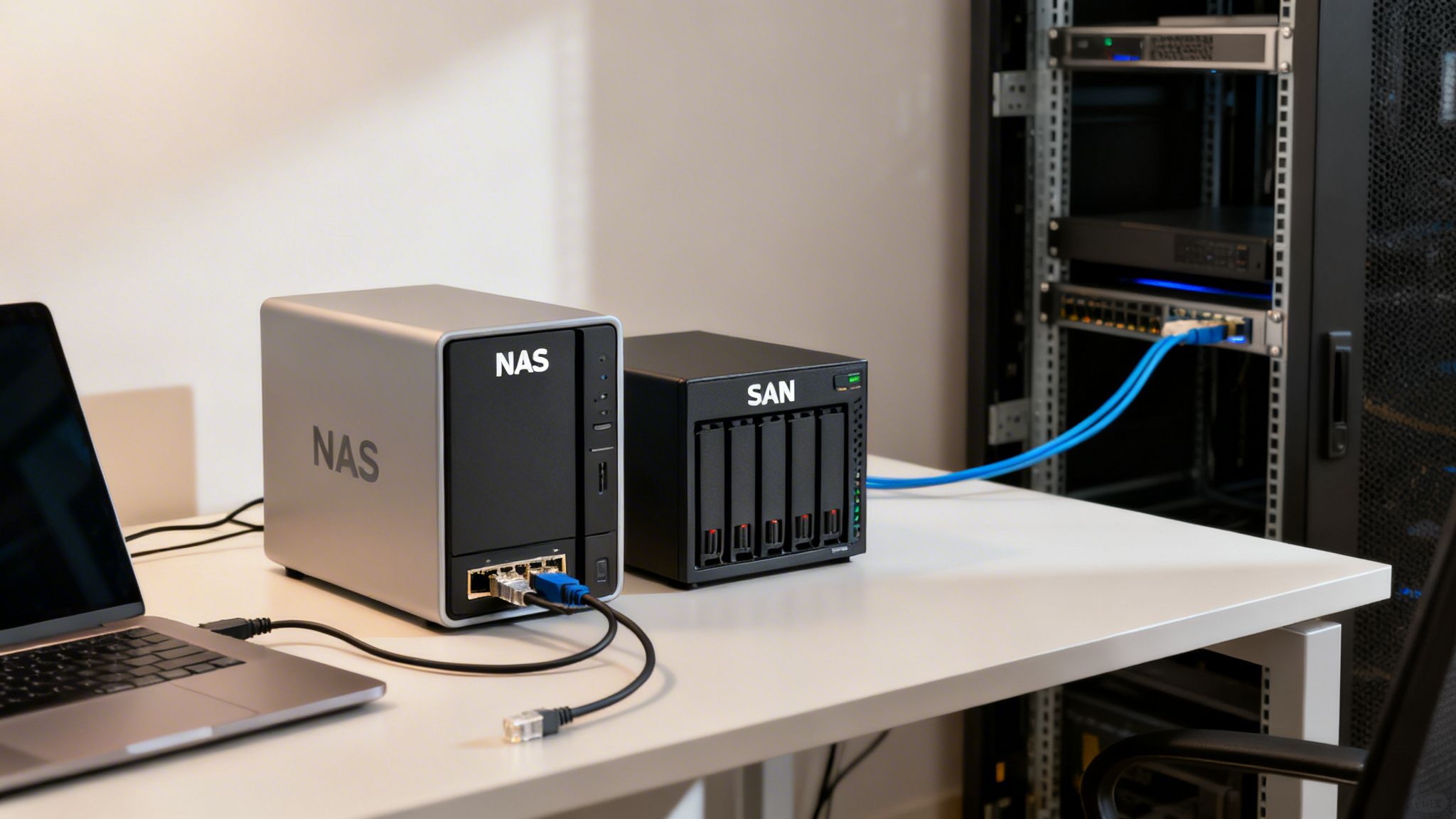
When you get right down to it, the difference is surprisingly simple. A Network Attached Storage (NAS) is a single, self-contained box that serves files over your existing office network. A Storage Area Network (SAN), on the other hand, is a dedicated, high-speed network of storage devices that gives raw storage capacity directly to servers. Your decision really hinges on whether you need straightforward file sharing or high-octane performance for your applications.
NAS vs SAN The Essential Differences for Your Business
Dipping your toes into business data storage inevitably leads you to two acronyms: NAS and SAN. While they both offer centralized storage, truly understanding the difference between NAS and SAN is a game-changer for any business leader, whether you're a solo lawyer or running a multi-chair dental practice. Making the right call here will have a real impact on your team's productivity, your data's security, and your IT budget.
Think of a NAS as your office's digital filing cabinet. It's a single appliance that you plug right into your existing Ethernet network. It has its own lightweight operating system to manage the hard drives inside, presenting that storage to everyone as simple shared folders. This plug-and-play approach makes it a fantastic solution for sharing documents, spreadsheets, and other common files across multiple computers.
Now, let's switch gears to a SAN. This is a much more powerful and complex beast. It’s not just one device; it's an entirely separate network built from the ground up just for data storage. This network connects your servers directly to pools of raw storage, which the servers then see and treat as their own internal hard drives. This block-level access is incredibly fast and efficient, making SANs the gold standard for demanding workloads like large databases or high-resolution medical imaging systems.
A Clearer Comparison
Let's try a real-world analogy. A NAS is like a public library. Anyone with a library card (network access) can walk up to the librarian (the NAS operating system) and ask for a specific book (a file). The librarian finds the complete book and hands it over to you.
A SAN, however, is like having your own private, high-security vault. Instead of asking for a finished book, you're given direct, controlled access to the specific shelves and boxes (blocks of data) inside the vault to assemble the information yourself. That direct access is blazingly fast but requires a special key and a private pathway (a dedicated Fibre Channel or iSCSI network) to get there.
The key takeaway is that NAS serves files, while a SAN serves blocks of data. This single architectural distinction dictates everything from performance and cost to management complexity and the best use cases for your business.
Network Attached Storage (NAS) has become a go-to for small and medium-sized businesses, mainly because it packs scalable performance into an affordable package. NAS devices work at the file level, using common protocols like SMB (Server Message Block) for Windows and NFS (Network File System) for Linux/Mac to let everyone share files over the network. For a deeper dive, you can find more great insights about network storage options on EnterpriseStorageForum.com.
Quick Comparison NAS vs SAN at a Glance
To put it all in one place, here’s a table that breaks down the core differences at a high level.
| Attribute | Network Attached Storage (NAS) | Storage Area Network (SAN) |
|---|---|---|
| Storage Access | File-level (serves whole files) | Block-level (serves data blocks) |
| Network Type | Standard Ethernet (shared with users) | Dedicated network (Fibre Channel or iSCSI) |
| Data Presented As | Shared network folders (e.g., \servershare) | Local drives on a server (e.g., D: drive) |
| Typical Use Case | Centralized file sharing and office backups | High-performance databases, virtualization |
| Complexity & Cost | Lower cost, simple to set up and manage | Higher cost, complex to implement |
| Performance | Good, but can be limited by office network traffic | Excellent, low latency, and high throughput |
This quick rundown should help you see where each technology shines.
Understanding Core Architecture: File-Level vs. Block-Level Access
To really get to the heart of the NAS vs. SAN debate, you have to look beyond the physical hardware and understand how each system fundamentally handles data. The single most important difference comes down to file-level versus block-level access. This one architectural choice dictates what each technology is good at—and what it’s not.
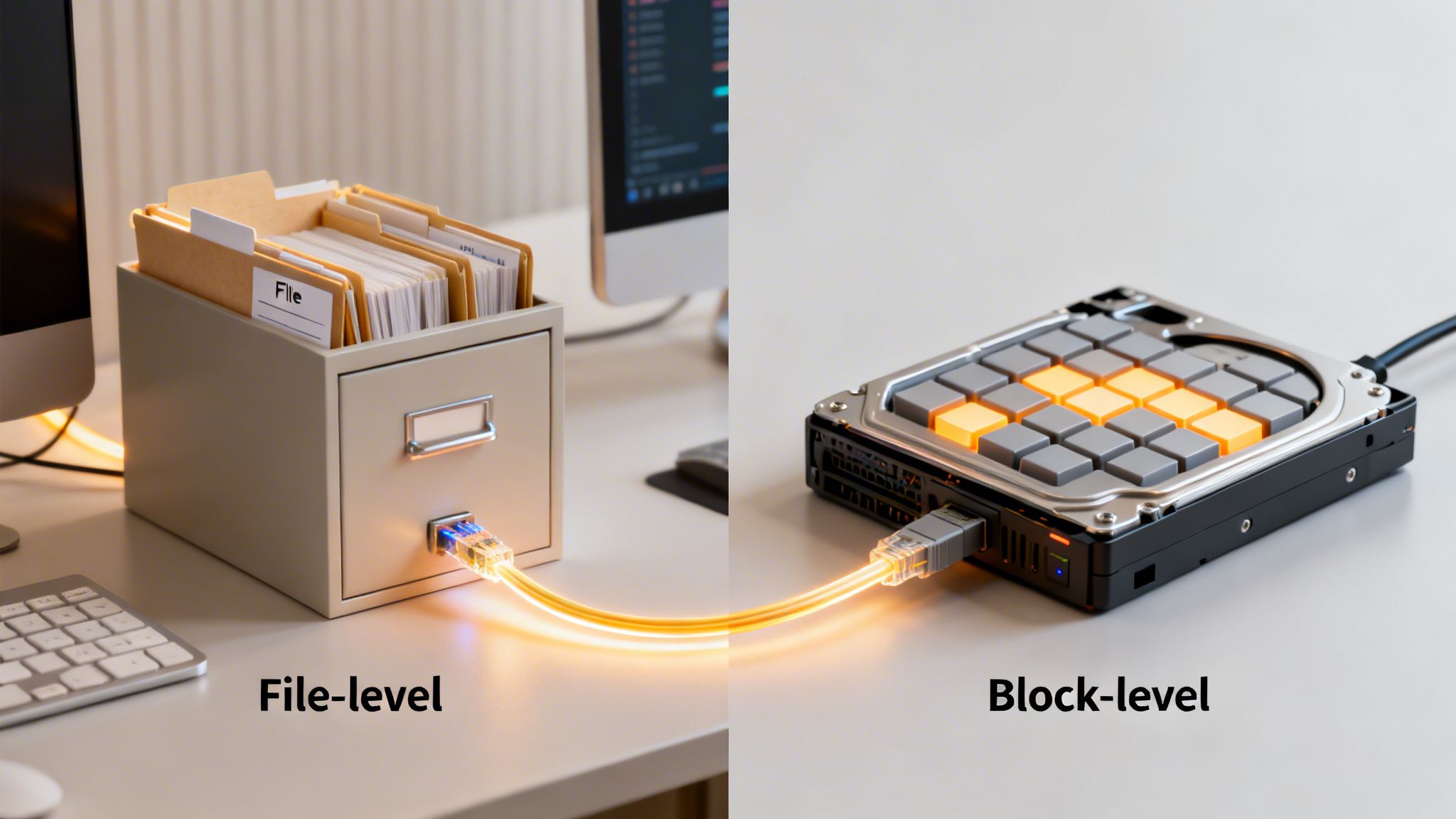
A NAS device works at the file-level. It’s essentially a purpose-built computer with its own operating system, optimized for one thing: serving files over a network. When you open a document from a NAS, its OS finds the file on its drives and sends the complete file to you over the standard office Ethernet network.
Because the NAS manages its own file system (think of familiar formats like NTFS or ext4), it serves up data as simple, ready-to-use shared folders. This makes collaboration incredibly easy. Your team can just map a network drive and get to work, making it perfect for shared documents, images, and other general office files.
The Power of Block-Level Access in a SAN
A Storage Area Network (SAN), on the other hand, operates on a much more fundamental level using block-level access. Instead of delivering a whole file, a SAN carves up its storage into raw chunks—called blocks—and presents them to a server. From the server's perspective, this storage looks and acts just like a locally attached hard drive.
This means the server itself, not the storage array, is in charge of the file system. It formats the block storage and directly handles all read/write operations. By cutting out the middleman (the NAS operating system), this direct access dramatically boosts performance and cuts down latency, which is exactly why SANs are the go-to for high-demand applications.
Here's a simple analogy: A NAS is like asking a librarian for a specific report; they find it and hand you the finished document (the file). A SAN is like being given direct access to the filing cabinet itself, letting you pull whatever raw data you need (the blocks) to build your own report.
Dedicated Networks for Uninterrupted Performance
Another key differentiator is the network itself. A NAS plugs right into your existing Local Area Network (LAN), which means it has to share bandwidth with everything else—email, web browsing, video calls, you name it. When the office gets busy, this shared traffic can create bottlenecks and slow down access for everyone.
A SAN avoids this problem entirely by running on its own private network, completely separate from regular user traffic. Traditionally, this was a high-speed Fibre Channel network, though modern setups often use a dedicated Ethernet-based protocol called iSCSI. By isolating storage traffic, a SAN can deliver the consistent, predictable performance that mission-critical applications demand. The type of drive used—whether an HDD or SSD—also plays a huge role in this performance. You can dig deeper into this by understanding the difference between SSD and HDD.
For instance, a law firm could use a NAS for paralegals to easily share case files and client letters. However, for the firm's heavy-duty e-discovery platform that runs complex database queries, a SAN is the only way to go. The SAN’s block-level access ensures the database server gets raw data instantly, without any network lag, keeping attorneys productive during time-sensitive projects.
When your business is small, storage seems simple. But as you grow, so do your data demands, and the choice you made for storage can suddenly become a major bottleneck. Let's break down how NAS and SAN handle performance and scalability, because getting this right is key to keeping your business running smoothly.
A NAS device lives on your office's Local Area Network (LAN). That means it’s sharing the same digital roadway as everything else—your team's emails, web browsing, and even video calls. For a small office just sharing Word documents and PDFs, this works just fine.
But what happens when you hire more people and start working with bigger files? That shared network gets crowded. Trying to open a large design file or a complex spreadsheet while everyone else is busy online is like getting stuck in rush-hour traffic. The competition for bandwidth slows everything down, and your NAS access starts to lag right when you need it most.
The Limits of NAS Scalability
When you run out of space on a NAS, the typical solution is to just plug in another one. This is called "scaling out," and while it seems easy, it can quickly turn into a management nightmare.
- Scattered Storage: Each new NAS is its own island, with its own login and management tools. You end up with separate pools of storage instead of one unified system.
- Lost Files: Data gets fragmented across different devices. Your team will waste time hunting for files, and your IT support will have a much harder time running backups.
- Uneven Performance: If you have a mix of older and newer NAS units, performance becomes unpredictable. Accessing a file on one device might be quick, while another is painfully slow.
This approach might work for a while, but it often leads to a messy, disjointed storage setup that’s a real headache to maintain.
The big takeaway on NAS performance is this: its speed is chained to the everyday traffic on your office network. As your business activity ramps up, your network slows down, and so does your storage.
The SAN Performance Advantage
A Storage Area Network (SAN), on the other hand, is built for one thing: high-speed, low-latency performance. It achieves this by using its own dedicated network, completely separate from your regular office traffic. This is the fundamental difference that sets it apart.
Think of it as a private expressway just for your data. By using high-speed connections like Fibre Channel or a dedicated iSCSI Ethernet network, a SAN ensures your critical applications never have to wait in line.
For a dental practice pulling up massive 3D CBCT scans or a law firm running complex database queries, this kind of consistent speed is essential. It eliminates frustrating lag and lets your team work without interruption. For a deeper dive into the technical specifics, you can explore detailed SAN and NAS comparisons on IBM.com.
How a SAN Grows with Your Business
Scaling a SAN is a much more organized and powerful process. Instead of just adding more boxes, you expand the core of the system itself.
- Add Storage Arrays: You can plug new storage arrays directly into the existing SAN, instantly increasing the total capacity available to every connected server.
- Upgrade the Fabric: As your performance needs grow, you can upgrade the network switches that manage the SAN's traffic, boosting speed for the entire system.
- Connect More Servers: New servers can be easily attached to the SAN, giving them immediate access to the same centralized, high-performance storage pool.
This "scale-up" approach gives you a clear and predictable path for growth. It ensures your storage infrastructure can not only keep up with your business but also support your ambitions for years to come.
Choosing the Right Storage for Law Firms and Dental Practices
The technical details of NAS and SAN are one thing, but what do they actually mean for your business? If you’re a lawyer or a dentist, your data is everything. Choosing your storage isn't just an IT chore—it's a decision that directly impacts your firm's or practice's efficiency and bottom line. Let’s move past the theory and look at how this plays out in the real world.
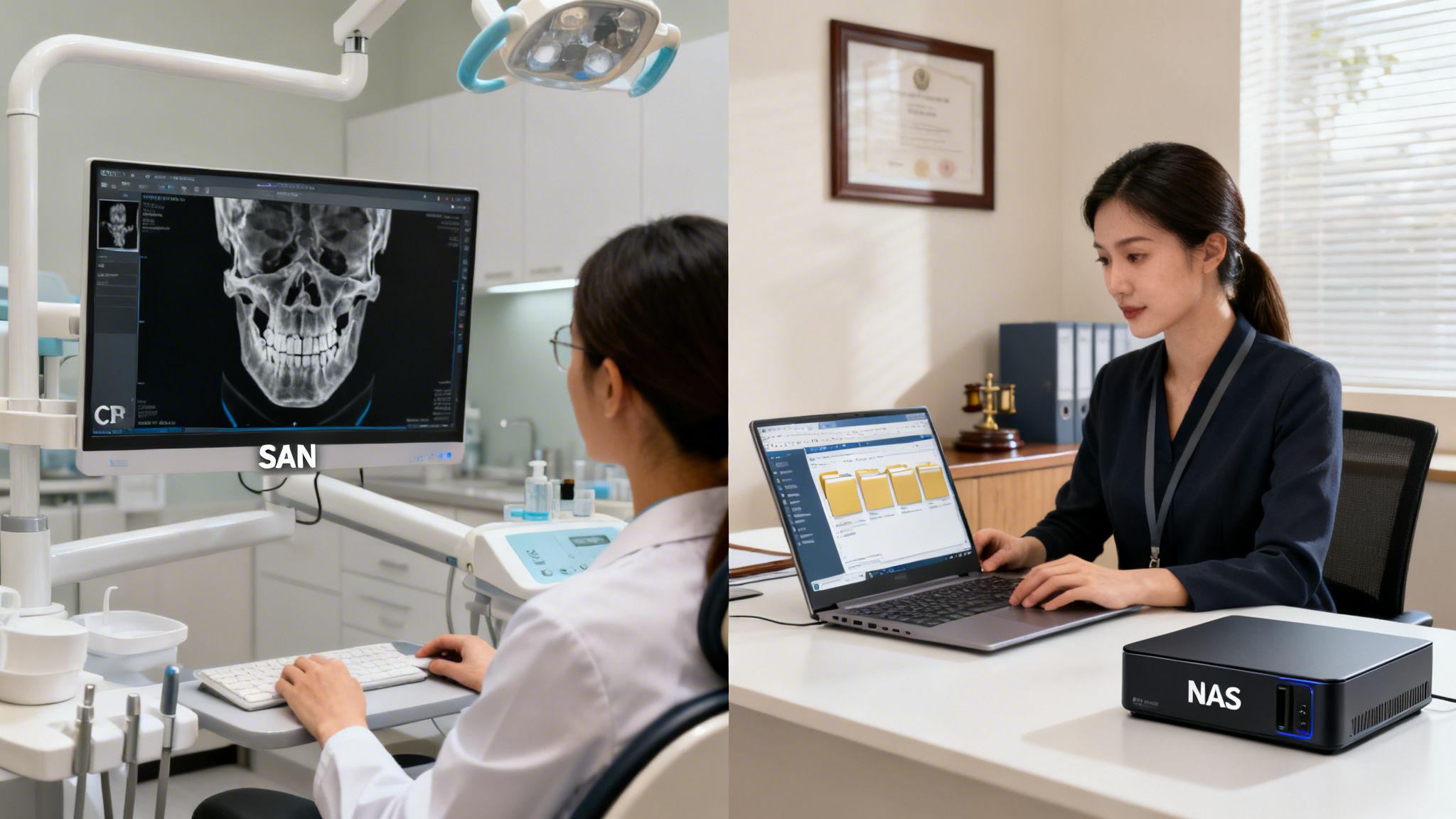
Think about a typical dental office. For most day-to-day tasks—like storing patient registration forms, managing billing files, and sharing office memos—a Network Attached Storage (NAS) is a perfect solution. It’s affordable, easy for a small team to manage, and gives everyone on the administrative staff a central place to access shared files. Simple and effective.
But the situation changes completely when that same practice brings in a 3D Cone Beam Computed Tomography (CBCT) scanner. These machines produce massive imaging files, sometimes several gigabytes each. When a clinician tries to open one of those huge scans from a NAS over the standard office network, the result is often frustrating lag. It’s a bottleneck that disrupts patient appointments and wastes valuable time.
This is exactly where a Storage Area Network (SAN) proves its worth.
The SAN Advantage for High-Resolution Imaging
By connecting the CBCT server to a SAN, you give it a direct, high-speed, block-level path to the storage. It’s like having a private superhighway for data. This dedicated connection means even the largest 3D scans load and respond instantly. A dentist can rotate, zoom, and analyze the image in real-time without the stuttering or delays you’d get from a file-based NAS.
For any business dealing with massive, complex files—like medical imaging, high-resolution video, or large architectural models—the block-level performance of a SAN isn't just a nice-to-have. It's a fundamental requirement for smooth operations.
Balancing Needs in a Law Firm Environment
Now, let's switch gears to a busy law firm. Much like the dental office, a NAS is a fantastic choice for the firm’s basic document management. It’s the ideal central hub for the case files, contracts, and legal research that paralegals and attorneys need to access and share. File-level access and simple permissions make controlling who can see which documents a breeze.
The story changes, however, when you look at the firm's central case management or e-discovery database. A transactional database like this is hit with a constant barrage of small read/write requests from multiple attorneys at once. A standard NAS, which thinks in terms of whole files, can quickly get bogged down by this type of workload. Given how critical a responsive IT infrastructure is, it’s worth exploring some specialized IT solutions for law firms.
This is precisely the job a SAN was built for. It gives the database server direct, block-level access to the storage, allowing it to handle simultaneous requests from many users without breaking a sweat. Attorneys can pull up client histories or search through millions of documents with zero lag, keeping productivity high, even during the most demanding parts of the day.
These examples drive home a critical point: the "best" storage solution is always the one that fits your specific workflow. It’s not about whether NAS or SAN is superior technology overall, but which one is the right tool for the job. By looking closely at how your team works—from simple file sharing to intense application performance—you can confidently decide whether a NAS, a SAN, or even a hybrid of the two is the right move for your business.
Getting Down to Brass Tacks: Cost and Security
Once you get past the technical specs, the choice between a NAS and a SAN really boils down to two questions every business owner asks: "What's this going to cost me?" and "How safe is my data?" The answers are worlds apart, and understanding the financial and security trade-offs is where the right decision gets made.
For most small and mid-sized businesses, a Network Attached Storage (NAS) is incredibly appealing because it has a low barrier to entry. You're essentially buying a single, self-contained box that plugs right into your existing office network. The initial cost is straightforward, and because it runs on standard Ethernet and has a friendly web interface, you don't need a dedicated storage guru to manage it. This keeps your ongoing operational costs down, too.
The Real Cost of a SAN
A Storage Area Network (SAN) is a different beast entirely, both in its initial price tag and its long-term financial footprint. The total cost of ownership goes far beyond the storage arrays themselves.
You have to account for several expensive components:
- Dedicated Hardware: This isn’t just about the storage. You need costly Fibre Channel switches to build the separate, private storage network, plus a Host Bus Adapter (HBA) card for every single server that needs to connect.
- Specialized Expertise: This is not a DIY project. Designing, deploying, and maintaining a SAN requires certified professionals who live and breathe storage networking. That expertise comes at a premium.
- Complex Configuration: Properly setting up security features like zoning and LUN masking is an intricate process. It takes serious planning and execution to get it right without compromising performance or security.
It’s easy to see why a NAS is the default starting point for so many businesses. It solves the immediate problem of shared storage without breaking the bank.
The initial sticker price is what most people focus on, but true TCO isn't just about hardware. It includes management time, specialized skills, and the potential cost of downtime. A SAN costs more upfront, but its superior reliability can sometimes justify that expense down the road.
Security: Two Completely Different Philosophies
The way these two systems handle security couldn't be more different. This is a critical distinction, especially if you’re a lawyer or dentist handling highly sensitive client and patient information.
A NAS secures data at the file and folder level using user permissions. It works just like sharing a folder on your PC—you grant access to specific users or groups. The marketing team can see the "Campaigns" folder, but the finance team can't. This works perfectly well for general office file sharing.
The catch? A NAS lives on the same network as your workstations, printers, and everything else. This means it's inherently more exposed to threats that might pop up on your general office network. If a user’s computer gets compromised, that could become a vector for an attack on the NAS. That's why a comprehensive security plan is non-negotiable, and our guide on data backup solutions for small businesses is a great place to start building one.
A SAN, by its very nature, is built on a foundation of robust, infrastructure-level security. It operates on its own private, isolated network, making it completely invisible to the regular office LAN. Security is enforced with a one-two punch:
- Zoning: On the Fibre Channel switch, you create "zones" that act like private, dedicated tunnels. This ensures a specific server can only talk to specific storage ports it’s been assigned to.
- LUN Masking: This happens on the storage array itself and is the final layer of control. It makes a storage volume (a LUN) visible only to the specific servers that are supposed to see it, hiding it from all others.
This combination of physical isolation and strict access control makes a SAN an incredibly secure vault for your most critical data.
For our Connecticut-based clients in fields like law and medicine, the high bar for data security and the need for instant access to records often make a SAN a worthy investment. While the implementation costs are higher, the centralized architecture and enhanced reliability often lead to simpler administration and fewer points of failure over time, which is a major long-term benefit.
How to Choose the Right Storage Solution for Your Needs
We've covered the architecture, performance, and costs. Now, the real work begins: deciding between a NAS and a SAN based on what your business actually does day-to-day. It’s easy to get lost in the technical weeds, so let's cut through the noise and focus on what truly matters for your operations, budget, and future growth.
This straightforward decision guide can help clarify the choice for most small and mid-sized businesses.
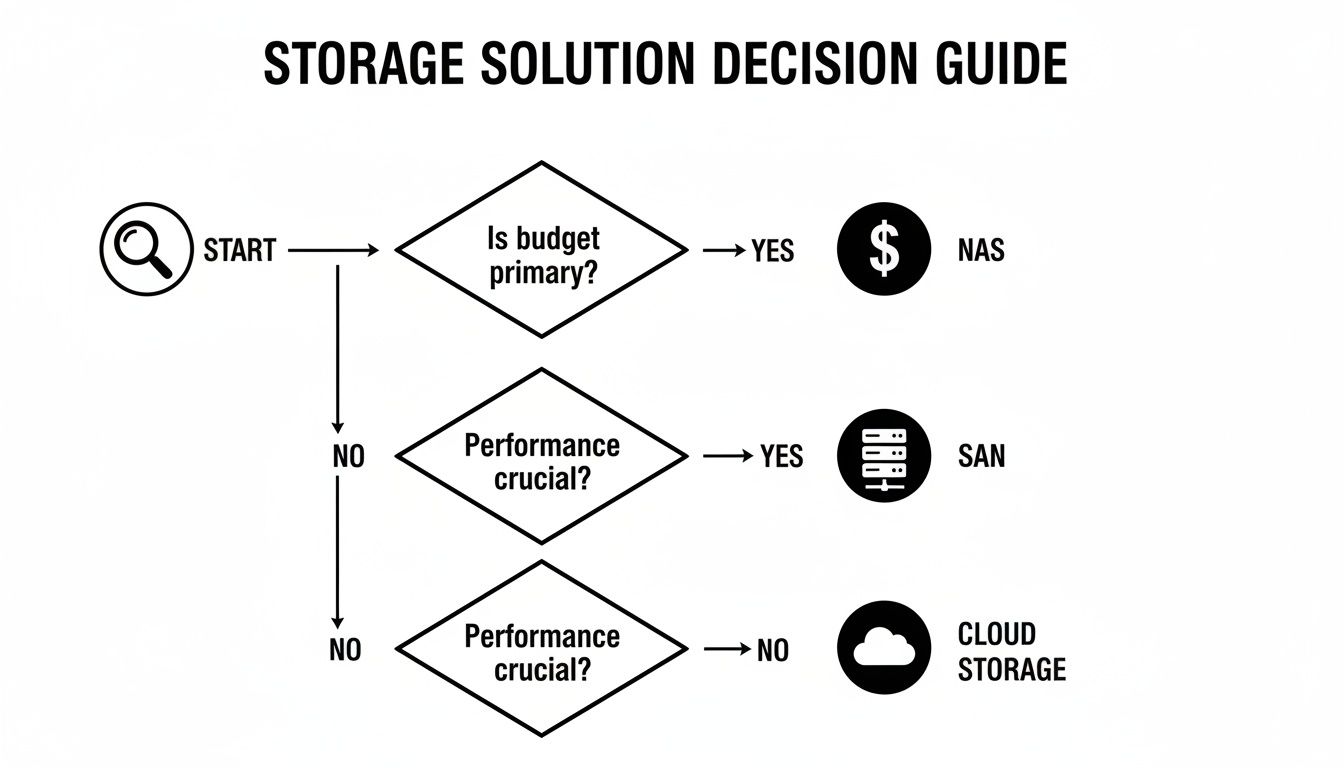
As you can see, the path often splits at one key question: budget versus performance. If your primary concern is keeping costs down, a NAS is almost always the most sensible starting point. But when performance is the top priority and cost is a secondary concern, a SAN becomes a necessary investment.
A Practical Checklist for Your Decision
To turn all this information into a concrete decision, you just need to answer a few pointed questions. Think of this as creating a road map that points directly to the right solution for you.
- What's the main job? Is your goal to centralize file sharing for documents, spreadsheets, and general team collaboration? A NAS is built for exactly that.
- Are your critical applications slow? Do you notice lag in your databases, practice management software, or imaging systems, especially during peak hours? This is a classic sign that you need the raw power of a SAN.
- What's your in-house IT reality? Do you have team members who can manage a dedicated storage network? Or do you need a simple, plug-and-play solution that just works?
- What would downtime really cost you? If your data was inaccessible for an hour, what would the financial hit be? The higher that number, the stronger the argument for a SAN and its superior reliability.
Part of this decision also involves thinking about your data protection strategy. It's important to understand the different types of backup and how they pair with your chosen hardware. For example, a NAS provides a solid layer of fault tolerance over a basic server. If a server goes down, the data on the NAS is still accessible to everyone else on the network. Adding a RAID configuration to the NAS takes this a step further, ensuring the storage device itself doesn't become a single point of failure.
If your answers point toward simplicity and collaborative file access on a budget, a NAS is your best bet. If performance, uptime, and application responsiveness are non-negotiable, investing in a SAN with an IT partner like GT Computing is the strategic move for long-term growth.
Frequently Asked Questions About NAS and SAN
Even after laying out the technical differences, many of the business owners we talk to have a few lingering questions. It’s completely normal. Let's clear up some of the most common ones we hear when a client is trying to pinpoint the right storage solution for their business.
Can I Use a NAS for Business Backups?
You absolutely can, and you should. A NAS is one of the most popular and effective ways to centralize your office backups. It works perfectly with most backup software, giving you a dependable and affordable place to store copies of your company's most important files. For most small and mid-sized businesses, a NAS is the natural first step toward a solid data protection plan.
Does a SAN Require a Separate Special Network?
In most cases, yes. A traditional SAN is built on its own dedicated Fibre Channel network, which means it needs its own switches, cabling, and special server adapters (called HBAs). While you can run a modern SAN over high-speed Ethernet (using a protocol called iSCSI), you’ll only get that top-tier performance and reliability if the network is kept separate from your everyday office traffic.
The core idea of a SAN is to separate storage traffic from user traffic. This isolation is the key to its superior, predictable performance for demanding applications.
Think of it like having a dedicated express lane on a highway just for your data. This prevents digital traffic jams and keeps your critical applications running smoothly, no matter what else is happening on the main office network.
Can NAS and SAN Technologies Be Used Together?
Yes, and this is actually a powerful strategy we often recommend for businesses as they grow. A hybrid approach lets you use each technology for what it does best, giving you a great balance of performance and cost.
It’s a very practical setup. You could use a cost-efficient NAS for things like:
- General file sharing and document archives
- Centralized office backups
- Storing non-critical company data
At the same time, you can reserve your high-performance SAN to run your most demanding workloads, such as:
- Your primary database or CRM software
- Mission-critical applications that can’t tolerate slowdowns
- Heavy-duty tasks like processing medical images or editing large video files
This way, you’re not overpaying for performance you don’t need, but you have incredible speed and power right where it counts.
Let's Build the Right IT Foundation for Your Business
Making the right call on storage is a big step, but it's rarely the only complex IT decision a business has to make. Figuring out how to choose a managed service provider is often the best next move to ensure you have a partner who understands your specific goals and can guide you through everything from infrastructure to cybersecurity.
Keep your business running without IT headaches.
GT Computing provides fast, reliable support for both residential and business clients. Whether you need network setup, data recovery, or managed IT services, we help you stay secure and productive.
Contact us today for a free consultation.
Call 203-804-3053 or email Dave@gtcomputing.com
.