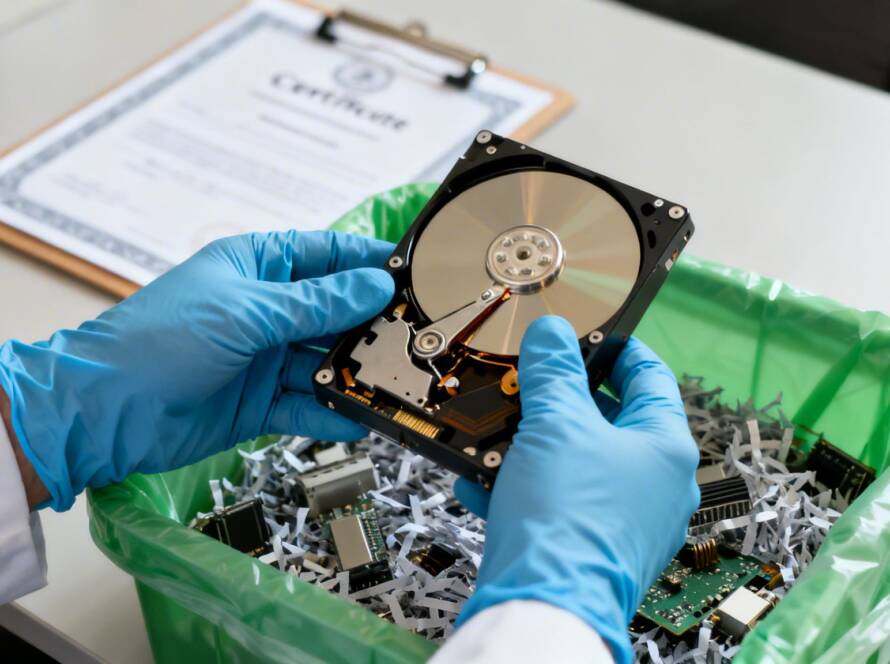
The moment a critical file disappears from your Windows PC can be alarming. Whether it’s due to an accidental deletion, a formatting error, a system crash, or even a virus attack, the immediate conclusion is often that the data is gone for good. However, this is rarely the case. Many believe deleting files removes them permanently, but as guides on methods for how to wipe a hard drive completely explain, deleted data is often still present and recoverable without specialized data erasure techniques. The operating system simply marks the space as available for new data, leaving the original file intact until it's overwritten.
This is where data recovery software becomes essential. These powerful tools can scan your storage drives-including hard disk drives (HDDs), solid-state drives (SSDs), USB flash drives, and memory cards-to locate and restore these hidden files. For businesses, law firms, and dental practices, losing client records, case files, or patient information is not just an inconvenience; it's a critical operational risk. Finding the best data recovery software for Windows is key to a fast and successful restoration, minimizing downtime and potential data loss.
This guide provides a detailed, authoritative breakdown of the top data recovery solutions available for Windows. We move beyond marketing claims to offer a practical analysis of each tool, focusing on real-world performance, specific use cases, and honest limitations. You will find a side-by-side comparison table, step-by-step recovery instructions for a basic workflow, and direct links to each software option. We also clarify when a DIY software approach is appropriate and when you should contact a professional service like GT Computing for complex or physically damaged drives. This resource is designed to help you confidently select the right tool to recover your lost files and get back to business.
1. EaseUS Data Recovery Wizard (Windows)
EaseUS Data Recovery Wizard earns its spot as one of the best data recovery software for Windows by combining a modern, accessible interface with powerful recovery features suitable for both businesses and individual users. It excels at recovering files from a wide range of scenarios, including accidental deletion, formatting, partition loss, and even system crashes. The software guides users through a simple three-step process: select, scan, and recover.
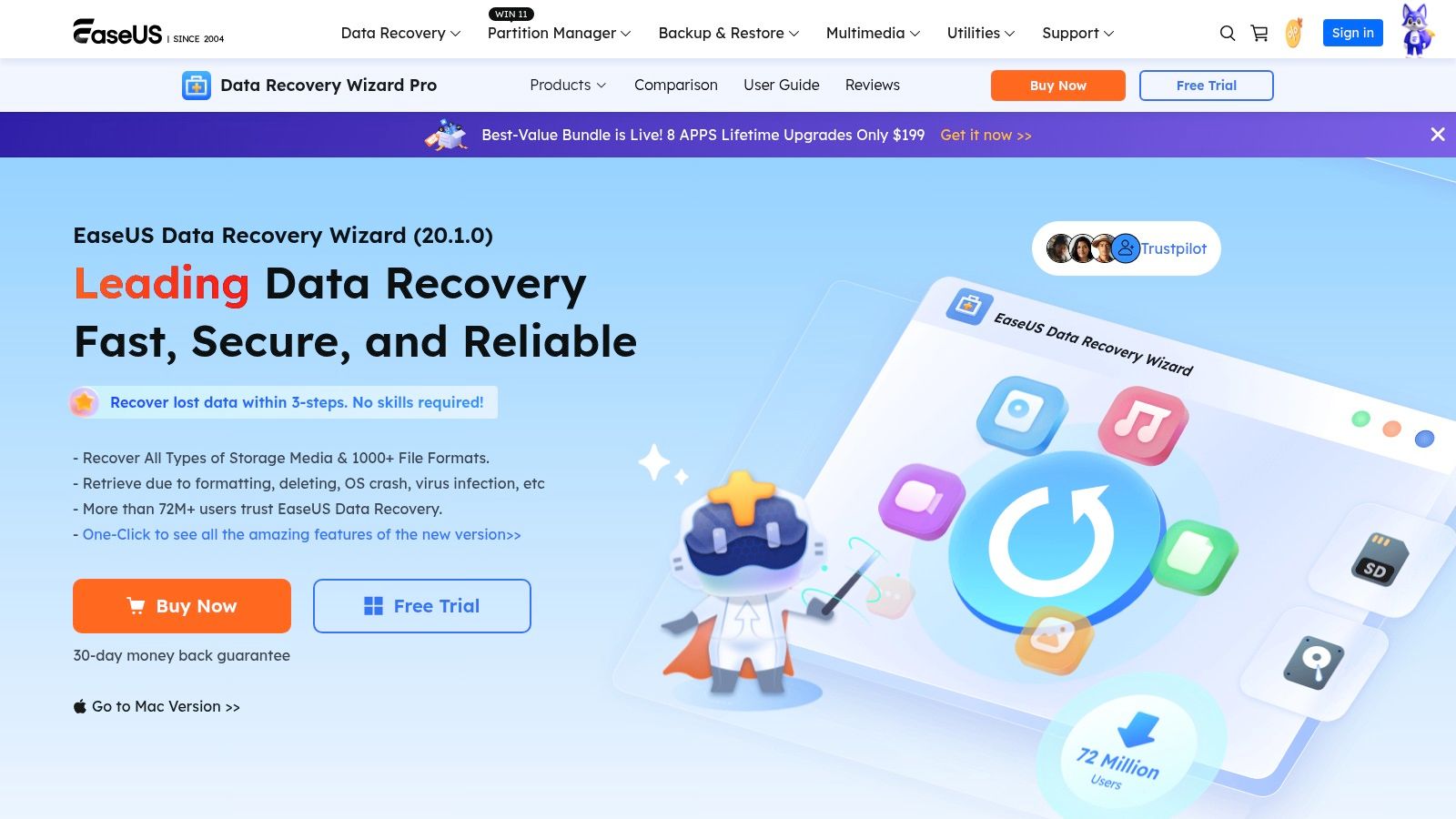
What sets it apart is its focus on practical, real-world needs. The ability to preview files during the scan saves considerable time, allowing you to identify and recover critical documents without waiting for the entire process to finish. It also includes a built-in repair tool for corrupted MP4, MOV, and JPG files, a feature often missing in competing products. Support for recovering data from Network Attached Storage (NAS) devices makes it a strong choice for small businesses. While data recovery is a powerful tool, understanding proactive strategies is crucial; you can learn how to prevent data loss to protect your business's critical information long-term.
Key Details & Pricing
- Supported Systems: NTFS, exFAT, FAT, ReFS, and ZFS.
- Unique Features: Crashed OS recovery, NAS recovery, file repair during scan.
- Pros: Very clear user interface, file filtering options, and flexible licensing (monthly or lifetime).
- Cons: Subscription terms have caused confusion for some users; always double-check the renewal details at checkout.
- Pricing: Offers a free trial for scanning and up to 2GB of recovery. Paid plans include monthly, annual, and lifetime options, starting around $69.95 for a one-month license.
Website: https://www.easeus.com/datarecoverywizardpro/
2. Stellar Data Recovery for Windows
Stellar Data Recovery for Windows secures its position as a top-tier recovery tool by offering a tiered approach that caters to specific user needs, from simple file retrieval to complex system failures. It presents a clean, intuitive interface that simplifies the recovery process into three distinct steps: select the drive, scan for data, and recover the files. The software is known for its powerful deep scan engine, capable of finding data even on corrupted or reformatted drives.
What makes Stellar a strong contender is its clear product segmentation. The Professional tier adds critical tools like bootable media creation for recovering data from unbootable PCs, while the Premium tier integrates advanced repair functions for corrupt photos and videos directly into the workflow. This model allows users to pay only for the features they need. It also supports recovery from BitLocker-encrypted drives, a vital feature for businesses handling sensitive information. To avoid such emergencies, implementing robust data backup solutions for small business is a fundamental step toward data security.
Key Details & Pricing
- Supported Systems: NTFS, exFAT, FAT, and legacy support for CD/DVD formats.
- Unique Features: BitLocker encrypted drive recovery, bootable media creation (Professional+), integrated photo/video repair (Premium).
- Pros: Clear breakdown of features by edition, supports a wide range of devices including optical media, and has a posted refund policy.
- Cons: Higher-tier functions like disk imaging and bootable media require the more expensive Professional edition; annual licensing is the default.
- Pricing: A free version allows scanning and recovery of up to 1GB of data. Paid plans are available as Standard, Professional, and Premium annual subscriptions, with lifetime licenses offered at a higher price point.
Website: https://www.stellarinfo.com/windows-data-recovery.php
3. Disk Drill for Windows (CleverFiles)
Disk Drill for Windows has built a strong reputation as a user-friendly and effective data recovery tool, making it a solid choice among the best data recovery software for Windows. Its simple, clean interface guides users through a straightforward scan-and-preview process, removing much of the technical guesswork. This makes it accessible for small business owners and individuals who need to recover files from nearly any storage device, including internal and external hard drives, SSDs, and USB flash drives, without a steep learning curve.
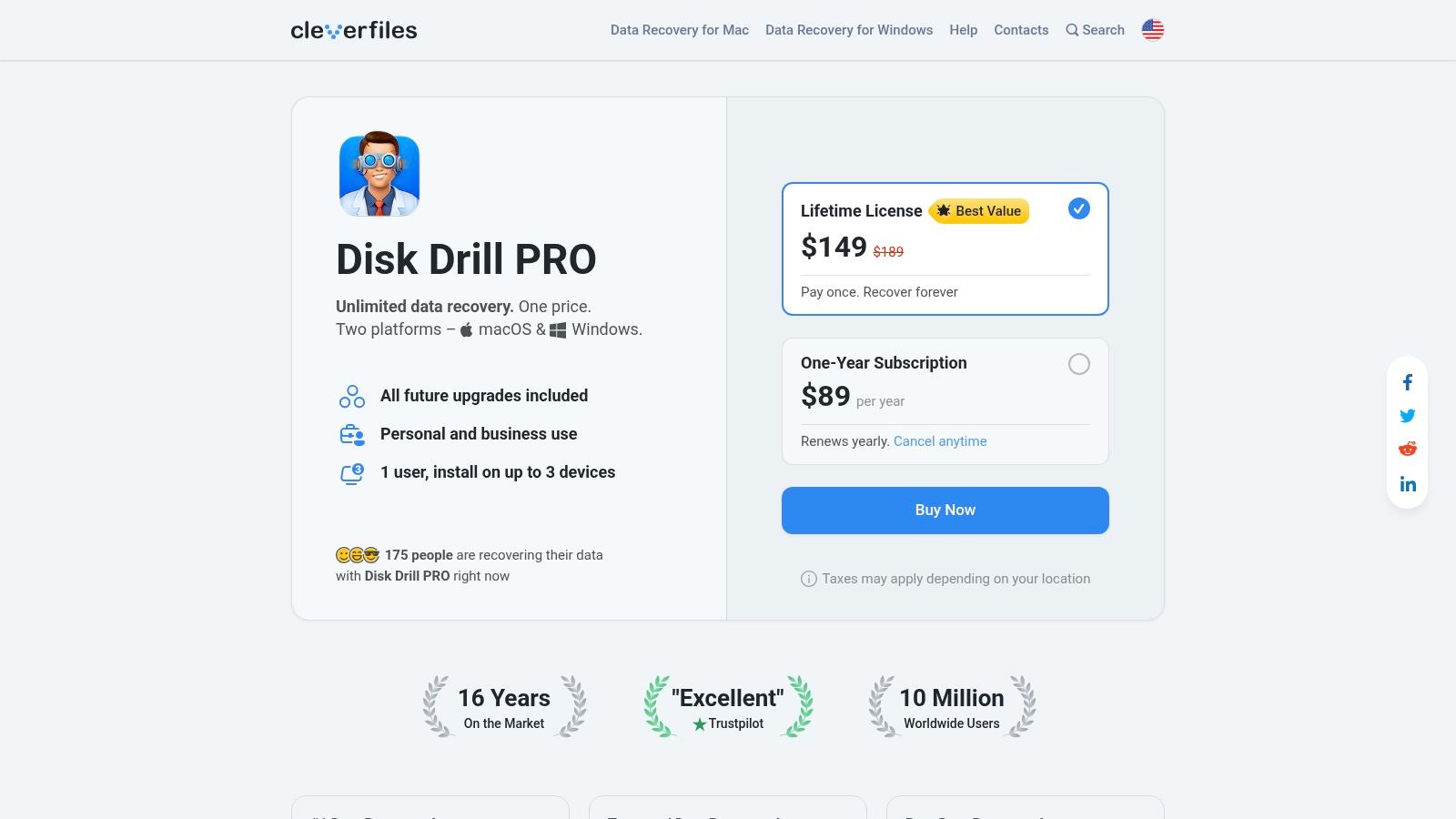
The platform’s major strength is its "try before you buy" model. The free Basic edition allows for unlimited scanning and a full preview of recoverable files, so you can confirm your critical data is found before committing to a purchase. Another key advantage is the availability of a lifetime license, which is a great value for those who prefer a one-time payment over recurring subscriptions. While recovery is a reactive measure, having a proactive strategy is essential; building a small business disaster recovery plan can protect you from future data loss events and minimize downtime.
Key Details & Pricing
- Supported Systems: NTFS, FAT32, exFAT, HFS+, APFS, and EXT4.
- Unique Features: Recovery Vault for data protection, free scanning and preview, cross-platform licensing options.
- Pros: Straightforward upgrade path from free edition, lifetime license option offers long-term value.
- Cons: Final price is only shown at checkout and varies by region; the refund policy is quite limited.
- Pricing: Free 'Basic' edition for scanning and previewing. The PRO upgrade is available as a one-year subscription or a lifetime license, with business quotes available for teams.
Website: https://www.cleverfiles.com/pro.html
4. Recuva (Piriform/CCleaner)
Recuva from the makers of CCleaner stands out as an excellent first-response tool for simple data loss scenarios. Its primary strength lies in its accessibility and simplicity, making it a go-to for recovering recently deleted files from a hard drive, memory card, or MP3 player. It offers a straightforward wizard that guides less technical users through the recovery process, but also includes an advanced mode for those who want more control over the scan.
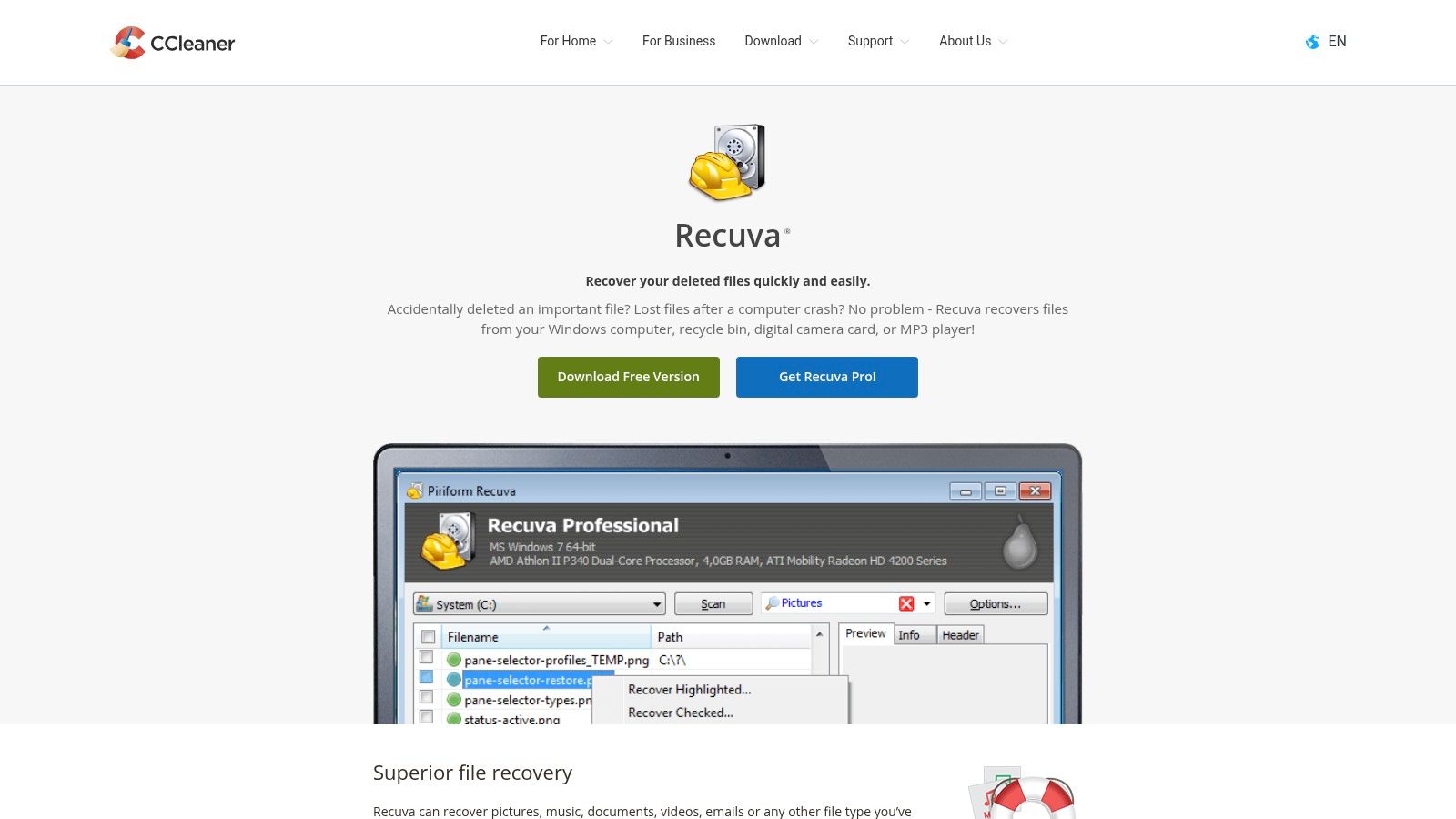
What makes Recuva particularly useful is its portable version. You can run it from a USB drive without installing it on the affected computer, which helps prevent the software itself from overwriting the very data you’re trying to recover. While it may not have the same power as other tools for complex situations like RAID failure or severe partition corruption, its free version is remarkably capable for basic undelete tasks. For anyone who just emptied their Recycle Bin by mistake, Recuva is one of the best data recovery software for Windows options to try first, before escalating to more powerful solutions or professional services.
Key Details & Pricing
- Supported Systems: NTFS, FAT, and exFAT.
- Unique Features: Secure overwrite feature to permanently delete files, portable version available (no installation required).
- Pros: Generous free version for basic recovery, lightweight and very easy to use, portable build prevents data overwriting.
- Cons: Less effective on corrupted drives or complex recovery scenarios; not suitable for RAW or RAID systems.
- Pricing: A fully functional free version is available for basic recovery. The Professional version, which adds support for virtual hard drives and automatic updates, is available as part of the CCleaner Professional bundle, with pricing typically around $29.95 per year.
Website: https://www.ccleaner.com/recuva
5. R‑Studio for Windows (R‑Tools Technology)
R-Studio for Windows is a professional-grade solution built for the toughest recovery jobs, making it a staple for IT technicians, system administrators, and forensic experts. While many tools target accidental deletions, R-Studio is engineered for complex scenarios like recovering data from RAID arrays, network drives, and corrupted disk images. Its power lies in its deep, technical feature set, which provides granular control over the entire recovery process.
What makes R-Studio stand out among the best data recovery software for Windows is its support for advanced storage setups. It can automatically detect RAID parameters, a critical function for businesses recovering data from failed servers or NAS devices. The software also includes a versatile hex editor and multi-pass imaging capabilities for handling physically unstable drives. This technical focus means the user interface is dense and less intuitive for beginners, but for those with the right expertise, it provides unmatched capabilities.
Key Details & Pricing
- Supported Systems: NTFS, ReFS, FAT/exFAT, HFS/HFS+, UFS1/UFS2, and Ext2/3/4.
- Unique Features: Advanced RAID reconstruction (0/1/4/5/6/10), network data recovery over LAN, drive imaging and cloning, and Windows Storage Spaces support.
- Pros: Extremely powerful for professionals handling servers and complex storage, offers perpetual licensing models, and provides edition-specific builds for different needs.
- Cons: Has a significant learning curve compared to consumer-focused tools; the interface can be intimidating for inexperienced users.
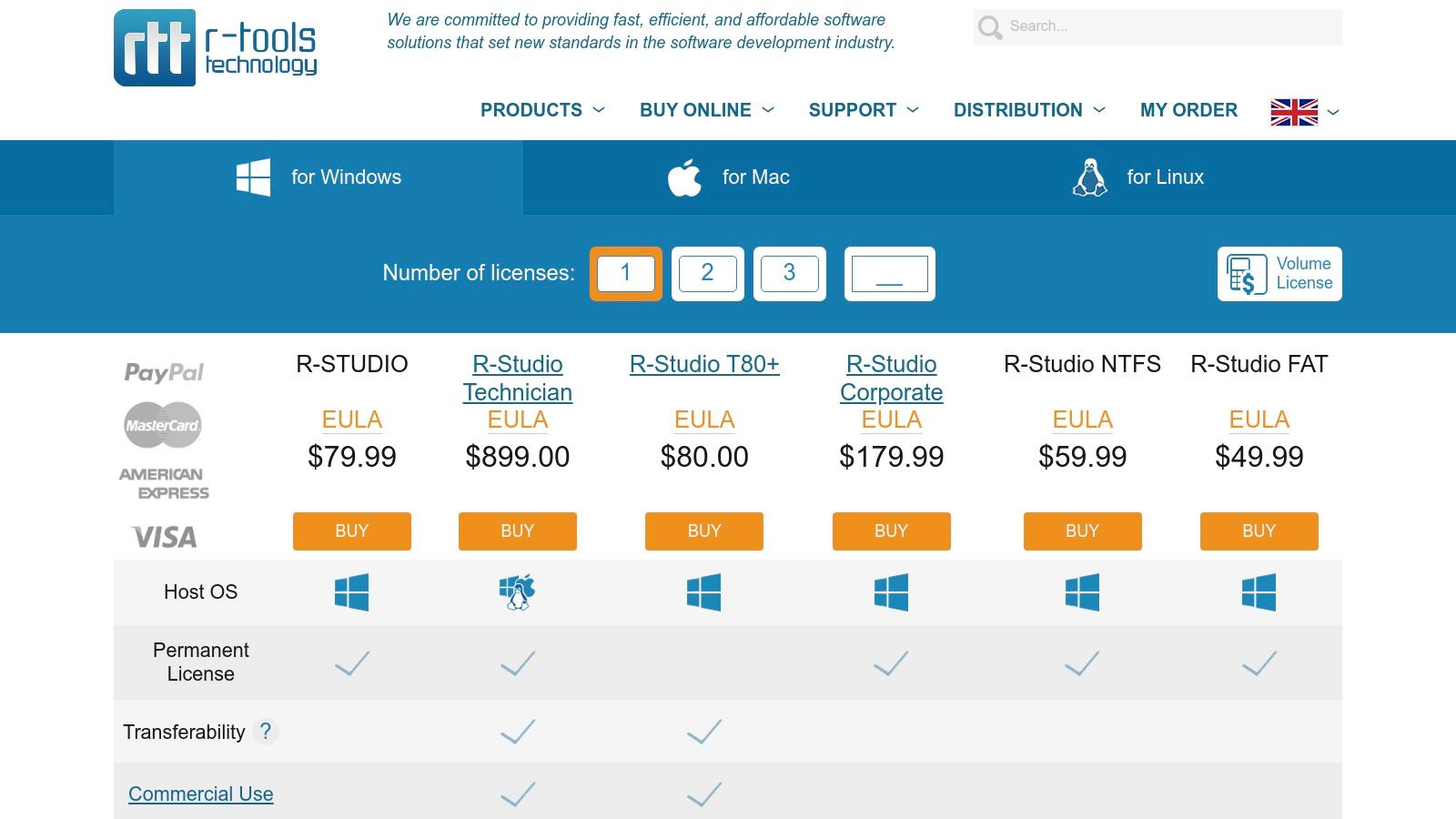
- Pricing: A demo version allows scanning and file previewing. Full licenses are perpetual and start at $49.99 for R-Studio FAT, with more advanced editions like R-Studio Network costing several hundred dollars.
Website: https://www.r-studio.com/Buy-Data-Recovery-Software.html
6. MiniTool Power Data Recovery (Windows)
MiniTool Power Data Recovery secures its position as one of the best data recovery software for Windows by offering a clear-cut solution with flexible licensing for personal, business, and technician use. It handles common data loss situations like accidental deletion, formatting errors, and partition loss with a straightforward, guided process. The software is particularly valuable for its ability to recover data from crashed or unbootable systems.
A key differentiator for MiniTool is its inclusion of a WinPE bootable media builder in its paid editions. This feature allows users to create a bootable USB or CD/DVD to start a failed computer and run the recovery software, a critical function for IT professionals and businesses dealing with system failures. The company also stands out for its transparent pricing, especially for business tiers, which include perpetual license options that avoid recurring subscription fees. This direct approach makes it a reliable choice for organizations planning long-term IT budgets.
Key Details & Pricing
- Supported Systems: NTFS, FAT32/16/12, and exFAT.
- Unique Features: WinPE bootable media builder for crashed system recovery, perpetual licensing for business plans.
- Pros: Transparent store page with clear perpetual license options, 30-day money-back guarantee, and 24/7 support.
- Cons: Personal plans are set to auto-renew by default, so users must be careful to unsubscribe if they do not want a recurring charge.
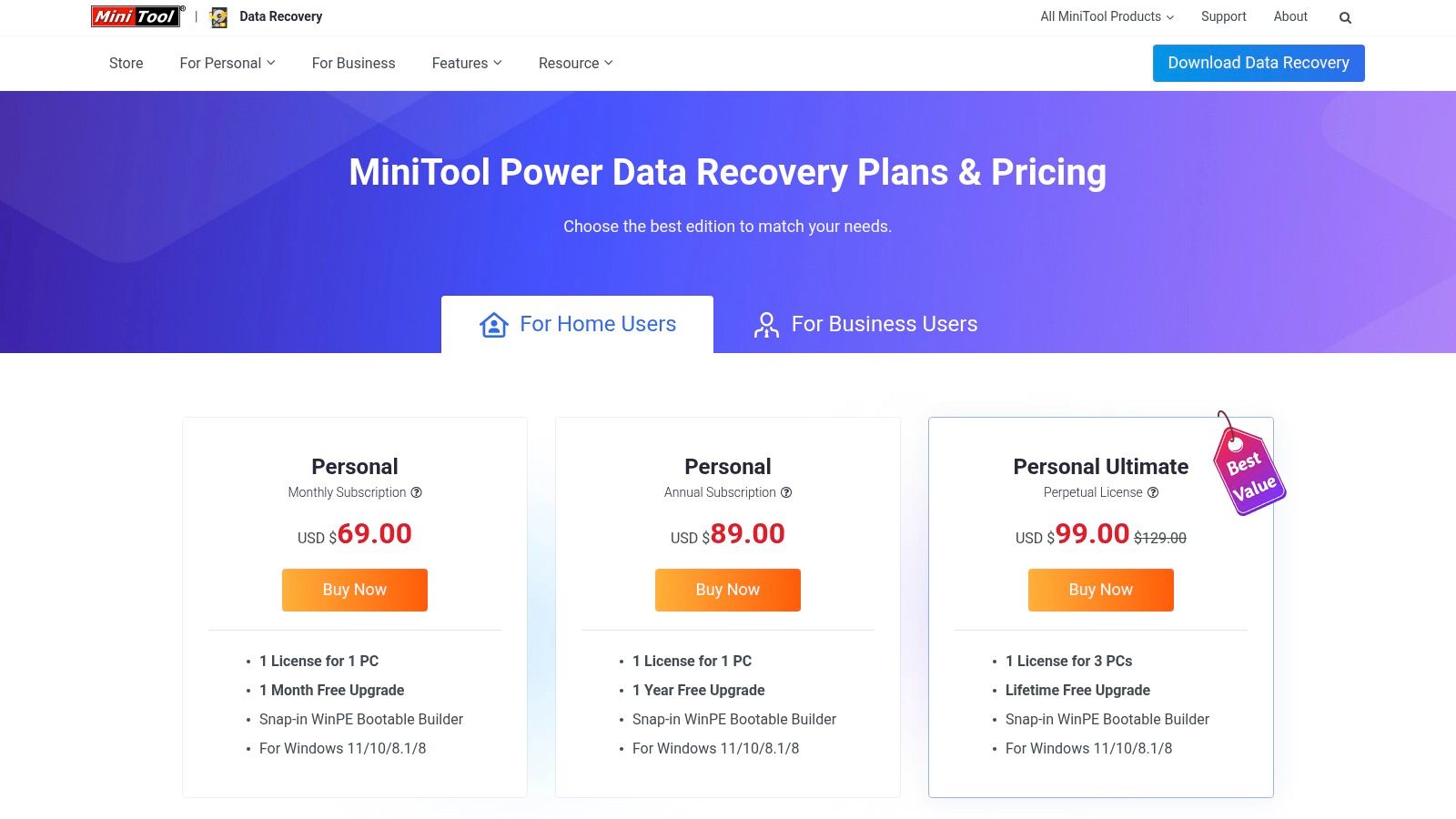
- Pricing: A free edition allows for up to 1GB of data recovery. Paid personal plans start around $69 for a monthly subscription, with business and technician plans offering annual or perpetual licenses.
Website: https://www.powerdatarecovery.com/buy.html
7. Wondershare Recoverit for Windows
Wondershare Recoverit is a strong contender for the best data recovery software for Windows, especially for users who appreciate a guided, straightforward recovery process. It is built to handle over 1000 file formats across various loss scenarios, from simple deletions to formatted drives and system crashes. The software walks users through a simple select, scan, and recover workflow, making it accessible even for those with limited technical expertise.
Its stand-out feature is the ability to create a bootable WinPE USB drive. This is invaluable when a system fails to start, allowing you to boot into a recovery environment and retrieve critical files from the non-functional PC. The software also includes deep scanning and disk imaging, which creates a complete backup of a drive to perform recovery without putting the original, failing hardware under further stress. While powerful, it’s always best to be prepared; understanding common causes of data loss can help you implement better data protection habits.
Key Details & Pricing
- Supported Systems: NTFS, FAT, HFS+, APFS, and others.
- Unique Features: Bootable WinPE media creation for crashed PCs, disk imaging, and support for 1000+ file formats.
- Pros: Simple, guided workflows suitable for typical users; clear monthly, annual, and lifetime pricing choices with auto-renew explained on the site.
- Cons: The free tier is very limited at only 100 MB of recovery; the refund window is short (7 days), so be sure to verify plan scope (Standard vs. Advanced) before purchase.
- Pricing: A free trial allows scanning and recovery of up to 100 MB. Paid plans start at $59.99 for a one-month license.
Website: https://recoverit.wondershare.com/buy/buy-recoverit-standard.html
8. Ontrack EasyRecovery for Windows
Ontrack EasyRecovery brings the authority of a major professional data recovery lab to a do-it-yourself desktop application. This positions it as a unique bridge between consumer-grade tools and full-service lab recovery, making it one of the best data recovery software for Windows for users who value a clear escalation path. The software provides a clean, step-by-step process, allowing you to select media, choose a recovery scenario like deleted file recovery or formatted media recovery, and then run a scan.
What makes Ontrack stand out is its tiered structure, catering to everyone from home users to IT technicians. The Premium edition includes photo and video repair, while the Technician version adds complex RAID 0, 5, and 6 recovery capabilities. This direct link to Ontrack’s professional services is a key benefit; if the software can't recover your data, you have an immediate and trusted option for sending the drive to their labs. It’s a powerful safety net not offered by most software-only vendors.
Key Details & Pricing
- Supported Systems: NTFS, FAT, exFAT, HFS, HFS+, and APFS.
- Unique Features: Integrated path to professional lab services, RAID 0/5/6 recovery (Technician edition), disk health monitoring, and cloning features.
- Pros: Backed by a trusted brand in professional recovery, multiple editions for different needs, and a free version for small recoveries.
- Cons: Higher-end editions are relatively expensive compared to other consumer tools; full pricing is presented late in the checkout process.
- Pricing: A free version allows recovery of up to 1 GB of data (with file size limits). Paid plans are available as annual subscriptions, with Home, Professional, Premium, and Technician tiers, starting around $79 per year.
Website: https://www.ontrack.com/en-us/software/easyrecovery/windows
9. AOMEI MyRecover (Windows)
AOMEI MyRecover is a strong contender for users seeking a straightforward and cost-effective Windows recovery solution. Developed by a company known for its reliable backup and partition management tools, MyRecover provides a simple, guided process for restoring lost files. It handles common data loss events, including accidental deletions, formatting, and system crashes, making it a dependable choice for individual users, IT professionals, and managed service providers (MSPs).
What distinguishes this software is its transparent and affordable licensing model, especially for its Technician tier. This option allows for use on an unlimited number of PCs, offering exceptional value for IT shops and support teams. The interface is clean and lightweight, avoiding the complexity that can bog down other applications. With support for crashed-system recovery via a WinPE bootable media creator, AOMEI MyRecover is also a practical tool for rescuing data even when Windows fails to start, making it one of the best data recovery software for Windows in emergency scenarios.
Key Details & Pricing
- Supported Systems: NTFS, FAT32, exFAT, and ReFS.
- Unique Features: Crashed-system recovery with WinPE support, affordable Technician license for unlimited PCs, and a simple two-step recovery process.
- Pros: Clear Free/Pro/Technician feature grids, lightweight interface, and excellent value with Pro and Technician tiers, which often include perpetual upgrades.
- Cons: Official USD pricing can vary by region, and the free recovery cap might differ; always confirm the final price and terms at checkout.
- Pricing: A free version is available with a recovery limit (typically 500MB). The Pro plan for one PC is competitively priced, while the Technician license for unlimited PCs offers great value for business use.
Website: https://www.myrecover.com/fr/windows-recovery/
10. Tenorshare 4DDiG (Windows)
Tenorshare 4DDiG presents itself as a versatile, all-in-one data recovery solution for Windows, targeting users who value flexibility and frequent discounts. Its capability to recover from over 2,000 device and file types makes it a strong contender for handling diverse data loss scenarios, from simple deletions to more complex situations like crashed PCs. The software is particularly appealing to budget-conscious users, including students and small businesses, due to its aggressive promotional pricing and lifetime license option.
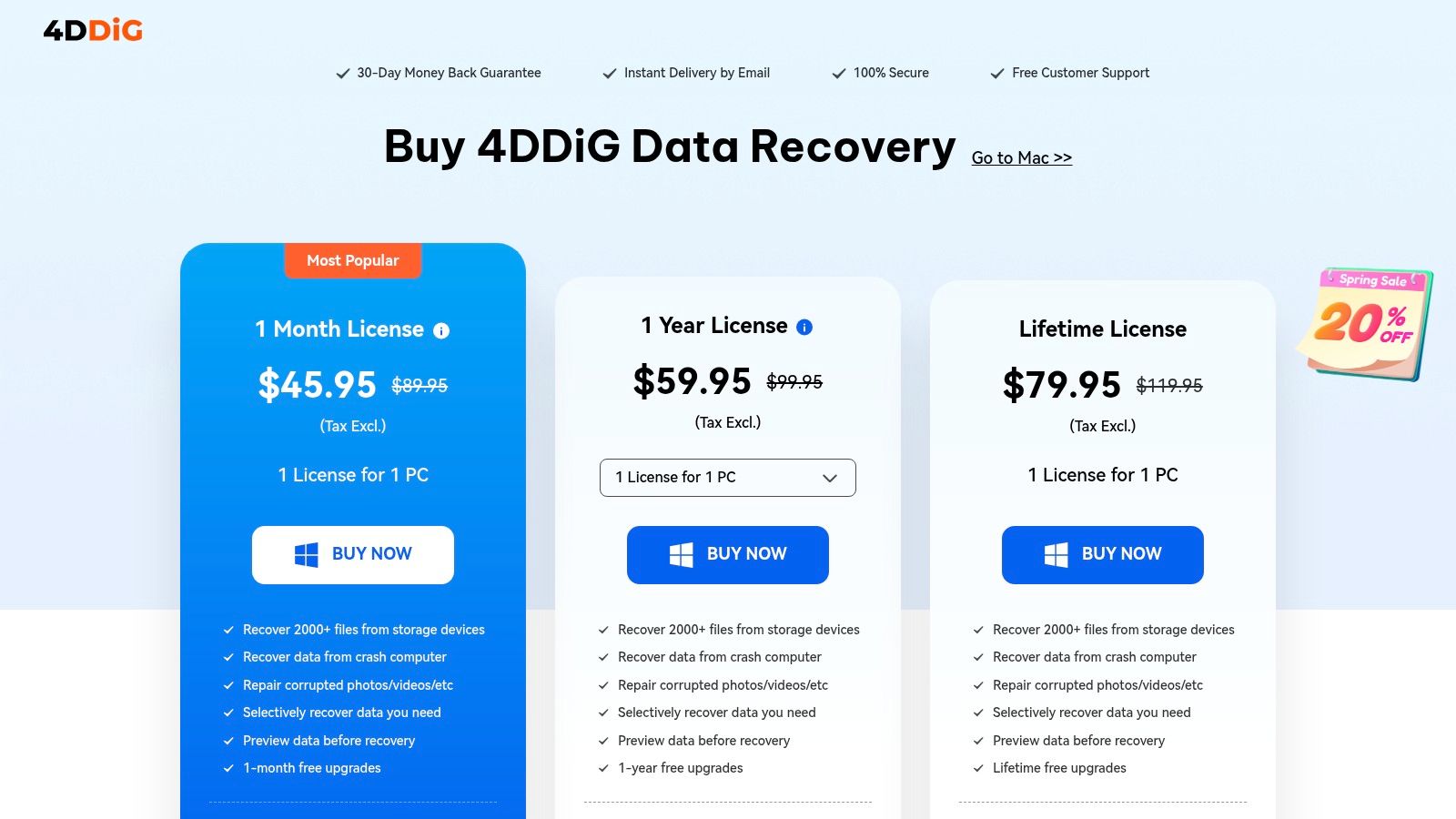
What makes Tenorshare 4DDiG a noteworthy option in the best data recovery software for Windows category is its tiered licensing, which scales from a single PC to unlimited technician licenses. This makes it adaptable for both individual users and IT professionals managing multiple systems. Add-on features for file repair and crashed-PC recovery provide extra value, though it's important to confirm which features are included in your chosen plan. Its clean interface guides you through selecting a location, scanning for lost data, and previewing files before committing to recovery.
Key Details & Pricing
- Supported Systems: NTFS, FAT32/FAT16, exFAT, EXT4, APFS, and HFS+.
- Unique Features: Crashed-PC recovery and file repair add-ons, frequent coupons, education/student discounts, and scalable technician licenses.
- Pros: Aggressive promotional pricing and student discounts, lifetime license option available, and broad device support.
- Cons: Auto-subscription is enabled by default on time-based plans; remember to cancel if purchasing for one use. Verify which features are included in the selected tier before purchase.
- Pricing: Free trial for scanning and previewing files. Paid licenses are often discounted, with monthly, annual, and lifetime options starting around $45.95 for a one-month license.
Website: https://4ddig.tenorshare.com/buy-4ddig-data-recovery.html
11. Do Your Data Recovery (Windows)
Do Your Data Recovery carves out a niche by focusing on simplicity and transparent pricing, making it a strong contender for users who want straightforward recovery without subscription hassles. It’s built to handle common data loss situations like accidental deletion, drive formatting, or partition loss with a clean, no-frills interface. The process is direct and easy for non-technical users to follow, presenting a clear path to getting files back from internal hard drives and external storage devices.
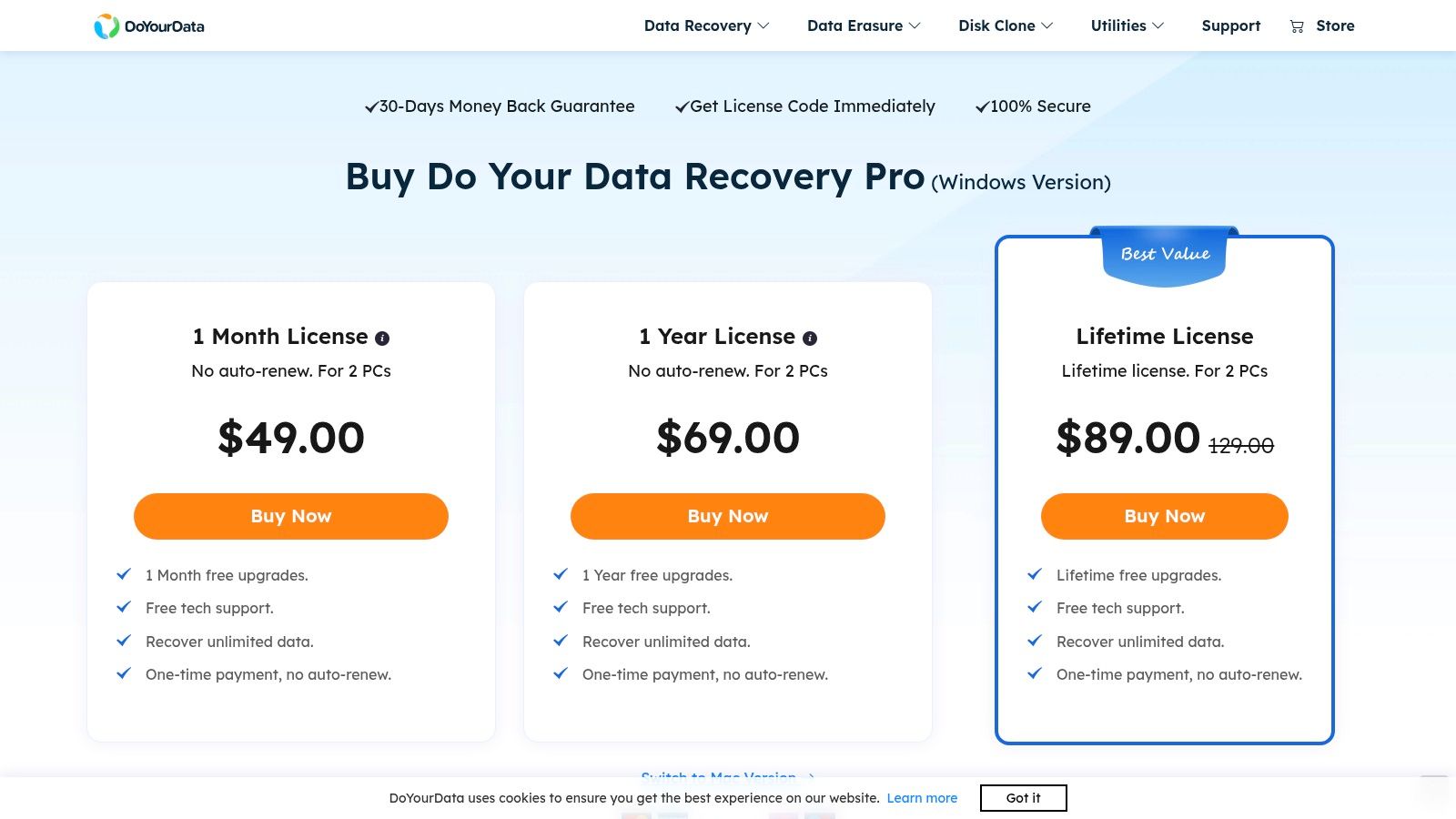
What makes this tool particularly noteworthy is its licensing model. In a market moving toward subscriptions, the company’s explicit “no auto-renew” policy and one-time payment options are a welcome change. The budget-friendly Lifetime license covers two PCs, offering great value for home users or small businesses that need a reliable tool on hand for occasional emergencies. While it may not have the deep forensic capabilities for complex RAID or server recoveries, its performance in standard scenarios makes it one of the best data recovery software for Windows users seeking predictability and value.
Key Details & Pricing
- Supported Systems: NTFS, FAT12/16/32, exFAT, ReFS, and Ext 2/3.
- Unique Features: Explicit "no auto-renew" policy, 2-PC consumer licenses, and a dedicated Technician edition for IT service providers.
- Pros: Very transparent one-time payment options, low-cost lifetime plan for two computers, and a 30-day money-back guarantee.
- Cons: Lacks advanced features for complex RAID or NAS recovery; primarily aimed at straightforward consumer and business file recovery.
- Pricing: A free version allows up to 1GB of data recovery. Paid Pro plans offer unlimited recovery with a one-time payment, starting around $49.95 for a lifetime license for two PCs.
Website: https://www.doyourdata.com/data-recovery-software/purchase-do-your-data-recovery-pro.html
12. Windows File Recovery (Microsoft)
Microsoft’s own Windows File Recovery is a unique entry, standing out as an official, command-line-only utility available for free from the Microsoft Store. Designed for Windows 10 and 11, it is a powerful first-line-of-defense for technically proficient users trying to recover recently deleted files. Instead of a graphical interface, it operates entirely through the Command Prompt or PowerShell, giving IT professionals and advanced users precise control over the recovery process.
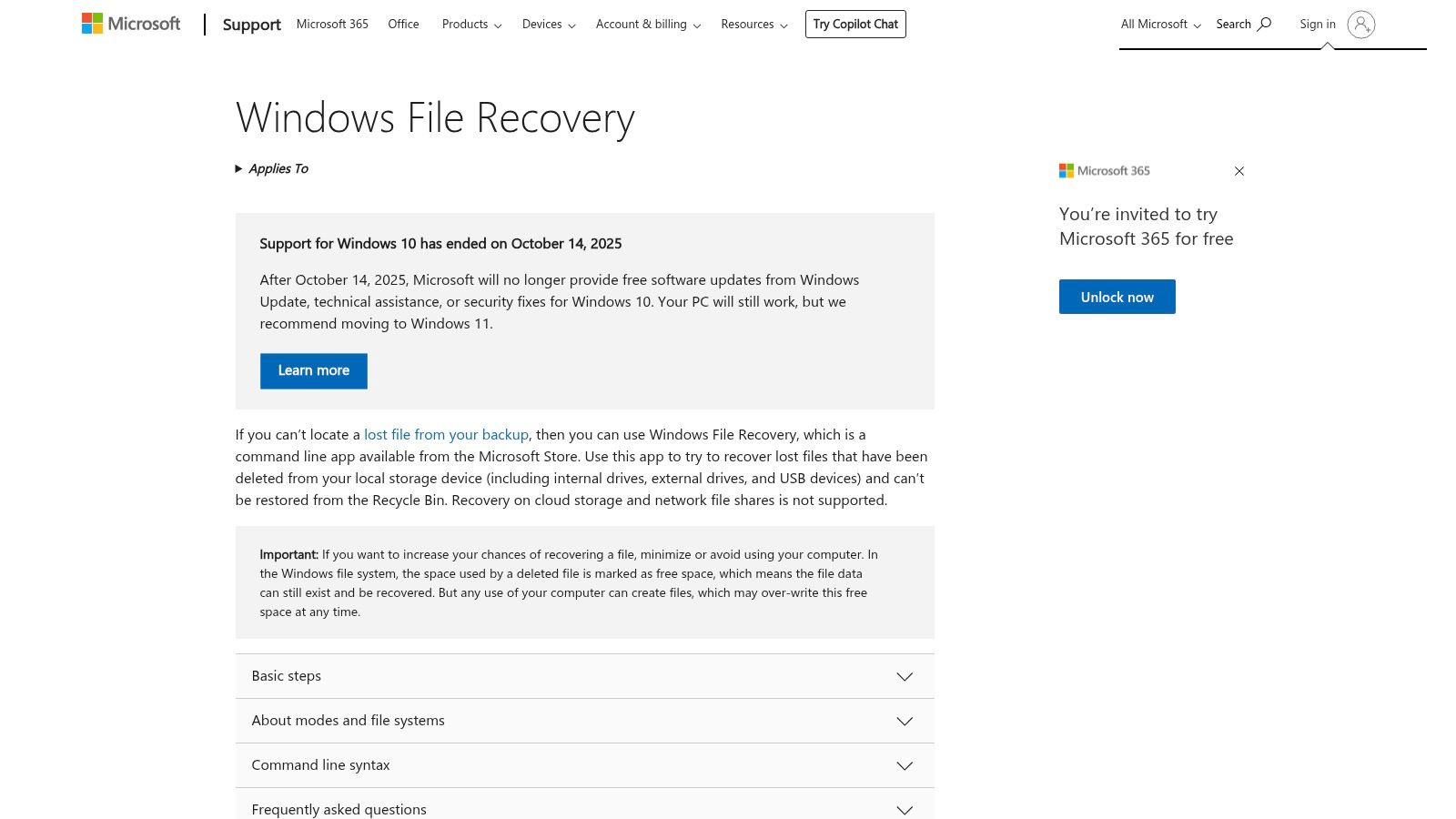
Its strength lies in its simplicity and directness. Because it's a Microsoft tool, you can trust it won't install unwanted third-party drivers or software. The utility offers multiple modes, including a "Regular" mode for recent NTFS deletions and an "Extensive" mode that supports a wider range of file systems like FAT and exFAT. This makes it a solid choice for scripting automated recovery tasks or for a quick, no-cost attempt before escalating to paid software. However, its lack of a graphical interface, file preview, and support for complex scenarios like RAW partition recovery makes it unsuitable for beginners or severe data loss cases.
Key Details & Pricing
- Supported Systems: NTFS, FAT, exFAT, and ReFS.
- Unique Features: Multiple recovery modes (Regular/Extensive), scriptable via command line, official Microsoft support documentation.
- Pros: Completely free to use, comes directly from Microsoft ensuring safety, and ideal for technical users who prefer command-line control.
- Cons: No graphical user interface, requires manual command syntax, offers no file preview, and is not effective for complex corruption or RAID arrays.
- Pricing: Free. Available for download from the Microsoft Store.
Top 12 Windows Data Recovery Software Comparison
| Tool | Core capability / Strength | Key features ✨ | UX & Quality ★ | Pricing & Value 💰 | Target audience & USP 👥🏆 |
|---|---|---|---|---|---|
| EaseUS Data Recovery Wizard (Windows) | Versatile Windows & NAS recovery; crashed‑OS & partition restore | File repair (MP4/JPG), NAS support, preview‑while‑scan ✨ | Clear UI, preview/filtering ★★★★ | 💰 Free trial scan; monthly or lifetime plans (verify license) | 👥 SMBs & home users; 🏆 balanced consumer + business workflows |
| Stellar Data Recovery (Windows) | Tiered Windows recovery with media repair & imaging | BitLocker recovery, disk imaging, bootable media ✨ | Clear edition breakdown ★★★★ | 💰 Free→paid tiers; annual default, lifetime pricier | 👥 SMBs & pros; 🏆 photo/video repair in Premium |
| Disk Drill (CleverFiles) | Easy scan→preview→upgrade flow; cross‑platform licensing | Free Basic scans, lifetime license option, broad device support ✨ | Simple, user‑friendly ★★★★ | 💰 Free scan; PRO subscription or lifetime one‑time | 👥 Home users & small tech teams; 🏆 straightforward upgrade path |
| Recuva (Piriform/CCleaner) | Lightweight undelete for simple delete cases | Quick/deep scans, portable build (no install) ✨ | Small footprint, easy to try ★★★ | 💰 Free + low‑cost Pro upgrade | 👥 Casual users & quick fixes; 💰 budget first‑aid tool |
| R‑Studio (R‑Tools Technology) | Pro‑grade RAID/NAS/forensic recovery for complex jobs | RAID auto‑detect, multi‑pass imaging, hex editor, network agent ✨ | Powerful but technical UI ★★★★★ | 💰 Perpetual licenses; higher cost for pro features | 👥 Technicians, MSPs, server admins; 🏆 advanced RAID/NAS forensics |
| MiniTool Power Data Recovery | WinPE bootable recovery; personal→technician tiers | WinPE builder, disk/partition recovery, multi‑PC/server licenses ✨ | Transparent store, 30‑day support ★★★★ | 💰 Perpetual options for business; 30‑day money‑back | 👥 SMBs & home techs; 🏆 business perpetual licensing |
| Wondershare Recoverit | User‑friendly recovery with deep scan & imaging | 1000+ formats, WinPE bootable USB, free 100 MB cap ✨ | Guided workflows for typical users ★★★★ | 💰 Monthly/annual/lifetime; short refund window | 👥 Typical users & SMBs; ✨ simple guided experience |
| Ontrack EasyRecovery | DIY tool with direct path to lab services | Quick/Deep scans, photo/video repair, RAID in Technician, cloning ✨ | Brand + escalation to lab ★★★★★ | 💰 Free (1 GB) → Technician/Toolkit premium tiers | 👥 Businesses & pros needing lab backup; 🏆 lab‑grade escalation |
| AOMEI MyRecover | Cost‑effective Windows recovery for individuals & MSPs | WinPE, crashed‑system recovery, Free/Pro/Technician tiers ✨ | Lightweight UI, frequent discounts ★★★★ | 💰 Free cap; Pro/Technician perpetual options vary by region | 👥 MSPs & budget‑conscious SMBs; 💰 strong value per price |
| Tenorshare 4DDiG | Broad format/device support with promos | 2000+ file types, crashed‑PC recovery, file‑repair add‑ons ✨ | Aggressive promotions; watch auto‑renew ★★★★ | 💰 Monthly/annual/lifetime; frequent coupons (auto‑subscribe) | 👥 Students & bargain hunters; ✨ promotional pricing |
| Do Your Data Recovery | Straightforward recovery with one‑time licensing | Unlimited recovery on paid plans, 2‑PC lifetime, 30‑day refund ✨ | Transparent billing; no auto‑renew ★★★ | 💰 One‑time payment (no auto‑renew) — budget lifetime option | 👥 Small offices & DIY techs; 🏆 clear no‑subscription policy |
| Windows File Recovery (Microsoft) | Free CLI tool for scripted/zero‑cost recoveries | Regular/Extensive modes for NTFS/FAT/exFAT/ReFS, Microsoft docs ✨ | Command‑line only, no preview ★★★ | 💰 Free from Microsoft (Microsoft Store) | 👥 Tech‑savvy admins & scripts; 💰 zero‑cost, vendor‑supported |
Final Thoughts
Navigating the aftermath of data loss can be a stressful experience for any business, whether you're a law firm protecting client confidentiality or a dental practice managing patient records. Our detailed exploration of the best data recovery software for windows has shown that a wide array of powerful tools is available, each with distinct strengths and ideal use cases. From the user-friendly interfaces of EaseUS Data Recovery Wizard and Disk Drill to the advanced, granular control offered by R-Studio, the right solution is out there. The key is to match the tool to your specific circumstances and technical comfort level.
Making the Right Choice for Your Business
Your selection process should be guided by a clear assessment of your needs. Before you commit to a purchase or even a deep scan, consider these final points:
- For Accidental Deletions: If you've simply emptied the Recycle Bin or used Shift+Delete on a critical file, a fast and straightforward tool is your best bet. Solutions like Recuva (for its free, basic recovery) or AOMEI MyRecover are excellent starting points for these less complex scenarios. They offer quick scans that can often locate recently deleted files in minutes.
- For Formatted or Corrupted Drives: When dealing with more severe data loss, such as a formatted partition or a drive that has become RAW, you need a more robust application. Stellar Data Recovery, MiniTool Power Data Recovery, and Ontrack EasyRecovery are built for these situations, offering deep scanning algorithms that can reconstruct file structures and recover data from seemingly lost partitions.
- For Advanced Technical Users: If you have an IT background or need to perform a recovery from a complex RAID setup or a failing drive with bad sectors, R-Studio is the professional-grade choice. Its network recovery capabilities and advanced hexadecimal editor provide the control needed for the most challenging recovery jobs.
- For Free and Microsoft-Native Options: Don’t overlook Microsoft’s own Windows File Recovery. While it lacks a graphical interface and requires comfort with the Command Prompt, it's a powerful and completely free tool that can be effective for recovering files from NTFS, ReFS, and FAT drives. It’s a solid option for those with the technical skill to use it.
A Note on Permanent Data Deletion
This guide focuses on recovering what was lost, but it's equally important for businesses to understand how to permanently dispose of sensitive information. While powerful data recovery tools exist for retrieving lost files, it's vital to understand that data which has undergone proper secure data destruction methods is designed to be completely unrecoverable, marking the ultimate end of a file's lifecycle. This is a critical consideration for retiring old hardware or ensuring client data is permanently removed when legally required.
Ultimately, having one of the best data recovery software for Windows in your toolkit is a proactive step toward business continuity. Data loss doesn't have to be a catastrophe. With the right preparation and the right software, you can turn a potential disaster into a manageable inconvenience, getting your files back and your operations running smoothly again.
Keep your business running without IT headaches.
GT Computing provides fast, reliable support for both residential and business clients. Whether you need network setup, data recovery, or managed IT services, we help you stay secure and productive.
Contact us today for a free consultation.
Call 203-804-3053 or email Dave@gtcomputing.com