If you're running a small business, you've probably realized that a traditional phone line just doesn't cut it anymore. The best VoIP systems for small businesses, like RingCentral, Nextiva, and Ooma, offer a massive leap forward, bundling powerful communication features once only available to massive corporations into an affordable package. This isn't just a phone system; it's a complete communications hub that makes your business look more professional and operate far more efficiently.
Why VoIP Is a Game Changer for Small Businesses
Making the switch from an old-school landline to a Voice over Internet Protocol (VoIP) system is a genuinely strategic business move. Instead of relying on aging copper wires, VoIP uses your existing internet connection to handle all your calls. This simple shift unlocks a whole world of advanced tools.
With VoIP, you can manage your business calls from literally anywhere—a desk phone in the office, your laptop at a coffee shop, or your smartphone while on the go. For a small team, this untethers you from a physical location. You can take a crucial client call from your home office with the exact same professional quality and features you'd have at your desk.
The Core Benefits of Modern VoIP
The real magic of modern VoIP isn't just about making calls over the internet. These platforms are true unified communication solutions, bringing together your phone, video meetings, and team messaging into one clean application.
Here’s where you'll really feel the difference:
- Serious Cost Savings: You're no longer paying for separate, expensive phone lines. In fact, as of 2025, small businesses that switched to VoIP have reported saving up to 40% on local calls and an incredible 90% on international calls.
- A More Professional Image: Features that used to be complex and expensive are now standard. Think auto-attendants that greet and route callers, custom hold music, and extension dialing. Suddenly, your one-person shop can project the image of a much larger, established company.
- Flexibility That Grows With You: Need to add a new team member? It takes just a few clicks in an online dashboard. You can easily add or remove users and even set up local phone numbers in different cities to expand your market presence.
And it doesn't stop there. The technology has evolved to include tools like an AI phone agent that can handle routine inquiries, freeing you up to focus on more important work.
Top VoIP Systems At a Glance
To help you get a quick lay of the land, here’s a snapshot of some of the leading VoIP providers. This table breaks down what makes each one stand out, so you can start to see which might be the right fit for your specific needs.
| Provider | Starting Price (per user/month) | Key Differentiator | Ideal Business Type |
|---|---|---|---|
| RingCentral | $20 | All-in-one platform (phone, video, message) | Remote-first teams and growing businesses |
| Nextiva | $18.95 | Excellent customer support and reliability | Service-based businesses |
| Ooma | $19.95 | Simple setup with included hardware options | Brick-and-mortar and home offices |
Of course, for any VoIP system to work its best, a rock-solid internet connection is non-negotiable. That's why understanding concepts like https://www.gtcomputing.com/what-is-network-redundancy/ is so important to prevent downtime and keep your communications flowing smoothly.
Keep your business running without IT headaches.
GT Computing provides fast, reliable support for both residential and business clients. Whether you need network setup, data recovery, or managed IT services, we help you stay secure and productive.
Contact us today for a free consultation.
Call 203-804-3053 or email Dave@gtcomputing.com
Comparing the Top VoIP Providers for Business Needs

Choosing the right VoIP system for your small business goes way beyond a simple feature checklist. The real test is how a platform fits into your daily grind, how reliable it is when you're counting on it, and whether it actually makes your workflow smoother. A system that’s a game-changer for a five-person remote team could easily be a clumsy, oversized tool for a local retail shop.
To find the perfect match, we have to look at what truly sets the leading providers apart. It’s not just about what features they offer, but how they deliver them. Let’s dive into the core philosophies of four major players: RingCentral, Nextiva, Ooma, and Grasshopper.
RingCentral: The All-In-One Powerhouse
RingCentral makes a clear promise: a single, unified platform for everything. They’ve built a system where your phone, video meetings, and team messaging all live together in one seamless application. This is a huge win for teams that need to jump between different types of communication on the fly.
Imagine a project manager spotting an urgent client issue in a team chat. With one click, they can escalate it to a video call, and then follow up with a phone call, all without ever leaving the RingCentral app. That kind of consolidation is what streamlines workflows and eliminates the hassle of juggling multiple subscriptions.
RingCentral's standout strength is its comprehensive, all-in-one ecosystem. It’s built for businesses that want a single source of truth for all internal and external communications, making it ideal for fast-growing or remote-first companies.
The flip side is that its sheer number of features can be a bit much for small teams who just need a solid phone line. You get the most bang for your buck when you’re actively using the entire suite of tools.
Nextiva: Reliability and Customer Focus
Nextiva built its brand on two things: incredible reliability and top-notch customer support. While it also offers a unified platform, its heart and soul is a rock-solid phone service that businesses can absolutely depend on. If you're running a service-based company where one missed call means lost business, this focus is a massive advantage.
Their main platform, NextivaONE, is refreshingly straightforward. It’s designed to handle core business communications exceptionally well without burying users in features they’ll never touch. It’s a stable, user-friendly system that ensures even the least tech-savvy person on your team can manage their calls like a pro.
Ooma: Simplicity and Hardware Integration
Ooma has carved out its niche by making things incredibly simple. It’s one of the best VoIP systems for small business owners who want something that just works right out of the box, no complex configuration required. Ooma often bundles its service with pre-configured IP phones, taking all the guesswork out of finding compatible hardware.
This plug-and-play approach is perfect for brick-and-mortar businesses—think retail stores, restaurants, or small professional offices. They get a reliable, traditional desk phone experience that’s powered by modern VoIP technology, without any of the setup headaches.
Ooma's primary advantage is its hassle-free setup and hardware-inclusive model. It's the ideal choice for businesses that want to replace their old landline with a modern equivalent without a steep learning curve or IT overhead.
Grasshopper: The Solopreneur's Solution
Grasshopper is a different beast entirely. It's not a full-blown communications platform but a virtual phone system designed to give you a professional business line on your personal smartphone. This makes it an absolute lifeline for solopreneurs, freelancers, and tiny businesses that need to look professional without the overhead of a complex VoIP system.
With Grasshopper, you get a business number with extensions, custom greetings, and voicemail transcription, all handled through a clean mobile app. It brilliantly keeps your business and personal calls separate on a single device. For a deeper look at other great options, this guide on the 7 Best VoIP Phone Systems for Small Business is a fantastic resource.
In-Depth VoIP Feature and Usability Comparison
To help you see the differences at a glance, this table breaks down how each provider stacks up based on their core strengths and who they're built for.
| Provider | Pricing Model | Key Feature Highlight | Best For |
|---|---|---|---|
| RingCentral | Per-user subscription, tiers based on features | All-in-one platform (phone, video, messaging) | Teams needing a single, integrated communication hub. |
| Nextiva | Per-user subscription, focuses on call management | High reliability (99.999% uptime) & customer support | Businesses where call quality and dependability are critical. |
| Ooma | Flat monthly fee, often includes hardware | Plug-and-play setup with pre-configured IP phones | Brick-and-mortar shops needing a simple landline replacement. |
| Grasshopper | Flat monthly fee, based on number of lines/extensions | Virtual phone system on your existing smartphone | Solopreneurs and freelancers needing a professional business line. |
Ultimately, the best choice depends entirely on your specific business structure and daily communication needs.
Keep your business running without IT headaches.
GT Computing provides fast, reliable support for both residential and business clients. Whether you need network setup, data recovery, or managed IT services, we help you stay secure and productive.
Contact us today for a free consultation.
Call 203-804-3053 or email Dave@gtcomputing.com
.
Essential VoIP Features Your Business Cannot Ignore
Modern VoIP systems pack a punch, offering powerful tools that were once exclusive to big corporations with even bigger budgets. Knowing which features will actually make a difference is the key to picking the right system. These aren't just flashy add-ons; they are tools built to solve real-world problems and help you run a more professional, buttoned-up operation.
The goal is to find a phone system that works as hard as you do. When you have the right features in place, your phone system becomes a productivity powerhouse, handling calls after hours and making sure you never miss an important message.
Streamlining Customer Interactions
That first phone call is often a customer's first impression of your business. An auto-attendant (think of it as a virtual receptionist) is a non-negotiable feature. It professionally greets every caller and guides them to the right person or department, 24/7. This one tool alone makes your business sound established and organized, even if you’re a team of one.
Another game-changer is advanced call routing. This lets you set up smart rules for where incoming calls go. For instance, you can have calls ring multiple phones at once (simultaneous ring) or one after another until someone picks up (find me/follow me). It’s a simple way to drastically cut down on missed calls and keep clients happy.
Voicemail-to-email transcription is one of those features you won't know how you lived without. It turns voice messages into text and shoots them straight to your inbox. You can quickly scan messages and prioritize what’s important without having to drop everything to listen to a recording.
Boosting Team Productivity and Collaboration
Great VoIP systems do more than just manage incoming calls; they improve how your team works together. Take integrated video conferencing, for example. Being able to kick off a team huddle or a client meeting right from your phone app saves time and hassle. It also means you can ditch separate subscriptions and keep your technology simple.
At their core, these systems are all about making communication more efficient. It's no surprise that call routing and handling features are incredibly popular—57% of small businesses depend on them to manage their daily call flow. This focus on efficiency means less time on hold for your customers and a better experience all around. You can dig into how other businesses are using these tools by checking out recent VoIP statistics.
Many platforms also come with powerful analytics dashboards. These give you a clear view of call volume, when your busiest hours are, and even how individual team members are performing. By looking at this data, you can make smarter decisions about staffing and be ready for whatever your customers throw at you.
Keep your business running without IT headaches.
GT Computing provides fast, reliable support for both residential and business clients. Whether you need network setup, data recovery, or managed IT services, we help you stay secure and productive.
Contact us today for a free consultation.
Call 203-804-3053 or email Dave@gtcomputing.com
.
Choosing the Right VoIP System for Your Business Model
There's no single "best" VoIP system. The truth is, the right system is the one that fits neatly into how your business actually runs day-to-day. A platform overflowing with features is just noise if those tools don't solve your specific problems. The smart way to choose is by matching a provider's strengths to your operational reality.
Take a solopreneur or a small startup, for instance. They don’t need a complicated, enterprise-level phone system. Their main goal is to look professional without breaking the bank. For them, a virtual system that adds a dedicated business number to their personal smartphone is perfect. It keeps costs down and maintains flexibility.
Now, think about a growing retail business with a few locations. Their needs are completely different. They need a system that can grow with them, connecting employees across different stores seamlessly. Features like unified communication tools, centralized administration, and solid desk phone support are non-negotiable for keeping things running smoothly.
Aligning Platforms with Workflows
The real secret is to analyze your unique workflow. A fully remote tech company, for example, lives on collaboration. Their ideal phone system will bundle video conferencing, team messaging, and voice calls into one slick application. This stops the team from constantly switching between different apps, which is a huge productivity killer.
On the other hand, a local law firm or dental office puts a premium on crystal-clear call quality, rock-solid reliability, and handy features like voicemail-to-email. For them, a system known for its stability and client communication tools is far more valuable than a fancy team chat function they'll never use.
The smartest move you can make is to ignore the marketing hype and take an honest look at your daily needs. The right system should feel like a natural part of how you already operate, not some clunky new tool you have to fight with.
This decision tree infographic is a great way to see how specific business needs connect to key VoIP features.
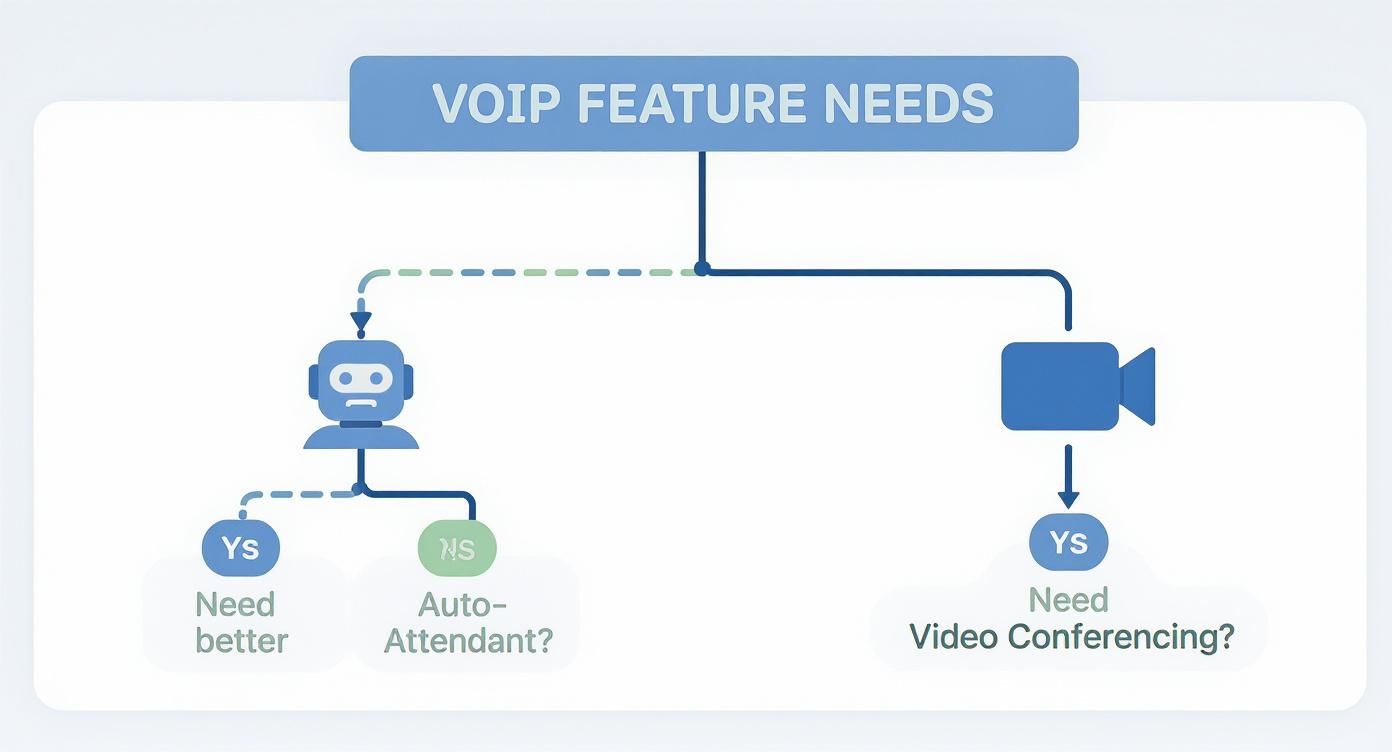
As you can see, a business drowning in missed calls should look for a great auto-attendant. A company built on remote work, however, needs to prioritize powerful video conferencing tools.
Scenario-Based VoIP Recommendations
Let's put this into practice and match some providers to common business types:
- For the Solopreneur or Freelancer: A service like Grasshopper is a fantastic choice. It gives you a professional business number right on your personal cell phone, minus the cost and complexity you don't need.
- For the Multi-Location Retailer: You'll want a scalable and dependable option, which is where Nextiva really shines. Its powerful call management features and unified platform are built to support growth across multiple sites.
- For the Remote-First Company: The all-in-one platform from RingCentral is tough to beat. It tightly integrates phone, video, and messaging to support the kind of collaborative workflow a distributed team depends on.
When you match your business model to a provider's specialty, you end up with a VoIP system that’s a genuine asset—one that supports your workflow, fits your budget, and helps you reach your goals.
Keep your business running without IT headaches.
GT Computing provides fast, reliable support for both residential and business clients. Whether you need network setup, data recovery, or managed IT services, we help you stay secure and productive.
Contact us today for a free consultation.
Call 203-804-3053 or email Dave@gtcomputing.com
.
Practical Steps for a Smooth VoIP Implementation
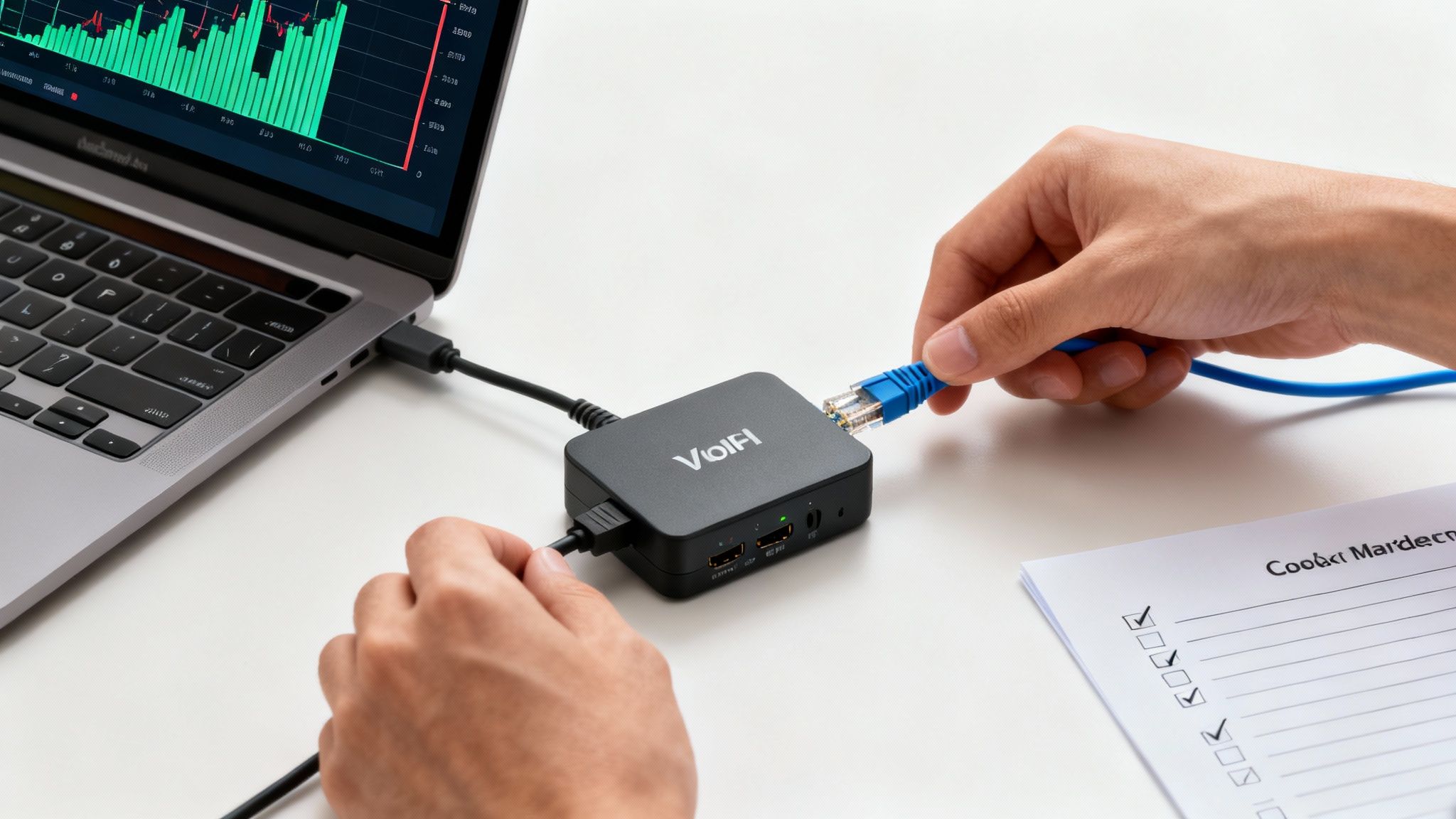
Making the leap to a new phone system can feel like a huge project, but it doesn't have to interrupt your business. A successful switch is all about laying the proper groundwork before you go live. Follow these steps, and your new service will be working perfectly from day one.
The first, non-negotiable step is to check your internet connection's muscle. VoIP quality lives and dies by your bandwidth. Most providers have an online speed test you can use—make sure to run it during your busiest hours to see how your network really performs under pressure. This simple check can save you from the headache of choppy audio or dropped calls later on.
Preparing for the Switch
Once you’ve confirmed your network can handle the load, it’s time to plan your number transfer. This is called number porting, and it's how you keep your existing business phone number. Your new VoIP provider will need a copy of a recent phone bill from your old carrier to prove you own the number.
Key Takeaway: Whatever you do, don't cancel your old phone service until your new VoIP provider confirms the number porting is 100% complete. If you cancel too early, you could lose your business number for good. Let them handle the entire transfer process.
A clean rollout also depends on a well-organized office setup. This is where a tidy and logical network layout really matters. A properly organized system, often called structured cabling, ensures that your new IP phones and other hardware can be plugged in and work without a hitch.
Configuring Your New System
With the technical prep work out of the way, you can dive into the fun part: customizing your system to match how your business operates.
- Set Up Your Auto-Attendant: This is your digital receptionist. Record a professional welcome message that gives callers clear directions, like "Press 1 for Sales" or "Press 2 for Support."
- Assign Extensions and Users: Create a unique extension for every person on your team and link it to their account. This makes internal dialing and call transfers a breeze.
- Train Your Team: The last piece of the puzzle is getting your staff comfortable with the new tools. Walk them through the desktop and mobile apps, showing them the basics like making calls, transferring, and checking voicemail. A quick training session goes a long way toward making sure everyone feels ready.
By tackling the implementation in this order, you can confidently switch to VoIP and start seeing the benefits right away.
Keep your business running without IT headaches.
GT Computing provides fast, reliable support for both residential and business clients. Whether you need network setup, data recovery, or managed IT services, we help you stay secure and productive.
Contact us today for a free consultation.
Call 203-804-3053 or email Dave@gtcomputing.com
.
So, Which VoIP System Is Right for Your Small Business?
Choosing the best VoIP system isn't about finding a single "winner"—it's about finding the right fit for your specific business. As we've seen, what works for one company might not be ideal for another.
If you're running a distributed team that lives in a unified communications app, a comprehensive platform like RingCentral is probably your best bet. But if you just need a reliable, no-frills phone line without a hefty price tag, a provider like Ooma could be the perfect solution. The key is to look back at your own workflows, call volume, and team structure.
Ultimately, you're not just buying a phone service; you're investing in a communication backbone that needs to support you today and scale with you tomorrow. Making the right choice now means better customer interactions, a more connected team, and fewer headaches down the road.
Want to explore the technical side of implementation a bit more? For a closer look at how these systems work and what it takes to get them set up, check out our complete guide on VoIP phone systems. It’s packed with additional details to help you make that final call with confidence.
Keep your business running without IT headaches.
GT Computing provides fast, reliable support for both residential and business clients. Whether you need network setup, data recovery, or managed IT services, we help you stay secure and productive.
Contact us today for a free consultation.
Call 203-804-3053 or email Dave@gtcomputing.com
.
Answering Your Top Questions About Business VoIP
Switching your phone system is a big step, so it’s natural to have questions. Before you make a decision, you need straightforward answers you can trust. Let's break down some of the most common things business owners ask when they're thinking about moving to VoIP.
My aim here is to give you the confidence to move forward, making sure you understand the practical side of taking your phone service to the cloud.
Can I Keep My Business Phone Number?
Yes, and you definitely should. It's a standard process called number porting, and any good VoIP provider will handle the entire thing for you.
To get the ball rolling, you’ll just need a recent phone bill from your current provider to prove you own the number. From there, your new VoIP company coordinates directly with your old one to transfer the number. They're pros at this, so it happens with virtually no downtime, meaning your customers won't even notice a change.
Crucial Tip: Whatever you do, don't cancel your old phone service yourself. Wait until your new VoIP provider gives you the green light that the porting is 100% complete. If you cancel too soon, you could lose your business number for good.
How Much Internet Speed Do I Really Need for Clear Calls?
Probably less than you imagine. The general guideline is to have about 100 kbps (or 0.1 Mbps) of both upload and download speed for every call you plan to have happening at the same time.
Let's put that in perspective. If you have a team of five people who might all be on calls simultaneously, you'd only need about 500 kbps (0.5 Mbps) of dedicated bandwidth. Most standard business internet plans offer speeds that blow this requirement out of the water, so your current connection is likely more than enough to support crystal-clear call quality.
What's the Difference Between Cloud-Hosted and On-Premise VoIP?
The main difference is simple: it’s all about where the equipment lives and who’s responsible for it. All the providers we've talked about in this guide offer cloud-hosted VoIP.
-
Cloud-Hosted: With this setup, the VoIP provider handles everything. They own and manage all the servers and software in their own secure data centers. You just connect to their service through the internet with a desk phone or an app. It's perfect for small businesses because the upfront cost is low and you don't need an IT department to manage it.
-
On-Premise: An on-premise system means you buy and maintain all the server hardware (called a PBX) yourself, right in your office. You're on the hook for all the maintenance, security, and updates. While it gives you total control, it also comes with a hefty price tag and requires a lot of technical know-how, which is why very few small businesses go this route anymore.
Keep your business running without IT headaches.
GT Computing provides fast, reliable support for both residential and business clients. Whether you need network setup, data recovery, or managed IT services, we help you stay secure and productive.
Contact us today for a free consultation.
Call 203-804-3053 or email Dave@gtcomputing.com
.