Slow internet isn't just a nuisance; it's a productivity killer that directly hits your bottom line. We've all been there—staring at a loading bar, waiting on a file to transfer, or sitting through a choppy video call. Every one of those moments is a small drain on efficiency that adds up to a significant financial loss.
This guide isn't about technical jargon. It's about giving you clear, actionable steps to figure out what's wrong and how to fix it yourself.
Why A Slow Network Is Costing You Money
A sluggish network is one of the most common, and most frequently ignored, overhead costs in any modern business. It’s not just an inconvenience; it's a real expense that eats into payroll, slows down your output, and can even damage your relationships with clients. When the very technology meant to make your job easier is fighting you every step of the way, the hidden costs start to snowball.
Think about a busy accounting firm during tax season. A senior accountant is trying to download a large financial portfolio from a secure cloud portal. If that 500 MB file takes twenty minutes to download instead of two, that’s eighteen minutes of a high-value employee's time completely wasted. Or consider a marketing agency where designers are constantly uploading high-resolution graphics for client approval—slow speeds mean missed deadlines and frustrated creatives.
The Real-World Impact of Poor Network Speed
The fallout from a bad connection echoes through every corner of the office. It's not a one-off problem; it's a constant drag on momentum.
- Productivity Takes a Nosedive: It's been shown that employees can lose up to a full week of productivity per year just from dealing with slow internet. When every click is followed by a pause, concentration shatters, and simple tasks stretch out endlessly.
- Client Interactions Suffer: A frozen screen during a sales presentation or a garbled video conference with a key client looks unprofessional. When you can't send important documents quickly or access a shared project portal, it erodes trust and creates unnecessary friction.
- Operations Grind to a Halt: From your CRM to your accounting software, modern businesses run on a suite of cloud-based tools. A weak network connection is the single point of failure that can bring everything to a standstill.
A slow network is essentially an invisible tax on your business's efficiency. Every task that requires an internet connection takes longer, compounding over days and weeks into significant financial losses. The first step to reclaiming that lost revenue is diagnosing the root cause.
This guide is designed to give you the know-how to identify and solve these problems. We’ll walk through practical diagnostic methods, simple hardware tweaks, and what to look for with your internet provider to get your connection back up to speed. By understanding the common culprits, you can take back control, smooth out your office workflow, and stop letting poor performance dictate your day.
Pinpointing Your Actual Network Speed Problem
Before you start unplugging things or buying new equipment, you have to play detective. Throwing random solutions at a slow network is a fast track to frustration and wasted money. Your first, non-negotiable step is to get a clear, unbiased baseline of your current performance with a proper speed test.
But here’s the key: don’t just run a quick test on your laptop over Wi-Fi. To see what your Internet Service Provider (ISP) is actually delivering, you need to plug a computer directly into your router with an Ethernet cable. This simple move bypasses any wireless issues and shows you the raw speed coming into your building.
Decoding Your Speed Test Results
When you run a test, you’ll get three key numbers, and each one tells a crucial part of your network's story. Understanding what they mean is the first real step in diagnosing the problem.
- Download Speed (Mbps): This is the one most people know. It’s how fast you can pull data from the internet, affecting everything from loading websites and streaming video to downloading massive client files.
- Upload Speed (Mbps): This measures how quickly you can send data out. For a business, this is often the silent killer. It impacts video calls, sending large email attachments, and syncing files to the cloud.
- Latency (ms): You might see this called "ping." Think of it as your connection's reaction time. High latency is what causes that annoying lag in video calls or delays in web applications, even if your download speed looks great.
A huge mistake I see businesses make is obsessing over download speed alone. A company with slow uploads and high latency will be kneecapped in day-to-day operations, struggling with real-time tools like VoIP and video conferencing, no matter how fast their downloads are.
This simple flowchart helps visualize where to go next after you get those initial numbers.
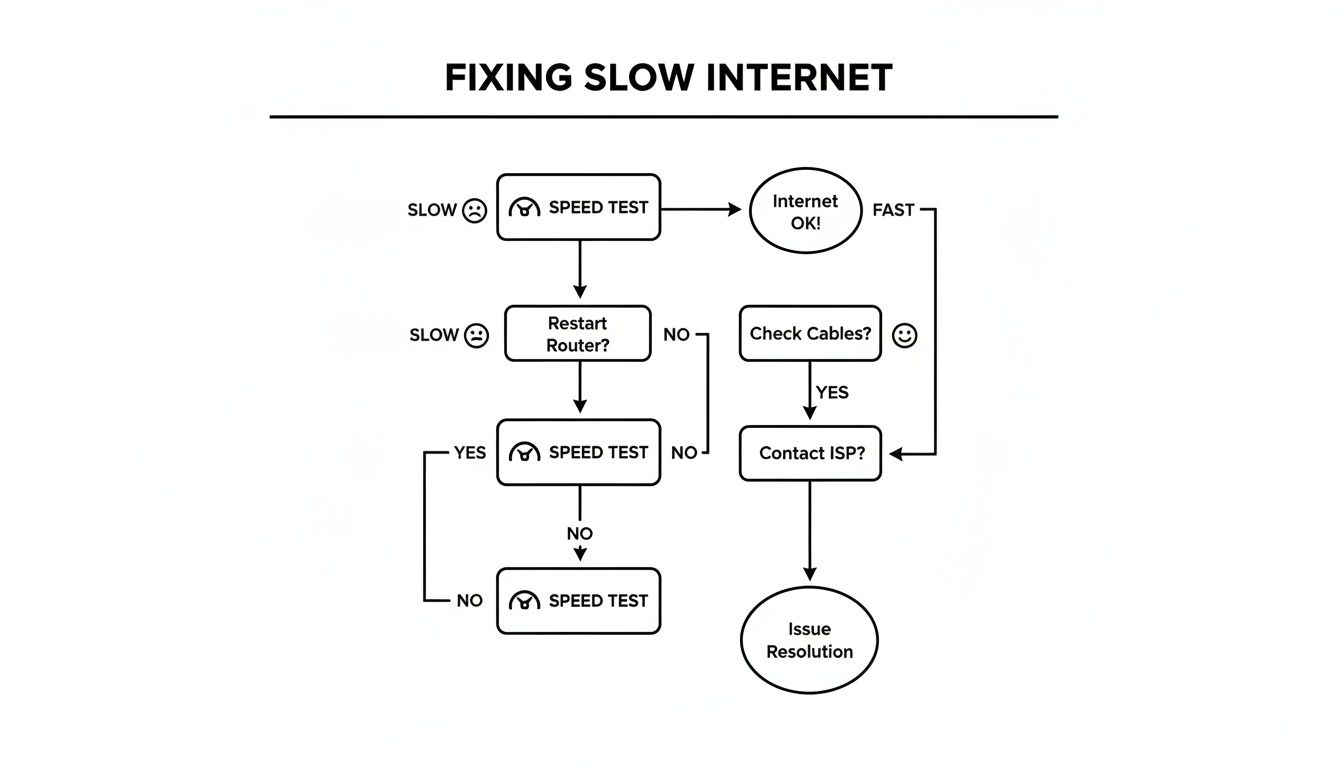
As the chart shows, your next move depends entirely on whether that first wired speed test meets expectations. From there, you can follow a clear path to the source of the slowdown.
Finding the True Bottleneck
With a reliable baseline from your wired test, the real investigation can begin. If that hard-wired speed is exactly what you’re paying for but your Wi-Fi is still crawling, the problem isn’t your ISP—it’s your internal wireless network. On the flip side, if the wired speed is way below what your plan promises, it’s time to start looking at your main connection.
Matching your symptoms to likely causes can speed things up.
Common Network Speed Symptoms and Likely Causes
Use this table to quickly match your specific network problems to their most probable causes and find your first troubleshooting step.
| Symptom | Possible Cause | First Action to Take |
|---|---|---|
| Video calls are choppy and laggy | High latency or low upload speed | Run a speed test and check the "latency" and "upload" numbers specifically. |
| Everything is slow for everyone | ISP issue, outdated router, or network-wide congestion | Check the wired speed directly from the router. If it's slow, call your ISP. |
| Internet is fast on one PC, slow on another | Wi-Fi signal issue or problem with the slow device | Move the slow device closer to the router or test it with a wired connection. |
| Performance drops at the same time every day | Local network congestion (everyone in the area is online) | Run speed tests during peak and off-peak hours to confirm the pattern. |
This table provides a starting point, but every network is unique.
From here, you can dig deeper. A good slow internet troubleshooting guide can walk you through more specific scenarios. It's also smart to test at different times of the day. Does your connection grind to a halt around 3 PM when neighboring offices are most active? That points to local network congestion.
Another classic culprit is a single "bandwidth hog." One user running a massive cloud backup or a forgotten device streaming 4K video can cripple the network for everyone. Pinpointing these resource drains often requires a closer look at what’s happening on your network. To learn more about how to keep a constant pulse on your network's health, you can explore our detailed article on https://www.gtcomputing.com/what-is-network-monitoring/. This systematic approach—test, analyze, and isolate—is the only way to ensure you're fixing the right problem.
Tweaking Your Current Wi-Fi And Router Setup
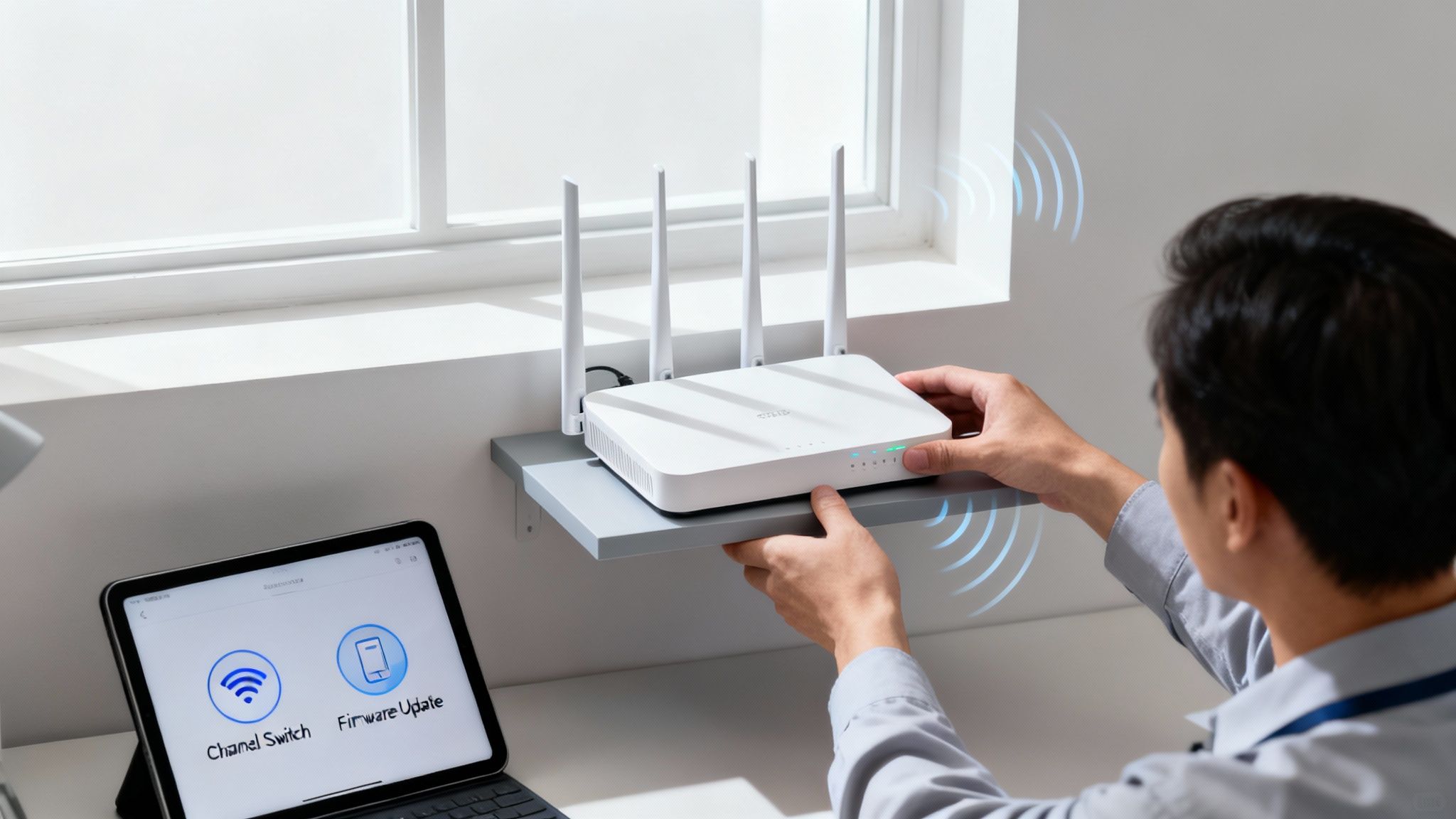
Before you run out and buy new equipment, let's talk about what you can do with what you already have. I've seen countless businesses unlock huge performance gains with a few smart, simple tweaks. These adjustments don't cost a thing and can make a night-and-day difference in how your network feels.
So often, the real culprit behind a sluggish connection is just bad router placement. Think of your Wi-Fi signal like a lightbulb—the closer you are, the brighter it is, and solid objects cast shadows. Your router is no different, broadcasting its signal out from a central point.
When it’s tucked away in a back closet, shoved behind a metal filing cabinet, or sitting on the floor, you're strangling its signal. Walls are notorious signal killers, especially if they're made of concrete or brick. Even everyday office equipment like microwaves and cordless phones can create enough interference to disrupt your connection.
Find Your Router’s Sweet Spot
To get the best possible coverage, your router needs a prime piece of real estate. You want it in a central, elevated location—as high up as is practical—so the signal can travel down and out with the fewest obstructions.
Here are a few quick placement wins:
- Get it Up: Placing your router on a high shelf or mounting it on a wall helps the signal travel over furniture and other low-lying obstacles. Never leave it on the floor.
- Move it to the Middle: Position the router as close to the center of your office (or the area needing the strongest connection) as you can.
- Dodge the Blockers: Keep it clear of thick walls, big metal objects like filing cabinets, and other electronics known to cause interference.
You'd be amazed at how powerful these simple physical adjustments are. Just by reducing interference and finding a better spot for your router, we've seen clients get up to a 40% speed gain.
Fine-Tune Your Wi-Fi Channels
If your office is in a crowded building, your network is fighting for airtime with dozens of others. Routers broadcast on specific channels within the 2.4GHz and 5GHz frequency bands. When multiple networks nearby are all on the same channel, it’s like a bunch of people trying to talk at once in a crowded room—nobody gets heard clearly.
Most routers default to an "Auto" channel setting, but they don't always pick the least congested option. A surprisingly effective trick is choosing the right 5GHz Wi-Fi channel yourself. By logging into your router's admin panel and manually selecting a less crowded channel, you can often dramatically reduce interference and improve both stability and speed.
Don’t Forget Firmware Updates
Think of your router's firmware as its brain. It’s the software that controls everything from security to performance. Manufacturers regularly release updates that patch security holes, fix bugs, and often include performance boosts that directly improve your network speed.
Unfortunately, most people set up their router once and never touch it again. This leaves it vulnerable and running on outdated, inefficient software. I recommend setting a reminder to check for firmware updates every few months. Most modern routers make this easy, with a simple "Check for Updates" button in their admin settings. It’s one of the easiest ways to keep your network secure and running at its best.
Prioritize Your Traffic with Quality of Service (QoS)
Not all internet traffic is created equal. A video conference with a client is way more important than a background software update. That’s where Quality of Service (QoS) comes in. QoS is a router feature that lets you tell your network which devices and applications get first dibs on your bandwidth.
By enabling QoS, you can ensure your VoIP calls, video conferences, or critical cloud apps always get the resources they need, even when other people are streaming or downloading. It’s the key to preventing lag during important tasks and making your network feel much faster when it really counts. To learn more about this, check out our guide on how to improve Wi-Fi signal strength.
Time for an Upgrade? When Hardware and Your ISP Plan Are the Problem
So, you've tweaked your Wi-Fi settings, updated the firmware, and still, your network feels like it's crawling through mud. If the quick fixes aren't cutting it, the issue might be more fundamental. At some point, software optimizations just can't make up for aging hardware or an internet plan that your business has outgrown.
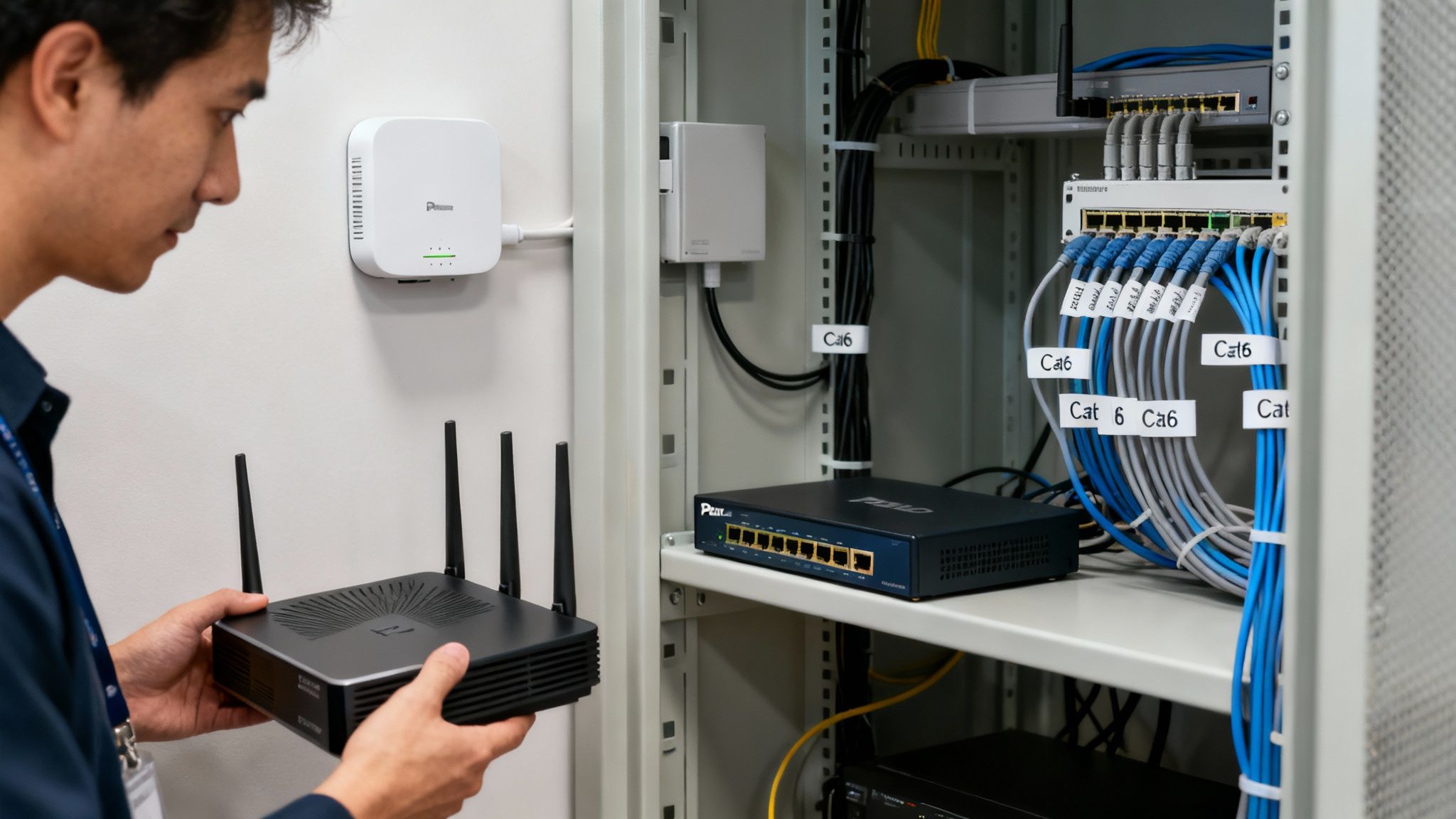
That consumer-grade router that was perfect for your home office? It's often the first thing to buckle under the pressure of a growing business. These devices simply weren't designed to juggle multiple employees, constant video calls, and large file transfers all at once. When your router becomes the bottleneck, the entire network grinds to a halt.
This is exactly why investing in professional-grade equipment from brands like Ubiquiti or Cisco can make such a huge difference. Business-focused hardware delivers the reliability and consistent performance you need when the network is under constant demand. It's less about raw speed and more about stability you can count on.
Don't Overlook Your Cables
It’s easy to forget about the humble Ethernet cable, but those wires snaking through your walls and ceilings are critical. I’ve seen countless offices with gigabit internet plans that are still running on ancient Cat 5 or Cat 5e cabling, and it's a massive performance killer.
- Cat 5: Tops out at 100 Mbps. If you're paying for a gigabit plan, this cable is physically preventing you from getting the speed you pay for.
- Cat 5e: Technically capable of gigabit speeds (1,000 Mbps), but it’s far more susceptible to signal interference, which can drag performance down.
- Cat 6: This is the modern standard for any serious business network. It supports speeds up to 10 Gbps and has better shielding, which translates to a cleaner, more reliable connection.
Upgrading to Cat 6 cabling is one of the most effective ways to make sure your wired devices are getting every megabit of performance available.
The hard truth is that a network is only as fast as its slowest part. You can have the best internet plan in the state, but if it's all flowing through a five-year-old router and Cat 5 cables, you're leaving a ton of performance on the table.
Why a Fiber Connection Is a Game-Changer
Even with top-tier internal hardware, your network is ultimately capped by the quality of the connection from your Internet Service Provider (ISP). If your business is still limping along on old copper DSL or cable lines, you're at a serious competitive disadvantage.
Hands down, the single most impactful upgrade you can make is switching to a fiber optic connection. Fiber sends data as pulses of light through glass strands, delivering vastly superior speeds and lower latency. For any business that depends on cloud apps, video conferencing, or moving large files—like a law firm managing case files or a dental practice sending digital X-rays—fiber isn't just nice to have; it's a must.
The global shift to fiber-to-the-home (FTTH) networks isn't just a trend; it's a reflection of its necessity. FTTH connections are projected to rise from 67% of consumer broadband in 2022 to 77% by 2030, a move that has already boosted average internet speeds by over 500% worldwide. In some places, the jump has been a staggering 3,000%.
For businesses here in Connecticut, a professionally installed fiber-compatible network using Ubiquiti or Cisco gear is the key to escaping the limitations of old copper lines that often average under 100 Mbps. You can read the full report on next-generation broadband to see just how critical this infrastructure is becoming.
The Telltale Signs It's Time to Upgrade
Not sure if you need to pull the trigger on new hardware or a better plan? Here are a few clear warning signs I tell my clients to look for:
- Wired speeds don't match your plan. If you plug a computer directly into your modem and the speed test is still way below what you pay for, it’s an ISP issue.
- The network constantly drops connections. This is a classic symptom of an old, overworked router that can no longer handle the traffic.
- Wi-Fi is slow, even when you're right next to the router. This points directly to the router itself being the bottleneck, not just poor signal coverage.
- Your business has grown. Have you hired more people or started using more data-intensive software? Your old network probably wasn't built for your current needs.
Investing in your network's foundation is a direct investment in your team's productivity. When your hardware and internet plan are properly matched to your business needs, you finally unlock the speed and reliability you've been missing.
Using Mobile Networks for Backup and Remote Work

In a world where business happens everywhere, your network's reliability can't just stop at the office door. With remote work being the new standard and local internet outages always a threat, a single point of failure can bring your entire operation to a screeching halt. This is where mobile networks, especially 5G, stop being a personal convenience and become a strategic business asset.
Think of it as your ultimate safety net. A local fiber cut or a provider-wide outage used to mean sending everyone home for the day. Now, a 5G failover solution can automatically kick in the second your primary connection drops, keeping your team online and productive without missing a beat. This isn't just theory; it's a practical way to build a resilient, always-on infrastructure.
Building a Resilient Network With 5G Failover
The whole point of a failover system is business continuity. When your main internet line goes down, a cellular-connected device instantly takes over, providing a high-speed connection that keeps your critical systems online. This is absolutely crucial for any business that can't afford a minute of downtime.
Take a dental practice that uses cloud-based software for patient management. An outage could mean they can't access schedules, view patient records, or process payments. With a 5G failover, the front desk keeps running smoothly, maintaining client service no matter what’s happening with the local ISP. You can learn more about how backup failover internet solutions protect businesses like yours.
Using a 5G connection as a backup isn't just about disaster recovery; it's about operational confidence. It guarantees that a single, unpredictable event won't derail your entire workday, protecting both your revenue and your reputation.
The switch to 5G is a game-changer for connectivity. Projections show that by 2026, over 60% of mobile connections in developed nations will be 5G, which will slash latency and seriously boost speeds. For context, worldwide median cellular download speeds have already more than doubled from 43.2 Mbps in August 2023 to a projected 90.7 Mbps by August 2025. For our clients, like dental practices sharing large X-ray files or law firms managing cloud backups, integrating 5G with Meraki wireless networks keeps their hybrid workforce productive.
Empowering Your Remote and Hybrid Workforce
Beyond just being a backup plan, mobile networks are essential tools for your team members working outside the office. A key employee working from home is only as effective as their internet connection. Supplying them with a dedicated 5G hotspot can dramatically improve their ability to connect to company systems, participate in video calls, and transfer large files without a hitch.
This is especially true for professionals who need high performance while on the move.
- Legal Professionals: A lawyer can securely download large case files from a courthouse or a client's office without having to rely on sketchy public Wi-Fi.
- Field Technicians: A technician out on a job site can access schematics or even stream diagnostic video back to the main office over a stable, high-speed link.
- Sales Teams: Your sales staff can deliver flawless, high-definition presentations and demos from literally anywhere, ensuring a professional client experience every single time.
By equipping your key staff with dedicated mobile hotspots, you're not just giving them an internet connection—you're giving them a reliable, secure extension of the office network. This investment translates directly into higher productivity, better security, and a more agile workforce that can operate effectively from any location.
When It’s Time to Call in the Pros for Network Problems
Look, DIY fixes are great for a lot of common network slowdowns. But there's a tipping point where tweaking settings and swapping cables just doesn't cut it anymore. Knowing when to wave the white flag and call in a professional isn't admitting defeat—it's a smart business move that will save you a ton of time, money, and frustration. Trust me, continuing to fight a losing battle with a complex network issue almost always leads to more downtime and bigger headaches later.
That line between a simple fix and a professional job usually shows up when your business has outgrown its off-the-shelf network gear. You’ve done everything right, followed all the steps, but your network still feels like it’s running through mud. That’s a classic sign that a deeper, systemic issue is the real culprit, and you'll need professional tools and experience to find it.
You Need a Real Network Design, Not Just a Router
One of the most obvious signs you need an expert is when your office layout is working against you. A single, powerful router from a big-box store simply can’t cover a large office, especially one with multiple rooms, concrete walls, or several floors. You end up with those infuriating Wi-Fi dead zones and a team that can't get consistent performance.
This is where a professional comes in to conduct a proper site survey. They'll actually map out your physical space, identify what materials are blocking your signal, and design a network that fits your office like a glove. This usually means installing multiple commercial-grade access points that work in harmony, creating one powerful, unified network that gives you solid, high-speed coverage everywhere.
The Slowdowns Just Won't Go Away
You've run speed tests until you're blue in the face. You've rebooted everything. You've hunted for bandwidth hogs. And yet, the network is still sluggish and unreliable. These "ghost in the machine" problems are often caused by things you simply can't see on the surface.
An IT expert has the tools to diagnose the tricky stuff, like:
- Packet Loss: Tiny bits of data are getting lost on the way, forcing your devices to resend them over and over. It's a massive performance killer.
- Network Loops: Someone plugs a cable into the wrong port on a switch, and suddenly your network is flooded with a "broadcast storm" that can grind everything to a halt.
- Hardware Conflicts: Mismatched devices or wonky configurations are creating intermittent problems that are nearly impossible to trace.
Trying to chase down these kinds of issues without the right diagnostic software is like searching for a needle in a haystack. An expert can plug in, analyze the traffic, and pinpoint the exact source of the problem, turning hours of your guesswork into a quick, targeted solution.
You're Ready for Structured Cabling and Serious Security
If your business is growing, that tangled web of Ethernet cables behind the desk just isn't going to work long-term. For true speed and reliability, you need what we call structured cabling. It’s the process of installing a clean, organized, and high-performance wiring system—usually with Cat 6 cable or better—that runs from every workstation back to a central network closet. It’s the professional backbone your business network deserves.
And as your network gets more complex, so do the security risks. A pro can implement security measures that go way beyond just a strong Wi-Fi password. We're talking about configuring firewalls, setting up segmented guest networks to keep visitor traffic safely isolated from your company data, and putting proactive monitoring in place to spot threats before they do any damage. It's about building an infrastructure that's not just fast, but also secure and ready to handle whatever you throw at it next.
Keep your business running without IT headaches.
GT Computing provides fast, reliable support for both residential and business clients. Whether you need network setup, data recovery, or managed IT services, we help you stay secure and productive.
Contact us today for a free consultation.
Call 203-804-3053 or email Dave@gtcomputing.com
.