Let's be honest: remote work is here to stay. But if you’re not careful, it can swing the door wide open for some serious security threats. The key to locking things down is to build a defense-in-depth strategy around three core concepts: verifying who is connecting, encrypting the connection itself, and securing the device they’re using.
This guide is your practical blueprint to get it done, without all the confusing tech-speak.
Your Blueprint for Secure Remote Access
The biggest challenge we see businesses face today is protecting their data when it's being accessed from a home office, a coffee shop, or an airport. It only takes one weak link—a phished password, an unsecured public Wi-Fi network, or a family laptop riddled with malware—to expose your entire business.
Don't just take my word for it. A jaw-dropping 48% of all data breaches now trace back to compromised third-party remote access. That’s a massive vulnerability that many businesses are still trying to get a handle on.
Thinking about how to secure remote access has to go beyond the old-school "just use a VPN" mindset. A truly solid strategy is multi-layered, tackling the problem from every angle an attacker might try.
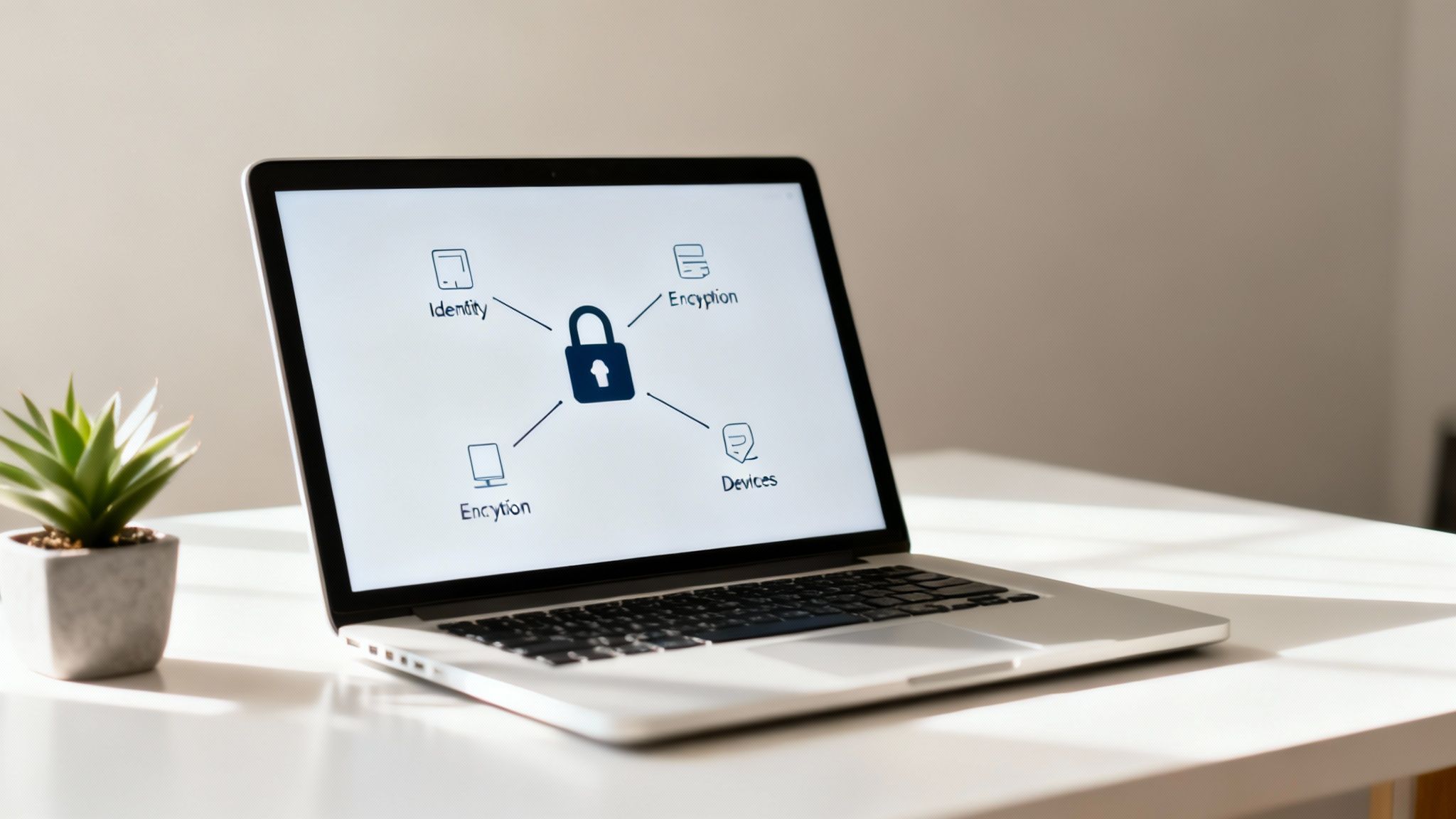
To make this simple, I’ve broken down the essential components of a strong remote security strategy into a table. These are the absolute must-haves for any SMB.
Core Pillars of Remote Access Security
| Security Pillar | What It Protects | Why It's Essential |
|---|---|---|
| Identity Verification | User accounts and credentials. | Prevents unauthorized access even if a password is stolen. It confirms the user is who they say they are. |
| Connection Security | Data in transit between the user and your network. | Stops eavesdroppers from intercepting sensitive information over insecure networks like public Wi–Fi. |
| Device Security | Endpoints like laptops, phones, and tablets. | Protects your network from malware or vulnerabilities that might exist on the device accessing your data. |
Looking at this, it becomes clear that each pillar addresses a distinct risk. You can't just pick one and ignore the others; they all work together.
The biggest mistake I see is companies pouring all their resources into one area—like a fancy new firewall—while completely ignoring the others. Real-world security comes from creating overlapping layers of protection where identity, connection, and device defenses support each other.
Think of this guide as your executive summary for building a digital fortress around your remote team. In the sections that follow, we'll dive into the practical, actionable steps to implement each of these pillars, turning your remote workforce from a potential liability into a secure, productive powerhouse.
Verifying Everyone Who Connects to Your Network
When your team works remotely, a simple password is like leaving the office front door wide open. It’s an invitation for trouble. Relying on passwords alone is one of the biggest—and most common—risks a business can take today.
So, the very first step in securing your remote access is making absolutely sure that every single person connecting to your network is who they say they are. This isn't about making things complicated; it's about being certain. Before anyone touches your company's sensitive data, you need a rock-solid way to verify their identity.
Why Multi-Factor Authentication Is Non-Negotiable
If you only do one thing from this guide, make it this: implement Multi-Factor Authentication (MFA). Seriously. MFA forces users to provide at least two different pieces of evidence to prove their identity, which dramatically cuts down the risk of a breach. A stolen password becomes completely useless to a hacker if they don't have that second piece of the puzzle.
There are a few ways to add this extra layer of security, usually a mix of:
- Something you know: The classic password or PIN.
- Something you have: A code from an authenticator app on a phone, a text message, or even a physical security key.
- Something you are: Biometrics, like a fingerprint or facial scan.
For most small and mid-sized businesses, the sweet spot is combining a password with a code from an authenticator app. It strikes the perfect balance between strong security and user convenience. Implementing robust identity verification is the only way to ensure only authorized people get in.
I can't tell you how many times we've seen this happen: an employee's password gets stolen from a completely unrelated website breach. Without MFA, a hacker tries that same password on the company's systems and walks right in. With MFA, that attempt is dead in the water because they don't have the employee's phone to approve it.
Simplifying Access Without Sacrificing Security
Let's be honest, nobody likes juggling dozens of different passwords for all their work apps. It's a massive headache for your team and, frankly, a security nightmare waiting to happen. That’s where Single Sign-On (SSO) makes a world of difference.
SSO solutions give your team one set of credentials to log into all their work applications. When you pair SSO with MFA, it becomes an incredibly powerful security tool. It cleans up the user experience while letting you manage security from one central place. Your team gets one secure front door for everything, and you get to enforce your authentication rules from a single dashboard. This approach nips password fatigue—and the bad habits that come with it, like reusing weak passwords—right in the bud.
If you want to dig a bit deeper into the basics of this second layer, check out our guide on what two-factor authentication is and why you need it.
The reality of the remote work threat is stark. A recent survey showed that nearly half—48%—of all data breaches involved a third party getting remote access. Attackers love to exploit common tools like Remote Desktop Protocol (RDP), hitting it with brute-force attacks until they get in. By simply requiring strong authentication, you slam the door on the most common way hackers try to break in.
Creating a Secure Data Tunnel for Remote Work
Once you've made sure a user is who they say they are, the next move is to lock down the connection itself. Think about it: sending company data across the open internet is like mailing a postcard. Anyone along the route—especially on public Wi-Fi—can take a peek. This is where a secure data tunnel becomes your best friend.
A secure tunnel is basically an armored, private lane for your data on the public internet highway. It encrypts everything from end to end, making sure sensitive information stays confidential. For any business serious about securing remote access, this isn't optional. It's how you ensure that an employee working from a coffee shop has the same secure connection as someone in the office.
The flowchart below shows how user verification, which we've already covered, is the crucial first step. It's the gatekeeper that decides who even gets a chance to use the secure tunnel.
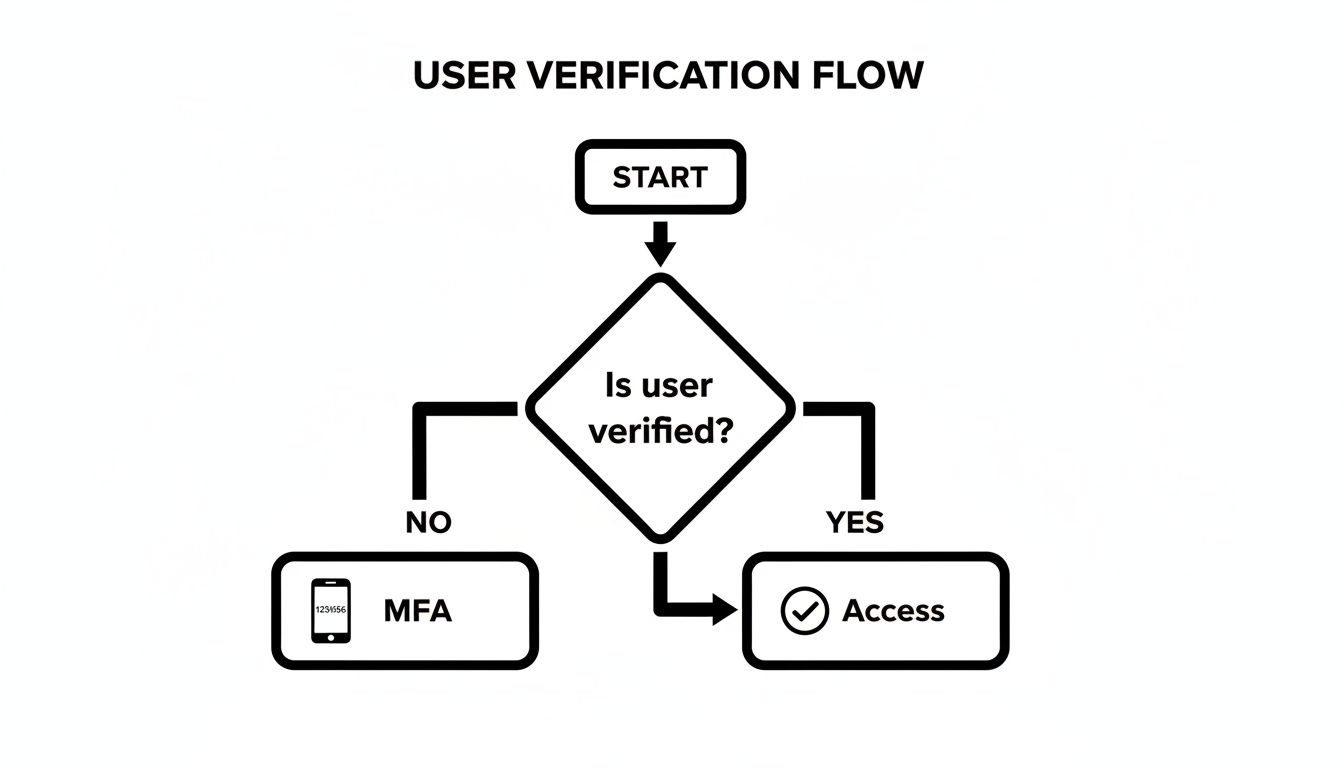
Only after a user's identity is confirmed do we grant them access through this protected connection. It's a one-two punch: first, verify the person, then secure their traffic.
Choosing the Right Technology for Your Tunnel
Not all secure tunnels are built the same. You've got a few solid options, and the right choice really depends on your business size, how complex your needs are, and your security posture. Let's break them down.
Virtual Private Networks (VPNs)
A Virtual Private Network (VPN) has been the go-to for remote access for years, and for good reason. It creates an encrypted connection from a user's device straight into your company network. In essence, it makes their remote laptop act as if it’s plugged into a port in your office.
- Best For: Small businesses with straightforward needs who need a simple, effective way to encrypt all traffic.
- How it Works: All of the user's internet activity gets funneled through the company network, giving them broad access to internal resources like file servers and printers.
- Keep in Mind: This broad access is a double-edged sword. If a user's device gets compromised, a traditional VPN can give an attacker a wide-open door to your entire internal network.
For many small businesses, a well-configured VPN is still a great starting point. You can learn more about VPN solutions for small business to see if this is the right fit.
Zero Trust Network Access (ZTNA)
Zero Trust Network Access (ZTNA) is the modern answer to remote security, built on a simple but powerful idea: "never trust, always verify." Unlike a VPN that connects you to the network, ZTNA connects you only to a specific application or resource you're approved to use, one session at a time.
With ZTNA, a user isn't just "on the network." They are granted secure, direct access only to the app they need. This slashes your attack surface because a compromised account can't be used to wander around and poke at other systems.
This kind of granular, application-level control makes ZTNA a far more secure choice, especially for businesses that are growing or handle sensitive data. It’s security designed for today’s world, where threats can come from anywhere.
SD-WAN for Advanced Needs
Software-Defined Wide Area Networking (SD-WAN) is a more sophisticated solution, usually overkill for simple remote access. It's geared toward businesses with multiple office locations, intelligently routing traffic over different connections (like broadband and LTE) to boost performance. While it includes robust security and encrypted tunnels, it’s often more complex and expensive than a small business needs.
Comparing Remote Access Technologies
Choosing the right technology can feel daunting, but breaking it down by use case can make the decision much clearer. Here's a quick comparison to help you match the solution to your business needs.
| Technology | Best For | Key Security Feature | Complexity |
|---|---|---|---|
| VPN | Small businesses with simple remote access needs. | Encrypts all traffic, creating a private network. | Low to Moderate |
| ZTNA | Businesses of all sizes prioritizing high security and granular control. | "Never trust, always verify"; grants per-application access. | Moderate to High |
| SD-WAN | Companies with multiple physical locations needing optimized network performance. | Centralized control and robust, integrated security. | High |
Ultimately, the best choice provides the security you need today while giving you room to grow without a major overhaul.
Configuration Best Practices You Cannot Ignore
The tool you choose is only half the battle; how you configure it is what truly matters. According to a SANS Institute survey, unauthorized external remote access was a factor in a staggering 50% of all reported incidents. What’s worse, only 13% of organizations have implemented advanced controls, which leaves a huge security gap.
No matter which technology you land on, getting the setup right is non-negotiable.
- Enforce Strong Encryption: Don't cut corners here. Always use the strongest encryption protocols available, like AES-256. Outdated protocols are a welcome mat for attackers.
- Implement a Split-Tunneling Policy Carefully: Split-tunneling lets some traffic go through the secure tunnel (work apps) while other traffic goes to the public internet (Spotify). If you don't configure this perfectly, you can open up security holes. When in doubt, route all work-related traffic through the secure tunnel.
- Regularly Update and Patch: Your VPN or ZTNA software is a critical piece of your security wall. Keep it patched and updated to protect against the latest vulnerabilities that criminals are actively exploiting.
For an even stronger security posture, it's worth looking into how a bastion host can serve as a hardened, controlled gateway for administrative access. You can learn more about this by reading What is a Bastion Host? and see how it might fit into your strategy.
Securing the Laptops and Phones Accessing Your Data
You can have the most heavily encrypted connection and ironclad authentication in the world, but it all falls apart if the device on the other end is compromised. An employee's laptop or phone is the final gateway to your data. If that gateway is wide open, everything else you’ve done is for nothing. This is where endpoint security—locking down the actual devices your team uses—becomes an absolutely critical part of your remote access strategy.
Let's be clear: simply relying on basic antivirus software isn't going to cut it anymore. Today's threats are far more sophisticated and are specifically designed to sidestep those traditional defenses. You have to shift your mindset and operate with a proactive approach that assumes threats will try to find a way in.
Going Beyond Basic Antivirus Protection
The modern gold standard for endpoint protection is a technology called Endpoint Detection and Response (EDR). Unlike old-school antivirus that just scans for a list of known viruses, EDR solutions actively monitor the behavior of a device. They watch for suspicious activity—like an application suddenly trying to encrypt files or access network locations it shouldn't—and can automatically shut down the threat before real damage is done.
Here’s a good way to think about it: traditional antivirus is like a security guard with a photo album of known criminals. EDR is the guard who watches everyone's behavior, ready to step in if someone starts acting strangely, even if their face isn't in the album. This forward-thinking posture is what you need to catch new and evolving malware.
Managing Mobile Devices and BYOD Risks
These days, phones and tablets are just as much work devices as laptops are. But they bring their own set of headaches, especially in a "Bring Your Own Device" (BYOD) environment. How can you protect company data on a personal phone without being overly intrusive? The answer is Mobile Device Management (MDM).
MDM platforms allow you to create a secure, encrypted "container" on an employee's personal device that holds all work-related apps and data. This lets you enforce security policies, like requiring a strong passcode and encryption, but only on the work partition of the device. Their personal photos, apps, and messages are left completely alone. If that device is lost or the employee leaves the company, you can remotely wipe just the corporate container, protecting your data instantly without touching their personal life.
The market for these solutions shows just how critical this is. The Global Remote Work Security Market, currently valued at USD 62.81 billion, is projected to explode to USD 244.09 billion by 2032. Endpoint security is the single biggest driver of that growth, largely because unsecured personal devices on home networks are such a tempting target for attackers. You can discover more insights about this trend and see how it’s shaping business security.
A lost laptop is a scenario I deal with all the time. Without proper endpoint security, it’s a full-blown crisis. With it, the situation is a manageable inconvenience. Disk encryption makes the data unreadable, and an MDM or EDR tool lets you remotely lock or wipe the device in seconds. What could have been a disaster becomes a simple hardware replacement.
A Practical Checklist for Hardening Remote Devices
Getting endpoint security right doesn't have to be a monumental task. You can start with a foundational checklist to make sure every device connecting to your network meets a solid baseline security standard.
- Enforce Full-Disk Encryption: This is non-negotiable. Tools like BitLocker for Windows and FileVault for macOS are built-in and incredibly powerful. If a laptop is stolen, encryption makes the data on it useless to the thief.
- Mandate Automatic Software Updates: Unpatched software is one of the most common ways attackers get in. Configure all operating systems and applications to update automatically. This patches security holes the moment a fix is available, closing the window of opportunity for attackers.
- Configure Host-Based Firewalls: Every modern laptop has a built-in firewall. You just have to make sure it's turned on and configured to block unsolicited incoming connections. It’s another simple but surprisingly effective layer of defense.
- Restrict Administrative Privileges: Your team members should be using standard user accounts, not accounts with administrator rights. This one step prevents the vast majority of malware from ever being installed, as most malicious software needs elevated permissions to execute.
By systematically putting these measures in place, you dramatically reduce the risk that a single compromised endpoint becomes the entry point for a network-wide breach.
Building a Security-First Team Culture
Technology is only half the battle. You can have the most advanced firewalls and the smartest endpoint protection on the market, but your entire security strategy still hinges on your people. They are your greatest asset and, at the same time, your first and most important line of defense.
Think of it this way: the human element is the glue that holds all your technical safeguards together.
Building a security-first culture means moving security from an "IT problem" to a shared, company-wide responsibility. It's about empowering every single team member with the confidence and knowledge to spot a threat and act on it. When your team is engaged, they stop being potential targets and become proactive defenders of your business.
This whole process starts by setting clear, consistent expectations. You can't expect your team to follow the rules if they don't know what they are. That's where a formal policy becomes essential.
Crafting a Clear Remote Access Policy
A Remote Access Policy is the bedrock of your security culture. It’s not just a legal formality; it's a practical, everyday guide that spells out the dos and don'ts of working outside the office. It gets rid of any ambiguity and gives everyone a single source of truth to follow.
And no, it doesn't need to be a 50-page legal tome. It should be concise, easy to read, and focused on the actions that have the biggest security impact.
Treat it like a playbook. To be effective, your policy must cover these key areas:
- Acceptable Use: Clearly define what company devices and network access can be used for. For instance, this is where you’d prohibit using personal Dropbox for work files or connecting to untrusted public Wi-Fi without a VPN.
- Data Handling Procedures: Get specific about how sensitive information should be stored, shared, and disposed of. An example would be mandating that all client documents must live on the company's secure server—never on a local desktop.
- Device Security Requirements: List the non-negotiable security standards for any device—company or personal—that accesses company resources. This should include requirements like full-disk encryption, up-to-date antivirus software, and a local firewall.
- Incident Reporting Protocol: This is critical. Your team needs to know exactly what to do if they suspect a security issue, like clicking a bad link. Give them a simple, step-by-step process for reporting it immediately and without fear of blame.
A well-written policy fosters a culture of transparency and accountability. When people know the expectations and see that everyone—from the CEO down—is following them, security becomes a natural part of the daily workflow instead of an annoying chore.
Moving Beyond Boring Security Training
Once the policy is in place, you have to bring it to life with training that actually sticks. Let’s be honest: traditional security awareness training is broken. Clicking through a slide deck once a year just doesn't work. People tune out, forget everything almost immediately, and go right back to their old habits.
To truly build a security-first mindset, the training has to be engaging, relevant, and continuous. The goal is to build muscle memory, making secure behaviors second nature.
Here are a few methods that work far better than a dull presentation:
- Run Realistic Phishing Simulations: The best way to teach someone how to spot a phish is to let them see one up close. Use a simulation tool to send realistic (but harmless) phishing emails to your staff. It creates a powerful, teachable moment when someone clicks, helping them recognize the red flags in a real-world context.
- Facilitate Real-World Scenario Discussions: Instead of just listing threats, talk through them. Ask questions like, "You're at a coffee shop and your laptop gets stolen. What are the first three things you do?" Discussing these scenarios as a team helps solidify the steps from your incident response plan.
- Use Micro-Learning Modules: Deliver training in small, digestible chunks. A short, five-minute video or a quick interactive quiz on a specific topic (like creating strong passwords) is far more likely to be retained than a one-hour lecture.
The aim is to arm your team with practical skills. You can deepen their understanding by sharing resources that explain specific threats, like our detailed guide on how to protect against phishing attacks. Empowering your team with knowledge turns them into a vigilant, human firewall that can spot and report threats before they cause real damage.
Your Top Remote Access Security Questions, Answered
When it comes to securing remote access, I hear a lot of the same questions from business owners. You're looking for practical, no-nonsense answers to get the job done right without getting bogged down in jargon. Let's tackle some of the most common ones I run into.
Getting these fundamentals right is what separates a secure, productive remote team from a network that’s a sitting duck.
Is a VPN Really Enough to Keep My Remote Employees Secure?
Here’s the short answer: no. A Virtual Private Network (VPN) is a fantastic and necessary tool for encrypting traffic, but it’s not a silver bullet. Think of a VPN as an armored truck—it’s great for protecting what’s inside while it’s on the road, but it does nothing to verify the driver or inspect the cargo.
A VPN creates a secure tunnel, but what happens at either end of that tunnel is what really matters. That’s why a VPN must be part of a layered defense strategy.
- Multi-Factor Authentication (MFA): This is your ID check for the driver. Before anyone can even connect to the VPN, MFA confirms they are who they say they are, stopping anyone with a stolen password dead in their tracks.
- Endpoint Protection: This is your cargo inspection. Solid security software on the employee’s laptop ensures malware doesn’t get loaded into the armored truck and delivered straight into your network.
- Clear Security Policies: This is the driver's rulebook. It guides your team on safe practices, preventing simple human error from wrecking the whole operation.
Without these other layers, a VPN just gives you a false sense of security.
What’s the Biggest Mistake Businesses Make with Remote Access?
Without a doubt, the most dangerous mistake I see is the "set it and forget it" mentality. Too many businesses roll out a VPN or another remote tool, check the box, and then never touch it again. That’s a recipe for disaster.
Security isn't a one-and-done project; it's a living, breathing process. When you let your remote access tools go unmanaged, you're leaving the digital front door to your business wide open. Vulnerabilities go unpatched, old user accounts linger with full access, and weak passwords are never revisited. It’s only a matter of time before someone stumbles upon that unlocked door.
Security isn't a destination; it's a continuous journey. An unmanaged remote access system is like a digital front door with a rusting lock—it might have been strong once, but now it's just an invitation for trouble.
How Can I Secure Remote Access on a Tight Budget?
You don’t need a massive budget to make a huge dent in your security risk. The key is to focus on the high-impact, low-cost fundamentals first. It's all about getting the biggest bang for your buck (or, in some cases, for no buck at all).
If you’re just starting out, focus your energy here:
- Enforce Multi-Factor Authentication (MFA): I can't say this enough—it's the single most effective thing you can do. Most major cloud services and software suites, like Microsoft 365 and Google Workspace, include robust MFA options at no extra cost. Turn them on. Now.
- Create a Strong Password Policy: This one is completely free. Mandate longer passphrases, require complexity, and train your team to stop recycling passwords. It immediately raises the bar for any would-be attacker.
- Enable Automatic Updates: Make sure every company device—laptops, servers, you name it—is set to update its operating system and applications automatically. This closes security holes the moment a patch is released.
- Draft a Simple Remote Access Policy: A one-page document outlining the rules of the road is invaluable. Cover the basics, like how to spot a phishing email and why they shouldn't use public Wi-Fi for sensitive work.
These four steps build an incredibly strong security foundation without touching your budget.
What is "Zero Trust" and Is It Just for Big Companies?
Zero Trust sounds complicated, but the idea behind it is incredibly simple: "never trust, always verify."
In the old model, we trusted anyone who was "inside" our network. Zero Trust throws that idea out. It assumes that a threat could come from anywhere—inside or outside the network. So, it requires verification for every single request to access a resource, no matter where it's coming from.
This might sound like something only a Fortune 500 company could implement, but that's no longer the case. The core principles of Zero Trust are very much within reach for small and mid-sized businesses. You can start small by:
- Using MFA on every application, not just the front gate.
- Following the "principle of least privilege"—giving employees access only to the specific files and apps they absolutely need to do their jobs, and nothing more.
- Looking into modern tools that make this granular, person-by-person security much easier to manage.
For many businesses today, a Zero Trust mindset offers a far more realistic and secure model than a traditional VPN, dramatically shrinking the potential damage if an employee's account or device ever gets compromised.
Still Have Questions? Let's Talk.
Navigating the world of remote access security can feel overwhelming, but you don't have to go it alone. If you're looking to implement these strategies and want a partner who gets it, we're here to help.
At GT Computing, we provide fast, reliable IT support for businesses just like yours. From setting up secure networks and managed IT services to critical data recovery, our goal is to keep you productive and protected.
Let's make sure your IT works for you, not against you.
Give us a call for a no-pressure consultation. You can reach Dave directly at 203-804-3053 or send an email to Dave@gtcomputing.com.
Keep your business running without IT headaches.
GT Computing provides fast, reliable support for both residential and business clients. Whether you need network setup, data recovery, or managed IT services, we help you stay secure and productive.
Contact us today for a free consultation.
Call 203-804-3053 or email Dave@gtcomputing.com