Trying to nail down a budget for IT support can feel like you're aiming at a moving target. The good news is that the industry has shifted toward a much simpler approach: a flat monthly rate per user. This makes budgeting predictable. For most small businesses, this investment typically falls somewhere between $95 and $295 per user each month, depending on how much support and cybersecurity you really need.
What Does IT Support Really Cost in 2026?

The days of waiting for something to break before calling for IT help are over. Smart business owners in 2026 see proactive IT management for what it is—a strategic investment, not just another expense. It's the difference between preventing problems and paying a fortune to clean up the chaos after they’ve already brought your business to a halt.
This modern approach is called Managed IT Services. Instead of getting hit with a massive hourly bill for an emergency fix, you pay a predictable monthly fee. This covers everything from daily system monitoring and software updates to serious cybersecurity protection and even long-term technology planning.
Understanding Per-User Pricing
The most common pricing model you'll see for managed IT is a flat rate per user, per month. It’s a beautifully simple structure that makes your costs easy to understand and scale. When you hire a new employee, you know exactly how your IT budget will adjust.
This is a world away from the old break-fix system. We're seeing small businesses across the country budget between $95 and $295 per user per month for these managed services. Compare that to the reactive model, where emergency hourly rates can easily spike to $125 to $350. It adds up fast. In fact, some businesses have reported saving as much as 37% on IT costs during major incidents just by having a managed plan in place.
The core idea is simple but powerful: It is always cheaper to prevent a fire than to rebuild after one. An IT partner's job is to stop tech problems before they can impact your bottom line.
This shift turns IT from an unpredictable, frustrating cost center into a stable, operational asset. It also aligns your goals with your IT provider's. They are now financially motivated to keep your systems running perfectly, because fewer problems for you means fewer costly service calls for them.
IT Support Cost Per User Quick Glance (2026 Averages)
To give you a clearer picture, here is a quick snapshot of typical costs broken down by service level. Think of these as tiers that bundle different services, from the basics to comprehensive security and compliance.
| Service Tier | Average Cost Per User/Month | Ideal For | Common Inclusions |
|---|---|---|---|
| Basic Monitoring | $95 – $130 | Businesses needing fundamental device health checks and remote support. | Antivirus, patch management, remote helpdesk, device monitoring. |
| Advanced Security | $130 – $200 | Firms handling sensitive data, like law or dental offices. | Everything in Basic, plus advanced threat detection, email security, backups. |
| Compliance & Strategy | $200 – $295+ | Companies in regulated industries (e.g., HIPAA) or needing vCIO services. | Everything in Advanced, plus compliance reporting, disaster recovery, strategic IT planning. |
These figures are a solid starting point for building out your initial budget. By understanding where your organization fits, you can start to see what a realistic monthly investment looks like.
For a deeper dive into what your business specifically needs, check out our guide on IT support for small business. Using an it support cost calculator mindset based on these per-user rates is the first step toward getting control of your technology expenses and keeping your business productive and secure.
Keep your business running without IT headaches.
GT Computing provides fast, reliable support for both residential and business clients. Whether you need network setup, data recovery, or managed IT services, we help you stay secure and productive.
Contact us today for a free consultation.
Call 203-804-3053 or email Dave@gtcomputing.com
.
The Hidden Factors Driving Your IT Support Bill

If you're trying to budget for IT support, starting with a per-user price is a good first step. But it's just that—a start. To get a truly accurate picture of your monthly costs, an IT support cost calculator has to dig deeper than just your employee headcount.
Think of it this way: these other variables aren't just minor adjustments. They're the factors that can swing your final quote up or down, sometimes dramatically. Knowing what they are ahead of time helps you compare quotes intelligently and have a much more productive conversation with any IT provider you talk to.
Your Network's Complexity and Age
The backbone of your entire operation is its network, and its complexity is a huge driver of your support costs. It's a simple equation, really. A small office with a basic router and a few computers needs far less attention than a business running a more sophisticated, multi-layered infrastructure.
So, what kind of equipment are you actually using?
- Basic Setup: This is your standard, off-the-shelf router, maybe the one your internet provider gave you, along with a few unmanaged switches. It's common for very small businesses, but it offers next to no real security or control.
- Professional-Grade Gear: We're talking about equipment from brands like Ubiquiti, Cisco, or Meraki. This hardware gives you advanced security, much better performance, and the ability to segment your network (like keeping guest Wi-Fi totally separate from your private company data). Of course, managing this gear requires real expertise.
The age of your equipment plays a big role, too. Older servers, computers, and routers are ticking time bombs. They’re more likely to fail and often have security holes that will never be patched. Any good IT provider will look at that legacy hardware and factor in the extra risk and time needed to keep it running, which will be reflected in your monthly fee.
Industry-Specific Compliance and Security Needs
Your industry might be the single biggest factor influencing your IT bill. If you're in a highly regulated field, you have data privacy and security obligations that a local retail shop or contractor just doesn't have to worry about.
Take a dental office, for example. They have to be HIPAA (Health Insurance Portability and Accountability Act) compliant. That's not a suggestion; it's the law.
An IT provider for a dental practice isn’t just fixing printers. Their job is to ensure every single system that touches patient data is secure, encrypted, and compliant. This demands specialized tools, documented processes, and a much higher level of vigilance.
It's the same story for a law firm, which has an ironclad duty to protect client confidentiality. Preventing data breaches isn't just good practice; it's an ethical and legal mandate. These specialized needs naturally lead to higher costs because they require a provider with deeper expertise, more advanced security software, and constant monitoring. You can get a feel for one small piece of this puzzle in our guide to the best practices for software license management.
Multiple Locations and Remote Work
Is your team all under one roof, or are you spread out across multiple locations? Every office you add creates another layer of complexity. Each site needs its own networking gear, and your IT provider has to make sure all locations are securely connected and working together seamlessly.
This kind of setup usually involves:
- VPNs (Virtual Private Networks) to create a secure tunnel between offices.
- Distributed Wi-Fi systems for consistent coverage everywhere.
- Standardized equipment across all sites to make management and support predictable.
The shift to remote work has also changed the game. Supporting a team that’s working from home means your IT provider has to secure and manage devices that are far outside the office walls. This calls for remote monitoring tools, strategies for securing home networks, and providing helpdesk support to people no matter where they are. A 10-person firm in a single office will almost always have a lower IT bill than a 10-person firm with employees scattered across the country.
Keep your business running without IT headaches.
GT Computing provides fast, reliable support for both residential and business clients. Whether you need network setup, data recovery, or managed IT services, we help you stay secure and productive.
Contact us today for a free consultation.
Call 203-804-3053 or email Dave@gtcomputing.com
.
Managed Services vs. Break-Fix: Choosing Your Support Model
How you handle your IT isn't just a technical detail—it's a core business decision that has a huge impact on your budget, productivity, and overall risk. When using an IT support cost calculator to plan your expenses, this is the first and most critical choice you'll make.
Ultimately, you're deciding whether to pay to prevent problems or pay to clean up after them. Let's look at the two main approaches: the traditional "break-fix" model and the modern managed services model. One is proactive and predictable; the other is reactive and often chaotic.
The Old Way: Break-Fix Support
The break-fix model is exactly what it sounds like. When a piece of technology breaks, you call a technician to come fix it. You get a bill for their time and any parts they used. It’s a simple, transactional relationship that feels straightforward on the surface.
The problem is, this model has a built-in conflict of interest. Your IT provider only makes money when your systems fail. There’s zero financial incentive for them to keep your network running smoothly, apply preventative updates, or monitor for threats. In fact, the more chaos you have, the more they get paid.
This inevitably leads to a cycle of unexpected downtime and unpredictable, often massive, repair bills. A server crash or a security breach isn't just an annoyance; it’s a financial emergency that can stop your business dead in its tracks.
The Modern Way: Managed IT Services
A Managed Service Provider (MSP) completely flips that broken model on its head. Instead of reacting to problems, an MSP works proactively to keep them from ever happening in the first place. You pay a flat, predictable monthly fee for a whole suite of services designed to keep your technology secure, updated, and optimized.
This approach aligns the MSP's goals directly with your own. Since they operate on a fixed fee, every support ticket and emergency call costs them time and money. It’s in their direct financial interest to make your systems as stable and secure as possible—which is precisely what you need as a business owner.
Managed services turn IT from a volatile, reactive expense into a strategic, predictable investment. It’s about focusing on uptime and growth, not just putting out fires.
When you're looking at potential partners, understanding industry Managed Service Provider best practices is key. A good MSP isn't just an outsourced helpdesk; they become a true partner, offering strategic guidance to make sure your technology helps you achieve your long-term business goals.
The Hidden Cost of In-House IT
Some businesses think about hiring their own in-house IT staff, believing it gives them more direct control. While true in some ways, this is almost always the most expensive path and is really only practical for larger companies with deep pockets.
Think about the true, fully-loaded cost of a single full-time employee:
- Salary: An experienced IT technician commands a significant salary.
- Benefits: You have to factor in health insurance, retirement plans, paid leave, and payroll taxes.
- Training: Technology changes fast, so you'll be paying for ongoing training and certifications to keep their skills current.
- Tools: You’ll also have to purchase the expensive software needed for monitoring, security, and device management.
When you add it all up, the cost of just one in-house IT person can easily be more than the monthly fee for an entire team of experts from an MSP. With a managed services plan, you get access to specialists in networking, cybersecurity, cloud computing, and more for a fraction of what it would cost to hire them individually.
A Head-to-Head Comparison
The difference between these models becomes crystal clear when you look at the numbers. Downtime is brutally expensive, with recent 2026 data showing it costs small businesses anywhere from $300 to $10,000 per hour. Proactive spending on managed IT support, which typically runs $125-$200 per user per month, is proven to prevent up to 77% of these incidents.
Think about it in real-world terms. A local dental office can lose $5,000 an hour if its scheduling system goes down. A law firm loses $400 for every unbillable hour. Responding to a major incident can easily cost over $50,000, but many MSP plans include incident response, leading to overall savings of 37-39%. You can dive deeper into how this proactive spending drastically reduces these crippling costs by reviewing these IT support cost findings.
To help you decide, we've put together a table that contrasts the three main IT support models across the business metrics that matter most.
Comparing IT Support Models Cost & Value Analysis
| Metric | Managed Services (MSP) | Break-Fix (Hourly) | In-House IT Staff |
|---|---|---|---|
| Cost Structure | Predictable, flat monthly fee | Unpredictable, hourly billing | High, fixed salary + benefits |
| Budgeting | Easy and consistent | Impossible to forecast | High and predictable |
| Downtime Risk | Low (proactive prevention) | High (reactive response) | Varies by team size/skill |
| Strategic Value | High (partnership & planning) | None (transactional) | Medium to High (if affordable) |
For most small and mid-sized businesses, the math speaks for itself. Managed services deliver far more value by minimizing risk and making your IT a reliable asset that actively supports your growth.
Keep your business running without IT headaches.
GT Computing provides fast, reliable support for both residential and business clients. Whether you need network setup, data recovery, or managed IT services, we help you stay secure and productive.
Contact us today for a free consultation.
Call 203-804-3053 or email Dave@gtcomputing.com
.
How to Build a Simple IT Support Cost Calculator
It’s one thing to talk about IT support costs in the abstract, but it’s another thing entirely to nail down a real number for your budget. The good news is you don’t need sophisticated financial modeling to get a solid estimate. All it takes is a straightforward formula and an honest look at what your business actually needs.
Let’s get our hands dirty and build a simple it support cost calculator you can recreate in a spreadsheet.
The core formula I use with clients is pretty simple, and it scales for just about any business size. It looks like this:
(Number of Users x Per-User Rate) + (Server & Network Fees) + (Compliance Add-ons) = Estimated Monthly Cost
Let's break down what each of those pieces means and then plug in some numbers for businesses we see every day here in Connecticut.
Applying the Cost Formula in the Real World
To show you how this works in practice, let's walk through three different scenarios. You'll see exactly how things like headcount, industry rules, and security needs can dramatically change the final monthly price.
Generally, small businesses with 10-50 employees, like law offices or dental groups, should expect to budget anywhere from $1,500 to $7,500 monthly for managed IT services in 2026. For a local Connecticut business, a 20-user law firm might pay around $3,000 for basic services, but that could jump to $4,000 if they need more advanced network gear. It all comes down to the service tier. For example, a "Foundation" plan might start at $102/user for basic monitoring, a "Fortify" plan with better cybersecurity could be $158, and a "Comply" plan for a law firm with strict data rules might be $210. You can see more on how these numbers are trending in recent managed IT services cost reports.
This shift from just fixing things when they break to proactively managing your entire system is a huge leap forward for most businesses.
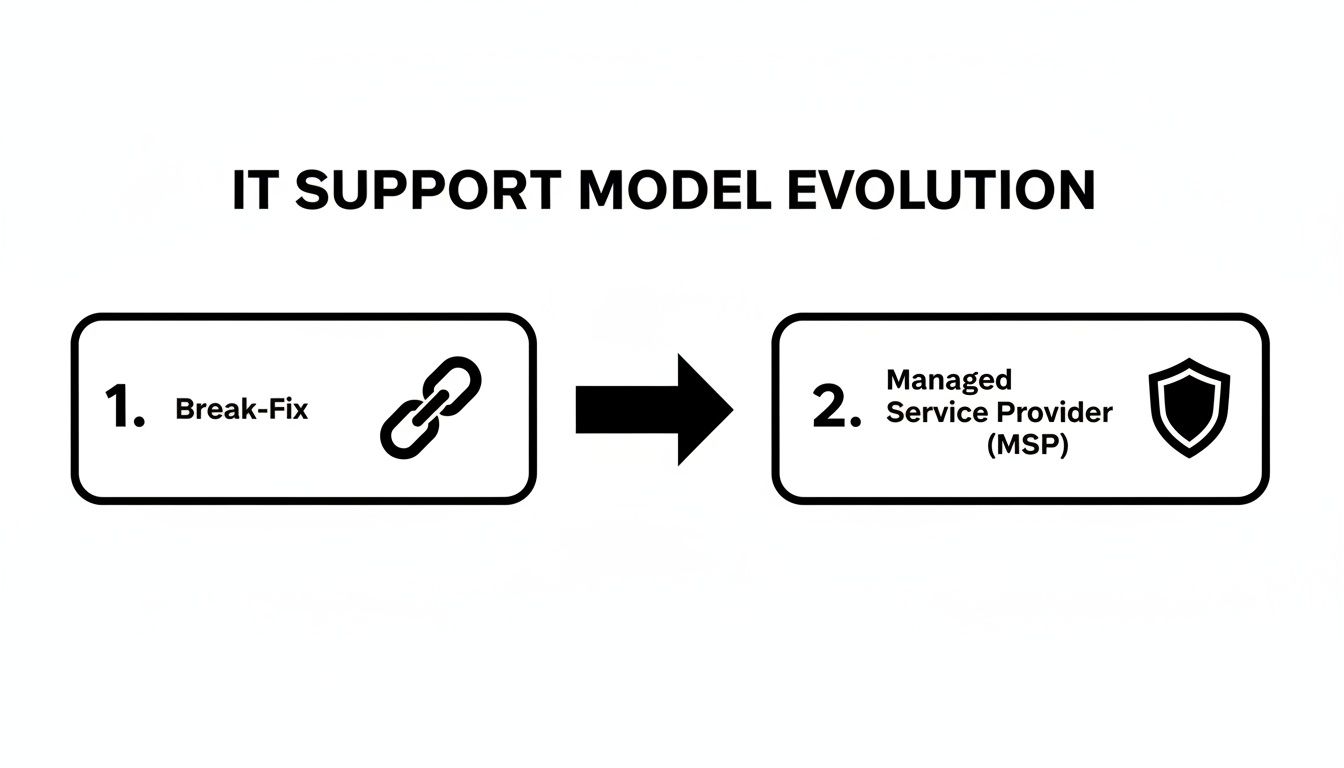
The image really says it all—you're moving from a state of reactive chaos to one of stable, predictable operations. That's the real value of managed IT.
Example 1: The 10-User Connecticut Dental Office
A small dental practice is a classic example. They have very specific needs, especially around HIPAA compliance and their practice management software.
- Number of Users: 10
- Per-User Rate: They absolutely need advanced security and HIPAA compliance features, which puts them in a higher tier. Let's peg this at $210/user.
- Server & Network Fees: They have a single server on-site for patient records and a standard office network. We’ll budget $250/month for that.
- Compliance Add-ons: Because of HIPAA, they need extra tools for security, logging, and reporting. This adds about $300/month.
Calculation: (10 users x $210) + $250 + $300 = $2,650/month
Example 2: The 25-Lawyer Firm with High Security Needs
This firm deals with highly confidential client information, so data protection isn’t just a feature—it’s a requirement.
- Number of Users: 25
- Per-User Rate: They need a very strong security setup, with things like advanced threat detection and email encryption. A rate of $158/user is realistic here.
- Server & Network Fees: They run a hybrid setup, with a local server for case files and some cloud services. We'll estimate $400/month.
- Compliance Add-ons: While they don't have HIPAA, they do face strict client confidentiality and data retention rules. Let’s add $350/month for that.
Calculation: (25 users x $158) + $400 + $350 = $4,700/month
Example 3: The 40-Employee SMB with Multiple Sites
Here we have a growing business with a main office and a smaller satellite location, which adds a bit of networking complexity.
- Number of Users: 40
- Per-User Rate: Their needs are more about general productivity and uptime, so a solid monitoring and security plan at $102/user works well.
- Server & Network Fees: Managing two sites with a secure connection (VPN) between them requires more work. The fee here is around $500/month.
- Compliance Add-ons: They don't have any special industry compliance mandates, so this is $0.
Calculation: (40 users x $102) + $500 + $0 = $4,580/month
Creating Your Own Spreadsheet or Tool
Using the formula above, you can pop open Microsoft Excel or Google Sheets and build your own simple estimator in minutes. This is a fantastic way to play with the numbers yourself. What happens if you hire five more people? What does upgrading to a higher security tier do to the bottom line?
If you want to get more advanced, you could even build a small tool for your company's intranet. Learning how to create a calculator can give you some great ideas. While a simple spreadsheet is usually enough, a web-based calculator can be a real asset for bigger companies trying to get a handle on their IT spend.
As you can see from these real-world examples, just counting the number of users never tells the whole story. Once you factor in your specific hardware, security needs, and operational complexity, you can develop a much more reliable budget before you even pick up the phone to call a provider.
Keep your business running without IT headaches.
GT Computing provides fast, reliable support for both residential and business clients. Whether you need network setup, data recovery, or managed IT services, we help you stay secure and productive.
Contact us today for a free consultation.
Call 203-804-3053 or email Dave@gtcomputing.com
.
Questions to Ask Your Prospective IT Provider
So you’ve used an IT support cost calculator and have a budget in mind. That's a great start, but now the real vetting process begins. The price you’re quoted is only one piece of the puzzle—the true value of any IT partner comes down to their process, their expertise, and how they handle a crisis.
Asking smart questions before you sign a contract can save you from a world of frustration. It’s the difference between finding a true partner invested in your success and just another vendor who sees you as a monthly payment. You need to look past the price tag to find a team you can trust with the technology that runs your business.
Service Guarantees and Response Times
First things first, you need to pin them down on their Service Level Agreement, or SLA. This isn't just marketing fluff; it's a contract that defines their promises to you in black and white.
A vague assurance of "fast support" is a red flag. You need specifics. Get concrete answers to these questions:
- What are your guaranteed response times? How long will I wait for a technician to actually acknowledge my ticket?
- What are your typical resolution times? Do you have a target for fixing different kinds of problems?
- How do you classify an issue's severity? A crashed server is a five-alarm fire; a finicky printer is not. Their process should reflect that.
- What happens if you fail to meet your SLA? Are there penalties or service credits involved?
If a potential provider gets cagey or can’t provide clear answers, it’s a strong sign they don’t have the structured processes needed to deliver consistent, reliable support.
Technical Expertise and Industry Experience
Not all IT support is the same. You absolutely need a team that gets the unique challenges and software specific to your industry. This is non-negotiable for businesses like dental offices or law firms, where specialized software is the core of your daily operations.
A good IT provider fixes computers. A great IT provider understands your workflow. They know that when your dental imaging software goes down, your entire schedule grinds to a halt. That kind of industry-specific knowledge is priceless.
Dig into their background with questions like these:
- Can you share references from other businesses in my field?
- What’s your experience with [name your critical software, e.g., Dentrix, Clio]?
- How do you ensure our systems stay compliant with regulations like HIPAA?
Experience with your software means they're not learning on your dime. It translates to faster troubleshooting and a real understanding of your priorities. As you evaluate different companies, our guide on how to choose a managed service provider offers an even more detailed checklist to help you make the right choice.
Onboarding and Proactive Strategy
Finally, the best IT partners do more than just put out fires. They should act as your technology guide, helping you use IT to grow your business instead of just fixing what’s broken. This starts from day one with a clear, organized onboarding plan.
Find out about their long-term vision for your partnership:
- What does your onboarding process look like for a new client?
- How will you document our network, systems, and passwords?
- Do you offer strategic planning or virtual CIO (vCIO) services?
- How often will we meet to review our technology roadmap and plan for the future?
A provider that leads with proactive planning is one focused on preventing problems in the first place. That’s the kind of partner who ensures your technology can keep up as your business grows, rather than holding it back.
Keep your business running without IT headaches.
GT Computing provides fast, reliable support for both residential and business clients. Whether you need network setup, data recovery, or managed IT services, we help you stay secure and productive.
Contact us today for a free consultation.
Call 203-804-3053 or email Dave@gtcomputing.com
.
A Few More Things to Consider About IT Support Costs
Even with a detailed quote from an IT support cost calculator, you're bound to have a few more questions. That's perfectly normal. Making a decision about your IT partner is a big deal, and it's smart to get all the details sorted out first. Let's walk through some of the questions that pop up most often once business owners start digging into the numbers.
How Often Should I Revisit My IT Support Plan?
Your IT support plan isn't something you sign and forget about. Think of it more like a roadmap that needs to be checked and adjusted as your business grows and changes. We always tell our clients to plan on an annual review, at minimum. It's the perfect time to look back at the past year with your IT partner and make sure your support plan still makes sense for where you're headed.
Of course, some things can't wait for an annual meeting. You should reach out for an immediate plan review if you're:
- Growing your team: Bringing on new people is great, but it also means more users to support and secure.
- Expanding your footprint: A new office or location adds a whole new layer of network complexity that needs to be properly managed.
- Rolling out new software: A major software change, like a new CRM or practice management system, might have its own support and compliance requirements.
Staying on top of these reviews means your plan always fits your business. You won't end up with security holes or find yourself paying for services you've outgrown.
Does a Managed Plan Cover On-Site Support?
Yes, it absolutely should—but it’s good to know how it fits into the bigger picture. The truth is, the vast majority of IT issues can be fixed remotely, and that's a huge win for you. It means we can get your team back up and running in minutes, not hours, without waiting for a technician to drive over.
A quality managed services plan should always include on-site support when it's genuinely needed. This shouldn't be an extra charge; it's a core part of the service.
Remote support handles the day-to-day hiccups with speed. On-site support is reserved for the heavy lifting—things like installing new servers, troubleshooting tricky network hardware, or running new cables. It's all about using the right tool for the job.
Why Does Support for My Law Firm Cost More?
This is a question we hear from professionals in all kinds of regulated fields, from law to healthcare. The higher price tag for a law firm or a dental office really boils down to two things: security and compliance. You're not just handling business data; you're safeguarding sensitive, legally protected client and patient information.
Meeting the strict standards for HIPAA or other regulations isn't a simple "checkbox" task. It demands a much more robust and proactive approach to IT. This means advanced security software, 24/7 monitoring, detailed audit reports, and the specialized expertise to navigate complex compliance rules. That extra investment isn't just for fancier tech—it's your direct protection against the devastating costs and reputational damage of a data breach.
Keep your business running without IT headaches.
GT Computing provides fast, reliable support for both residential and business clients. Whether you need network setup, data recovery, or managed IT services, we help you stay secure and productive.
Contact us today for a free consultation.
Call 203-804-3053 or email Dave@gtcomputing.com
.
Ready to Ditch the IT Headaches for Good?
Now that you have a better handle on what IT support should cost, the next step is to find a partner who can deliver real value without the hassle. At GT Computing, we focus on providing fast, reliable support that keeps your business secure and your team productive.
From straightforward network setups and emergency data recovery to comprehensive managed IT services, we’ve seen it all. We work with both local businesses and residential clients, tailoring our approach to what you actually need.
Let's talk about what's right for your specific situation.
Reach out for a free, no-pressure consultation. Call us at 203-804-3053 or email Dave directly at Dave@gtcomputing.com.
Keep your business running without IT headaches.
GT Computing provides fast, reliable support for both residential and business clients. Whether you need network setup, data recovery, or managed IT services, we help you stay secure and productive.
Contact us today for a free consultation.
Call 203-804-3053 or email Dave@gtcomputing.com
.