When most people think of IT support, they picture the "IT guy" you call when a computer crashes. But for a small business, that's just scratching the surface. Real IT support is about managing all your technology—your software, your network, everything—to keep your business running smoothly and securely. It’s less about fixing what's broken and more about making sure nothing breaks in the first place.
Why Proactive IT Support Is Your Business Superpower
Imagine a busy dental office. The schedule is packed, patients are in the waiting room, and suddenly, the system with all the patient records goes down. It's not just a minor hiccup; it's a full-blown crisis. This kind of disaster costs money, erodes patient trust, and brings the entire day to a screeching halt.
This scenario is a perfect example of why technology isn't just a tool anymore—it's the bedrock of your business.
Think of professional IT support like the foundation of a house. When it's strong and stable, you don't even think about it. But if it starts to crack, the whole structure is at risk. This is why the best approach to IT support for small business has moved away from the old reactive "break-fix" model toward a proactive, strategic partnership.
From Firefighting to Future-Proofing
The old way of doing IT was purely reactive. You'd only call for help when something was already on fire—a server crashes, you lose critical data, or a virus infects your network. This model leaves you in a constant state of emergency, where downtime is a given and the costs are unpredictable and often high.
Proactive IT support flips that script entirely. It's all about getting ahead of problems and putting solutions in place before they can disrupt your business. This forward-thinking approach brings some serious advantages:
- Keeps You Up and Running: With 24/7 monitoring, potential issues get spotted and fixed before they can cause downtime, letting your team work without frustrating interruptions.
- Boosts Team Productivity: When technology just works, your staff can stop wrestling with glitches and focus on what they do best.
- Locks Down Your Data: A proactive partner builds a strong defense around your most valuable asset—your data. You can learn more by checking out our guide on essential cyber security tips for small business.
A Strategic Asset for Growth
Smart technology investments are directly tied to business success. It's no surprise that nearly 60% of small businesses expecting higher profits in 2025 are leaning into tech. Those with secure data solutions, for example, are seeing 30% faster growth rates than their competitors.
For professionals like lawyers handling sensitive case files or dentists managing patient records, this means having reliable remote support and VoIP phone systems that don't drop client calls.
Proactive IT isn't just another business expense. It's a strategic investment in your company's resilience and future, giving you the peace of mind to focus on your clients and grow your business.
For businesses looking to ensure no client call is ever missed, integrating something like an AI phone receptionist for your tech repair shop can be a great addition. It aligns perfectly with a proactive strategy by handling routine calls and scheduling, making sure every opportunity is captured, even after hours.
What IT Services Do Small Businesses Actually Need?
It's easy to get lost in a sea of technical jargon, but at its heart, IT support is all about solving real-world problems. Think of it less like a confusing menu of options and more like building a toolkit for your business. Each service is a specific tool designed to keep your company running smoothly, securely, and efficiently.
The goal isn't just to have technology; it's to use it as a strategic asset. That means making sure your systems are more than just "on"—they need to be resilient, safe from threats, and built to help you grow. Let's break down the essential services that form the foundation of modern IT support.
Proactive Managed IT Services
Imagine your IT is like your company's delivery van. The old "break-fix" model is like waiting for the engine to blow up on the highway before you call a tow truck. It’s a reactive, stressful, and expensive way to operate.
Managed IT Services, on the other hand, is like having a dedicated mechanic who handles all the routine maintenance, oil changes, and diagnostics before a breakdown ever happens. It’s a proactive approach. We monitor your systems 24/7, often spotting and fixing small issues in the background before you or your team even notice a problem. This is the bedrock of stability, ensuring your technology is a reliable engine for your business, not a constant source of frustration.
Secure and Reliable Network Design
Your business network is the central nervous system connecting everything you do—your computers, servers, printers, and phones all depend on it. A poorly designed network is like a building with faulty wiring. It's not just slow and unreliable; it's a serious security risk waiting to happen.
A professionally designed network, using robust hardware from trusted names like Ubiquiti and Cisco, creates the backbone for fast, stable connectivity. But it’s about more than just speed. It’s about building a secure digital perimeter to protect your sensitive data from prying eyes. You can learn more about what goes into building a solid IT infrastructure for small business.
Resilient Cloud Backups for Disaster Recovery
Here’s a question that keeps business owners up at night: what would you do if a fire, flood, or server failure wiped out all your data tomorrow? For most small businesses, the answer is devastating. It's no surprise that planning for the future and managing cash flow are top challenges for entrepreneurs—a data disaster throws a wrench into both.
Cloud backups are your ultimate insurance policy. They automatically create secure, encrypted copies of your critical information and store them safely offsite. If the worst happens, you can restore your files, applications, and entire systems quickly, turning a potential catastrophe into a manageable bump in the road.
A solid backup strategy isn't about if you'll need it, but when. It transforms a potential business-ending event into a manageable inconvenience, protecting your revenue and your reputation.
Comprehensive Cybersecurity Defenses
Cyber threats aren't just a big-corporation problem anymore. In fact, small businesses are now a prime target precisely because they are often seen as having weaker defenses. One successful cyberattack can lead to crippling financial loss, stolen data, and a complete loss of client trust.
Good cybersecurity is a multi-layered defense system. You can't just rely on one tool. A comprehensive strategy includes:
- Firewalls: Your network's digital gatekeeper, blocking malicious traffic before it can get inside.
- Antivirus and Anti-Malware: Essential protection for every computer and server, guarding against ransomware, viruses, and spyware.
- Employee Training: Your team is your first line of defense. Training helps them spot and avoid phishing emails and other clever scams.
To simplify these concepts, here’s a quick-reference table breaking down each essential service and the direct value it brings to your business.
Essential IT Services for Small Businesses
| IT Service | What It Is | Key Business Benefit |
|---|---|---|
| Managed IT Services | Proactive, 24/7 monitoring and maintenance of your IT systems. | Prevents problems before they disrupt business, ensuring maximum uptime and productivity. |
| Network Design | Building a fast, secure, and reliable network infrastructure. | Enables seamless data flow and protects sensitive information from unauthorized access. |
| Cloud Backups | Securely copying and storing your data in an offsite location. | Guarantees you can recover from a disaster (fire, theft, hardware failure) quickly. |
| Cybersecurity | A multi-layered defense against digital threats like malware and hackers. | Protects your financial assets, client data, and business reputation from costly attacks. |
| VoIP Phone Systems | Modern phone service that runs over your internet connection. | Increases flexibility with features like mobile forwarding, keeping you connected anywhere. |
Each of these services plays a vital role in creating a technology foundation that is both strong and resilient, allowing you to focus on running your business, not fixing IT issues.
Modern VoIP Phone Systems
Are you still tied to a traditional landline? VoIP (Voice over Internet Protocol) phone systems are the modern standard, running your phone service directly over your internet connection. This opens up a world of flexibility and advanced features that old-school phones simply can't match.
For example, think of a busy dentist's office. With VoIP, the office manager can have calls automatically routed to a mobile device if they need to step out, ensuring a patient in an emergency can always get through. This technology directly improves your responsiveness and makes daily operations far more efficient.
Choosing Your IT Support Model
Not all IT support is built the same. Picking the right approach for your small business can be the difference between constant tech headaches and smooth, predictable operations. You’re essentially choosing between a reactive or a proactive strategy for your technology.
Think of it like this: you can either treat your IT like an emergency room visit or like a long-term wellness plan with a trusted doctor. The first one is all about panic and high costs; the second is about prevention and peace of mind.
The Reactive Break-Fix Model
The old-school approach is the Break-Fix model. It’s simple: when a computer dies or your network goes down, you frantically call a technician. They come out, fix the specific problem, and hand you a bill for their time and whatever parts they used.
This might sound cheaper upfront—you only pay when something is actually broken, right? The problem is, this model is fundamentally flawed. A break-fix technician’s business model relies on your technology failing. They have zero incentive to make your systems more stable or secure because they don’t get paid unless you have a crisis.
The Break-Fix model guarantees one thing: downtime. It leaves you waiting for the next disaster, facing unpredictable costs and stressful emergencies. For any business that depends on technology, it’s a recipe for failure.
You end up stuck in a cycle of recurring problems, lost productivity, and inflated emergency service fees. A minor glitch can quickly spiral into a major financial headache.
The Proactive Managed Services Model
A Managed Services Provider (MSP) flips that entire script. This is your proactive wellness plan. Instead of waiting for things to break, an MSP works around the clock to prevent problems from ever happening in the first place. You pay a flat, predictable monthly fee for 24/7 monitoring and maintenance of your entire IT environment.
This decision tree helps visualize the core choice: do you want an expert partner managing your tech, or do you want to deal with problems as they come?
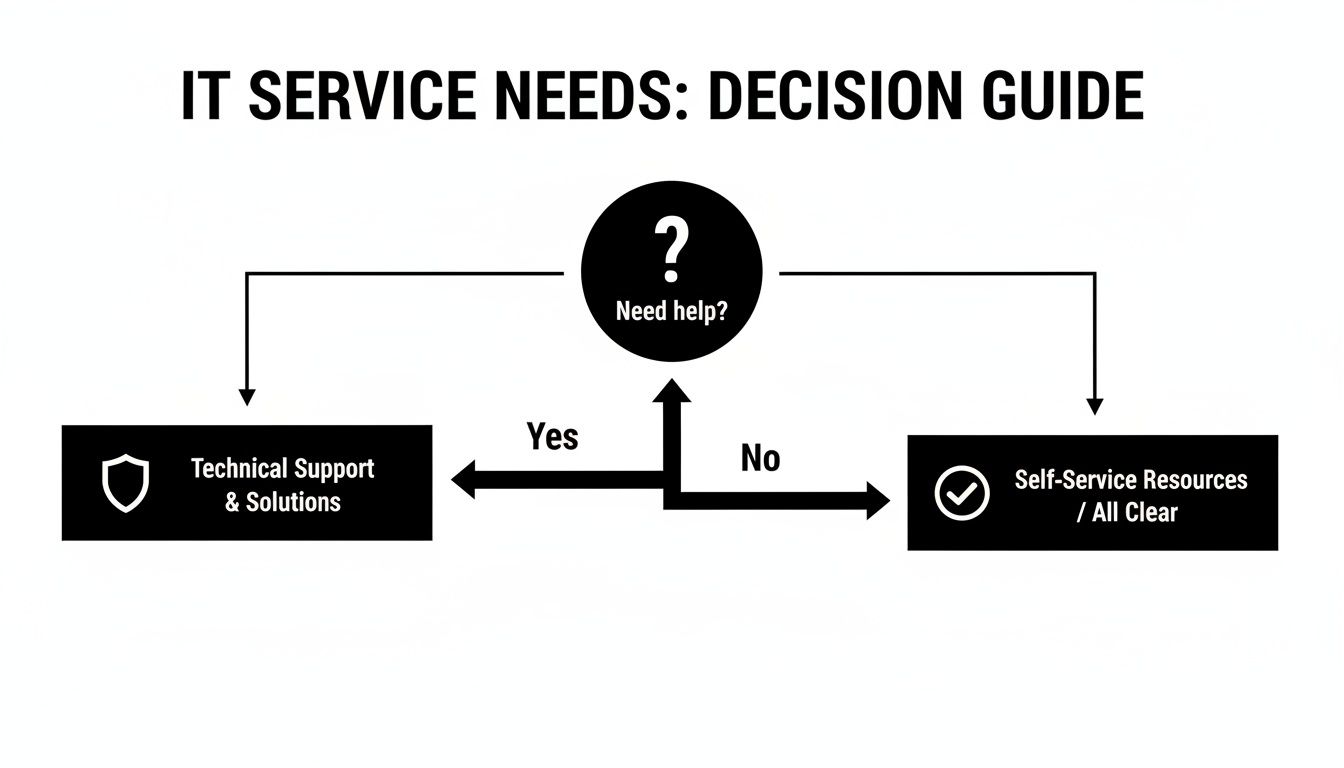
The real takeaway here is that bringing on a support partner means you no longer have to carry the weight of your IT health alone.
With a good MSP, your goals and your provider’s goals are perfectly aligned. They are financially motivated to keep your systems running flawlessly because fewer problems for you mean less reactive work for them. This approach transforms IT from a chaotic, budget-busting expense into a stable, predictable part of your operations. Your MSP handles everything in the background—security patches, data backups, network health—so you can focus on your business.
The Collaborative Co-Managed IT Model
What if you’re somewhere in the middle? Maybe you have an IT person on staff but they're swamped, or they don't have the specialized skills needed for complex cybersecurity threats. That’s where the Co-Managed IT model comes in.
This isn't about replacing your internal team; it's about making them stronger. Think of it as giving your in-house staff a team of specialists to back them up.
For example, your on-site person could handle day-to-day user requests and printer jams while the MSP takes on the heavy lifting of server maintenance, 24/7 security monitoring, and long-term strategic planning. This partnership gives you the best of both worlds: the immediate convenience of an internal employee plus the deep expertise and advanced tools of a dedicated IT firm.
Is Your IT Support a Cost or an Investment? Let's Do the Math.
It's easy to look at the monthly invoice for IT support and see it as just another expense. But that's a classic mistake. Good IT support for small businesses isn't a cost center; it's a profit driver. To see the real value, you have to look past the bill and calculate its return on investment (ROI).
This means weighing the hidden, painful costs of not having reliable support against the very real gains you get when your technology just works. When you shift your perspective, the true value becomes obvious.
The Hidden Costs Sinking Your Bottom Line
When your technology goes down, the obvious problem is lost revenue. If your point-of-sale system crashes, sales stop. If your server is offline, your team can't bill clients or access critical files. Every single minute of downtime is money you're not making.
But the financial damage goes much deeper than that. Think about these hidden costs that quietly drain your bank account:
- Wasted Payroll: During an outage, you're still paying your people. If three employees are stuck waiting for a fix for two hours, you've just paid for six hours of completely unproductive time.
- Reputation Damage: Nothing craters the trust you've built with clients faster than a security breach that leaks their private information. The long-term cost of a trashed reputation can dwarf any immediate financial hit.
- Missed Opportunities: How many new client calls went to voicemail because your phone system was down? How many leads couldn't find you because your website was offline? These are the ghosts of revenue you'll never see.
The real cost of bad IT isn’t the bill for an emergency fix. It’s the slow, steady bleed of lost revenue, wasted productivity, and crumbling client trust that happens when your tech is a roadblock instead of a launching pad.
How a Proactive IT Partner Boosts Your Profitability
On the other side of the coin, a good IT partner actively adds to your bottom line. These gains aren't just theoretical; they are measurable improvements that create a stable foundation for growth. It’s the difference between constantly putting out fires and strategically building your business.
Recent data shows just how big of a deal this is. A massive 57% of small businesses invested in new or upgraded tech in the last two years. For 65% of them, that investment was key to competing head-to-head with bigger companies—a huge advantage for professional services like law firms or dental practices where efficiency is everything.
The results speak for themselves: 23% saw a direct improvement in their service quality, and nearly all (98%) kept their staffing levels, proving that the right tech makes your team better, not redundant. You can dig into the details of how small businesses are using technology to stay competitive on nfib.com.
A strategic approach to IT delivers three massive benefits:
- More Productive Employees: When systems are reliable and help is instant, your team spends its time on work that actually makes money, not fighting with their computers.
- Iron-Clad Data Security: Protecting your data is non-negotiable. Strong security prevents expensive breaches and, just as importantly, shows your clients you can be trusted with their information.
- Strategic Tech Guidance: A great IT partner does more than just fix what's broken. They become your tech advisor, guiding you to the right tools that will streamline your work, save money, and give you an edge over the competition.
When you add up the hidden costs of tech failures and subtract them from the tangible gains of having a proactive partner, the value is undeniable. It's an investment in keeping your business running, secure, and profitable for the long haul.
How to Select the Right Local IT Partner
Picking the right IT provider is one of the most critical decisions you'll make for your small business. This isn't just about finding someone to fix a misbehaving printer; it's about handing over the keys to your entire operational engine and your most sensitive data. The right choice can fuel smooth, secure growth, while the wrong one can lead to constant headaches, disruptions, and vulnerabilities.
Fortunately, this process doesn't have to be a shot in the dark. With a structured approach, you can confidently vet potential partners and find the perfect fit for your business, especially right here in Connecticut. The goal is to move from guesswork to a clear, strategic decision.
To get started, it helps to understand the different models available from dedicated IT Service Providers and MSPs. Knowing what they offer helps you match a provider's services to your specific business goals, making sure you get the proactive support you actually need.
Verifying Technical Expertise and Certifications
First things first: you need to be sure a potential partner has the technical chops to handle your systems. Don't get distracted by fancy marketing; ask for concrete proof of their skills and experience. A genuinely qualified team will have no problem demonstrating their expertise.
Here’s what to look for:
- Relevant Certifications: Are they certified by major players like Microsoft, Cisco, or CompTIA? These aren't just pieces of paper; they show a real commitment to professional standards and staying current.
- Experience in Your Field: Have they worked with businesses like yours before? A provider who already knows the ins and outs of dental practice software or legal case management systems will get up to speed much faster.
- Team Depth: Is it a one-person operation or a full team of technicians? A larger team usually means a broader skillset and, just as importantly, better availability when you really need them.
Pay attention to how they talk. A great sign is a provider who can explain complex technical issues in plain English without hiding behind a wall of jargon.
Scrutinizing the Service Level Agreement
The Service Level Agreement (SLA) is arguably the single most important document in your relationship with an IT provider. It’s the contract that turns their promises into commitments. If a potential partner is vague about their SLA or doesn't offer one, that’s a massive red flag.
An SLA isn’t just a formality; it's your guarantee of service. It translates vague promises of "fast support" into concrete, measurable commitments that you can hold your provider accountable for.
Your SLA should spell out, in no uncertain terms:
- Guaranteed Response Times: How quickly will they acknowledge a new support ticket? This should be broken down by priority level—a server that's completely down is a lot more urgent than a minor printer glitch.
- Resolution Times: It’s one thing to respond, but how long will it take them to actually fix the problem? Look for clear targets.
- Hours of Support: Does their standard agreement cover your actual business hours? And what happens if a crisis hits on a weekend? Know the costs for after-hours support upfront.
- Reporting and Reviews: How will they keep you in the loop about your system’s health? The SLA should specify a schedule for performance reports and strategic review meetings.
Confirming Local Presence and Onsite Support
For any Connecticut business, having a local IT partner is a huge advantage. While a ton of support can be handled remotely these days, there are times when you absolutely need someone to show up onsite—and fast. A major network outage or a critical hardware failure can't always be fixed over the phone.
Ask about their physical location and their process for dispatching technicians for emergencies. A truly local provider can get to your office quickly, minimizing downtime that costs you money. This local presence also means they understand the regional business community. You can dig deeper into this topic with our detailed guide on how to choose a managed service provider.
To help you organize your search, we've put together a simple checklist. Use these questions to compare potential IT partners and make a well-informed decision.
IT Provider Evaluation Checklist
| Evaluation Area | Key Questions to Ask | What to Look For |
|---|---|---|
| Technical Expertise | What certifications does your team hold? Do you have experience in our industry? | Look for relevant certifications (Microsoft, Cisco) and case studies from similar businesses. |
| Service Model | Do you offer break/fix, managed services, or co-managed IT? What's included? | A proactive managed service model is best for preventing issues. Ensure the plan fits your needs. |
| SLA & Response Time | Can I see your SLA? What are your guaranteed response and resolution times? | A clear, detailed SLA with specific time commitments for different issue priorities. |
| Local Presence | Where is your office located? What is your process for onsite emergency support? | A genuine local office and a clear plan for dispatching technicians quickly. |
| Security & Backups | What is your cybersecurity strategy? How do you test our data backups? | A multi-layered security approach and regular, verified backup testing. |
| Client References | Can you provide references from current clients, preferably in our industry? | Willingness to provide references and positive feedback from long-term clients. |
| Contracts & Pricing | What are the contract terms? Is pricing all-inclusive or are there hidden fees? | Transparent, easy-to-understand pricing and flexible contract terms. |
Finally, don't underestimate the power of social proof. Ask for client testimonials and case studies, especially from businesses in your field. A reputable provider will be proud to share their success stories and even connect you with happy clients. This simple step can transform your decision from a guess into a confident choice.
Your Onboarding Journey with a New IT Provider
Switching IT providers can feel like a huge step, but a good partner makes it a smooth, structured process designed to cause as little disruption as possible. This isn't about flipping a switch and hoping for the best. A seamless onboarding experience is all about building a solid foundation for a long-term relationship, giving you confidence from day one.
The whole point is to make sure your new IT support for small business team gets to know your operations inside and out before they touch anything. It should feel less like a massive, stressful overhaul and more like a smart, natural upgrade to how you do business.

The Initial Discovery and Audit
First things first: a deep dive into your current tech setup. This is way more than a quick glance. It’s a full-blown audit to map out every single piece of your IT infrastructure—from individual computers and servers to software licenses and network gear. This discovery phase is crucial because it uncovers hidden vulnerabilities, performance issues, and opportunities you might not even know exist.
Here's what your new provider will be doing at this stage:
- Document Your Infrastructure: They’ll create a detailed inventory of every piece of hardware and software you own.
- Assess Network Security: They will hunt for potential security holes and any compliance risks you might be facing.
- Understand Your Workflow: This is key. They need to learn how your team actually uses technology every day to get their work done.
Think of this audit as the strategic blueprint for the entire relationship. It means your new IT team isn't just inheriting old headaches; they're actively working to solve them from the very beginning.
A thorough initial audit is non-negotiable. It’s the difference between a partner who truly understands your business and one who is just guessing. This step is foundational for creating a stable and secure technology environment.
Deployment and Proactive Integration
Once the audit is done and the plan is in place, it’s time to deploy the tools needed to manage and protect your systems. This is always handled carefully, often after hours or on a weekend, to keep your team from being interrupted. This is when they'll install monitoring agents on your devices, configure secure cloud backups, and roll out strong cybersecurity defenses like modern antivirus and firewalls.
From the get-go, disaster recovery planning is a huge part of this stage. Your IT partner will set up and test backup systems to make sure that if a crisis ever hits, your essential data can be recovered quickly and reliably. This proactive approach is what transforms your IT from a reactive expense into a genuine business asset.
Of course, the partnership doesn't stop after the initial setup. You should expect regular, clear communication, easy-to-understand performance reports, and strategic reviews. These meetings are where you'll discuss your business goals and make sure your technology is keeping up, ensuring your systems stay secure and efficient for years to come.
Your Next Step: Making IT Effortless
Let's be honest, you didn't get into business to become a part-time IT manager. Every minute you spend wrestling with a server issue, a software glitch, or a security worry is a minute you're not spending on what you do best: growing your company and taking care of your clients.
Investing in professional IT support isn't just about fixing things when they break. It’s about building a foundation for your business that is solid, secure, and ready for whatever comes next. It’s about transforming technology from a source of frustration into a genuine competitive advantage.
Think of it as an investment in peace of mind. With the right partner, you can stop worrying about downtime and cyber threats and get back to focusing on your goals, confident that your technology is in expert hands.
Keep your business running without IT headaches.
GT Computing provides fast, reliable support for both residential and business clients. Whether you need network setup, data recovery, or managed IT services, we help you stay secure and productive.
Contact us today for a free consultation.
Call 203-804-3053 or email Dave@gtcomputing.com
.