In a competitive market, relying on outdated technology is like trying to win a race with a flat tire. Legacy systems, the aging software and hardware that once powered your operations, can become significant liabilities. They often lead to security vulnerabilities, high maintenance costs, and an inability to integrate with modern tools, directly impacting the productivity of professional practices like law firms and dental offices. The challenge isn't just recognizing the problem; it's choosing the right path forward.
Modernization isn't a one-size-fits-all solution. The key is to select a strategy that aligns with your budget, timeline, and business goals without causing major disruptions. For a small dental practice, this could mean moving patient records to a secure cloud platform, while a mid-sized law firm might need a more complex overhaul of its case management software. Each approach comes with its own set of benefits, risks, and costs. To truly address the challenges of outdated technology, understanding effective legacy system modernization strategies is the first critical step toward making an informed decision.
This guide is designed to cut through the complexity. We will break down ten powerful legacy system modernization strategies, offering a clear, actionable roadmap for small and mid-sized businesses. You will learn not just what each strategy is, but when to use it, what to expect in terms of cost and effort, and how to manage the transition smoothly. Our goal is to empower you to move from outdated, risky technology to a secure, efficient, and future-proof IT infrastructure that supports your business's growth.
1. Lift and Shift (Rehosting)
The Lift and Shift strategy, also known as rehosting, is one of the most direct legacy system modernization strategies. It involves moving an application or system from its on-premises server directly to a cloud infrastructure-as-a-service (IaaS) platform, such as AWS or Azure, with minimal or no changes to its core architecture. Think of it as moving a house from one foundation to another without renovating the interior.
This approach is the fastest way to begin a cloud migration journey, offering a quick path to decommissioning on-premises data centers and reducing hardware maintenance costs.
When to Use This Strategy
Rehosting is ideal for businesses that need to migrate quickly, perhaps due to an expiring data center lease or an urgent need to scale infrastructure. It's also a practical first step for organizations with limited cloud expertise, as it allows them to gain operational experience in the cloud before undertaking more complex modernization projects. For a professional practice like a dental office, this could mean moving their existing patient scheduling software from an old server in the back office to a secure virtual machine in the cloud.
Benefits and Risks
- Benefits: The primary advantages are speed and cost-effectiveness. Migration is significantly faster and requires fewer specialized resources than other strategies. You gain immediate benefits like improved scalability and reliability without a major upfront investment in redevelopment.
- Risks: A key risk is that you carry over existing architectural problems and inefficiencies to the cloud. The application won't be optimized for cloud-native features, potentially leading to higher-than-expected operational costs.
Real-World Example: A multi-location legal firm used a rehosting strategy to move its on-premises document management system to Microsoft Azure. This eliminated the need for server upgrades at each office, provided attorneys with secure remote access to case files, and improved disaster recovery capabilities with minimal disruption to their daily operations. For a deeper dive into the migration process, you can explore detailed guides on how to migrate to the cloud.
2. Refactoring (Re-platforming)
Refactoring, sometimes referred to as re-platforming, is a more involved legacy system modernization strategy. It involves making strategic code-level changes to an application to improve its performance and take better advantage of cloud capabilities, without altering its core function. Think of this as renovating the plumbing and electrical systems of a house while keeping the original floor plan.
This approach modifies key components of the system, such as updating the database or shifting to a microservices architecture, to improve its scalability, security, and maintainability. It strikes a balance between the low effort of rehosting and the high cost of a complete rebuild, allowing for tangible improvements.
When to Use This Strategy
Refactoring is the right choice when the core business logic of your legacy system is still valuable, but its underlying technology is outdated, slow, or difficult to maintain. It’s perfect for businesses that want to gain cloud-native benefits like auto-scaling and improved performance without a full rewrite. For an accounting firm, this could mean modernizing a monolithic, on-premises tax preparation application to a more modular, web-based platform that can handle peak demand during tax season.
Benefits and Risks
- Benefits: The main advantages are improved performance and long-term maintainability. By optimizing the application for the cloud, you can reduce technical debt and lower operational costs over time. You also gain better agility to add new features in the future.
- Risks: Refactoring requires specialized development skills and more upfront investment than a simple lift and shift. There's a risk of introducing new bugs or "scope creep" if the project isn't carefully managed, potentially extending timelines and budgets.
Real-World Example: A dental practice with a custom, server-based patient management system decided to refactor it. They migrated the application’s backend database to a managed cloud service like Amazon RDS and re-architected parts of the code to run in containers. This move eliminated server maintenance, improved data backup processes, and made the system faster and more reliable for front-desk staff.
3. Strangler Fig Pattern
The Strangler Fig Pattern is an incremental and lower-risk legacy system modernization strategy. Inspired by the way a fig vine gradually envelops and replaces its host tree, this approach involves building a new, modern application around the legacy system. Over time, new features and services are developed in the new system, and traffic is incrementally redirected from the old components to the new ones until the legacy system is fully "strangled" and can be safely retired.
This method allows for a gradual, controlled migration, minimizing the risk associated with a large-scale, single-event cutover. It enables businesses to continue operating while modernization happens in the background, delivering value progressively.

When to Use This Strategy
The Strangler Fig Pattern is best suited for large, complex, and mission-critical legacy systems where a complete rewrite or replacement is too risky or expensive to undertake at once. It's ideal for organizations that want to modernize without disrupting core business operations. For an accounting firm, this could involve slowly replacing modules of their old, on-premises tax preparation software with new, cloud-based microservices for client intake, e-filing, and billing, one piece at a time.
Benefits and Risks
- Benefits: The main advantages are reduced risk and continuous value delivery. Modernization occurs in manageable pieces, allowing for testing and feedback at each stage. It avoids a high-risk "big bang" deployment and allows the business to see a return on investment sooner.
- Risks: This strategy can be complex and lengthy, requiring careful management of the interface (often an API gateway) between the old and new systems. There's a risk of the project extending for years if not managed properly, and maintaining two parallel systems can temporarily increase operational overhead.
Real-World Example: A regional dental group with a custom-built, decade-old patient records system adopted the Strangler Fig Pattern. They started by building a new, cloud-based appointment scheduling module. Using an API layer, the new scheduler communicated with the legacy patient database. Once successful, they incrementally added new modules for billing and digital imaging, gradually redirecting dentists and staff to the new interface until the old system was fully decommissioned with zero downtime. This incremental approach is a hallmark of effective legacy system modernization strategies.
4. Wrapping/API Gateway Pattern
The Wrapping strategy, also known as the API Gateway Pattern, is an elegant approach among legacy system modernization strategies. It involves creating a modern Application Programming Interface (API) layer that acts as a "wrapper" around the legacy system. This is done without changing the underlying legacy code, essentially building a new, modern facade on an old, but functional, building.
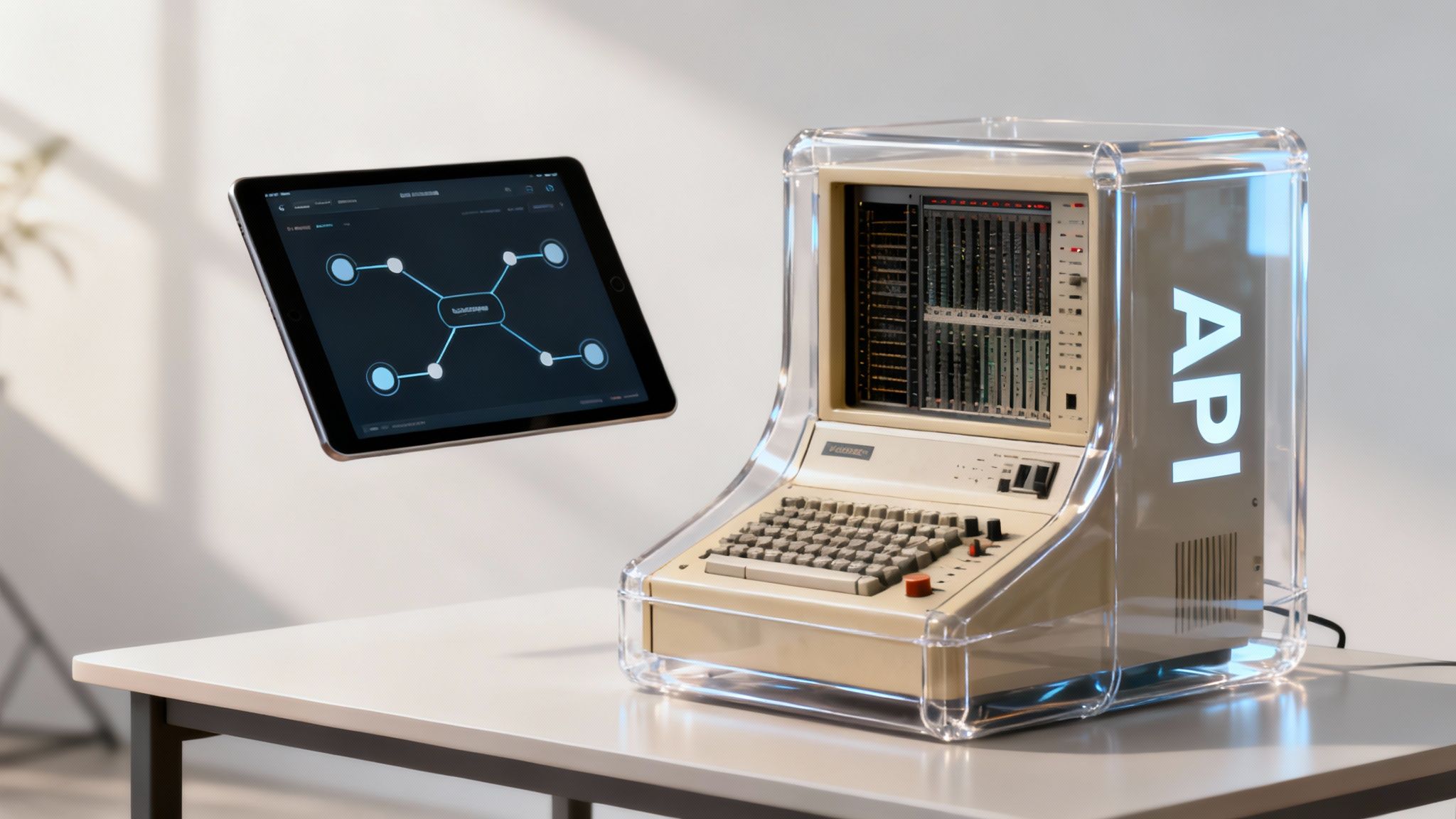
This method allows modern applications, such as a patient portal or a mobile app, to communicate with the legacy system through a standardized, secure, and well-documented interface. It effectively unlocks valuable data and functionality trapped within older software.
When to Use This Strategy
Wrapping is the perfect strategy when your legacy system is still business-critical and stable ("if it ain't broke, don't fix it"), but you need to integrate it with newer technologies. It’s ideal for exposing specific functions to new channels without the risk and expense of a full rewrite. A dental practice could use this to wrap their old appointment scheduling software, allowing a new online patient portal to book appointments directly into the existing system.
Benefits and Risks
- Benefits: The main advantages are low risk and fast integration. You can add modern capabilities quickly without touching the core legacy system, minimizing disruption. This approach improves system agility and enables a phased modernization where new services can be built around the legacy core.
- Risks: A significant risk is that you are still dependent on the underlying legacy system. The new API layer adds complexity, and if not managed carefully, it can put an additional performance load on the old infrastructure. You are treating the symptom (poor access) rather than the cause (outdated architecture).
Real-World Example: A law firm with a DOS-based case management system used an API gateway to create a wrapper. This allowed them to build a modern, secure web interface for their attorneys to access and update case files from any device, anywhere. This extended the life of their reliable core system while providing the modern user experience their team demanded, all without the six-figure cost of a brand new system. To see how this can be implemented, you can explore platforms like Azure API Management.
5. Containerization and Microservices
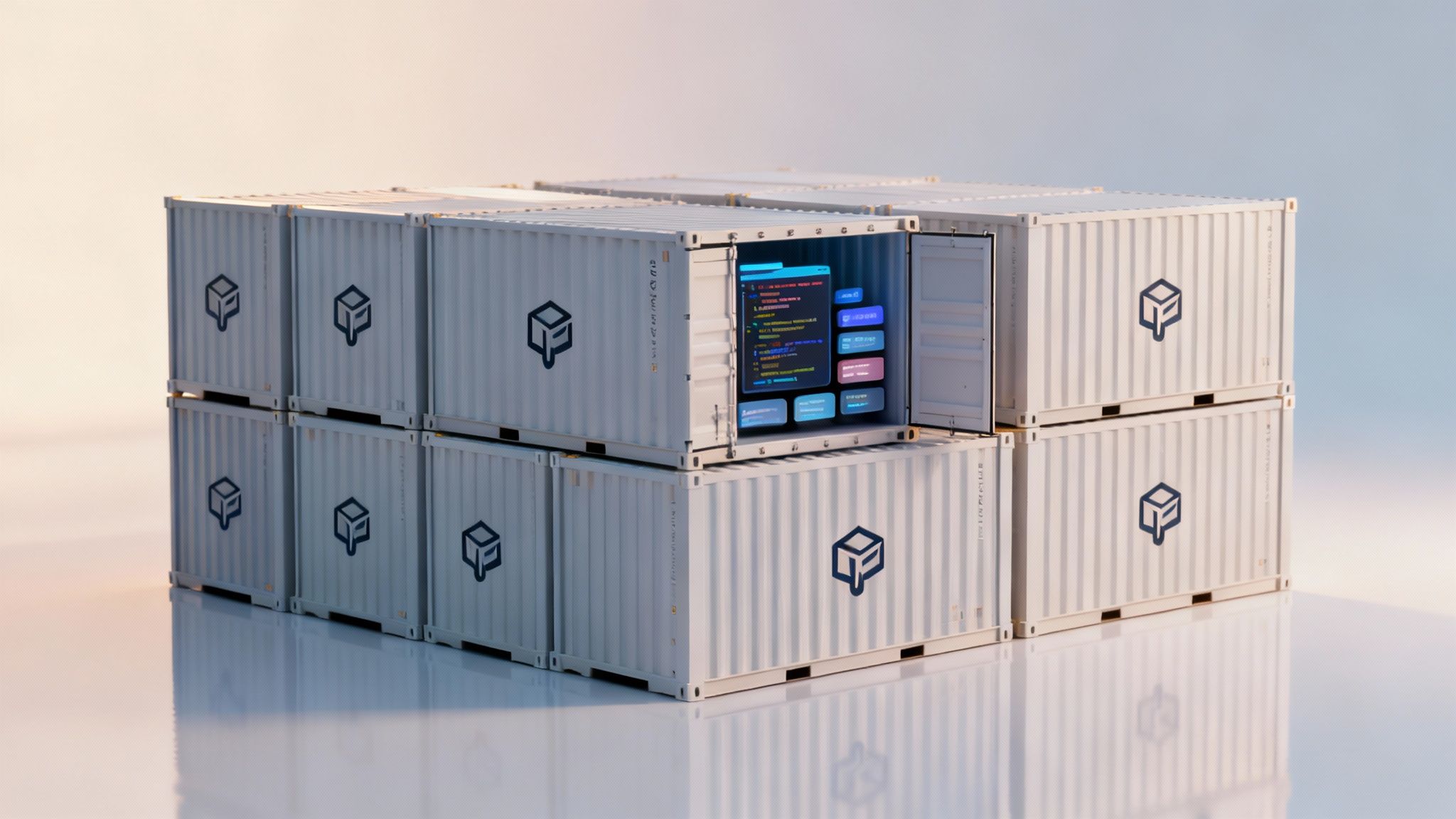
Containerization is a powerful legacy system modernization strategy that involves packaging an application and its dependencies into standardized, isolated units called containers. This approach, often paired with a microservices architecture, allows for breaking down large, monolithic legacy systems into smaller, independently deployable services. It's like taking an old, multi-function tool and breaking it into a set of specialized, efficient, and easily managed individual tools.
This method modernizes both the application and its underlying infrastructure, enabling greater flexibility, scalability, and resilience without a complete rewrite from scratch.
When to Use This Strategy
This strategy is ideal for businesses that want to incrementally modernize a complex system while improving scalability and deployment speed. It's particularly effective for applications that have distinct functional components that can be separated and managed independently. A growing dental practice might containerize its patient portal, allowing the portal to scale independently during peak appointment booking times without affecting the core patient record system.
Benefits and Risks
- Benefits: The key benefits are improved scalability and deployment agility. Containers can be scaled up or down quickly, and independent microservices allow teams to update specific functions without redeploying the entire application. This also enhances fault isolation, as an issue in one microservice won't bring down the whole system.
- Risks: The main risk lies in the increased complexity of managing a distributed system. It requires new tools and skills for orchestration (like Kubernetes), monitoring, and security across multiple containers and services. Without proper planning, managing service-to-service communication can become a significant challenge.
Real-World Example: A regional healthcare provider containerized its legacy Electronic Health Record (EHR) system. They first packaged the existing application into a Docker container for consistent deployment. Over time, they began breaking out specific functions, like prescription management and billing, into separate microservices. This allowed them to update the billing module to comply with new insurance regulations without risking downtime for the entire EHR platform.
6. Database Modernization and Migration
Database modernization focuses on migrating legacy databases, such as older on-premises SQL servers or mainframe data stores, to modern, cloud-native database platforms. This strategy addresses critical issues like data scalability, accessibility, and performance by moving data to services like NoSQL, NewSQL, or managed cloud databases (e.g., Azure SQL, Amazon RDS) while carefully preserving data integrity.
This approach is one of the most impactful legacy system modernization strategies, as the database is often the core of many business-critical applications. Modernizing it can unlock significant performance and integration capabilities for the entire system.
When to Use This Strategy
This strategy is essential when your current database can no longer handle growing data volumes, is becoming a performance bottleneck, or is preventing you from integrating with modern, data-driven applications. It's perfect for a growing dental practice whose on-premises patient record database is slow and cannot easily connect with new cloud-based imaging or billing software. Similarly, a law firm struggling with an outdated case management database would use this approach to improve data access and security for remote attorneys.
Benefits and Risks
- Benefits: The main advantages are enhanced scalability, improved performance, and better data accessibility. Modern databases offer superior analytics capabilities, built-in security features, and automated management, freeing up IT resources.
- Risks: The primary risk is data loss or corruption during migration. This process requires meticulous planning, comprehensive testing, and validation to ensure data integrity. There is also a risk of disrupting business operations if the migration is not carefully scheduled and executed.
Real-World Example: An expanding multi-specialty medical clinic migrated its patient appointment and billing data from an aging on-premises SQL Server to a HIPAA-compliant Azure SQL Database. This move allowed them to integrate a new patient portal, improved system response times during peak hours, and strengthened their data protection measures. The migration also simplified their backup process; for more information on safeguarding your data, explore a guide on how to prevent data loss.
7. Hybrid Cloud and On-Premises Integration
The Hybrid Cloud and On-Premises Integration strategy creates a connected ecosystem where some legacy systems remain on-premises while others are migrated to the cloud. This approach blends the security and control of private infrastructure with the scalability and flexibility of public cloud services, allowing businesses to modernize at their own pace. Think of it as keeping your most valuable assets in a secure home safe while using a bank's safety deposit box for other important items.
This model is a powerful legacy system modernization strategy because it doesn’t force an all-or-nothing decision, providing a pragmatic path to leveraging cloud benefits where they make the most sense.
When to Use This Strategy
A hybrid approach is ideal for businesses with strict regulatory or compliance obligations, such as healthcare or legal practices, that require sensitive data to remain on-site. It's also perfect for systems with very low-latency performance requirements or deep, complex integrations with on-premises hardware that are too costly or risky to move. A dental practice might keep its patient imaging software and electronic health records (EHR) on a local server for speed and HIPAA compliance while using the cloud for appointment reminders, billing, and data backups.
Benefits and Risks
- Benefits: The core advantages are flexibility and compliance. It allows you to strategically place workloads based on security, performance, and cost, maximizing the benefits of both cloud and on-premises environments. This phased approach also mitigates the risk of a large-scale migration failure.
- Risks: The primary risk is complexity. Managing, securing, and monitoring two separate but interconnected environments requires specialized skills and robust tools. There is also a potential for increased operational overhead if the integration is not planned and executed correctly.
Real-World Example: A regional accounting firm adopted a hybrid strategy to enhance its services. They kept their core tax preparation and client financial data on a secure, audited on-premises server to meet data residency and privacy requirements. Simultaneously, they moved their document collaboration, client portal, and email systems to Microsoft 365. This gave them cloud-powered collaboration tools while ensuring their most sensitive data remained under their direct physical control.
8. Replatforming with Low-Code/No-Code Platforms
Replatforming with low-code or no-code (LCNC) platforms is a modern strategy that accelerates application development by replacing legacy systems with new ones built using visual, drag-and-drop interfaces. Platforms like Microsoft Power Platform or Mendix allow business users and developers to create sophisticated, modern applications with minimal hand-coding, dramatically reducing development timelines and costs. This is less about moving an existing system and more about rapidly rebuilding its functionality in a new, more agile environment.
This approach empowers those closest to the business problem to participate in the solution, bridging the gap between business needs and IT execution. It is one of the most accessible legacy system modernization strategies for organizations without large development teams.
When to Use This Strategy
This strategy is perfect for replacing outdated, custom-built applications where the business logic is well-understood but the technology is obsolete. It excels for building internal tools, automating workflows, or creating customer-facing portals. A legal firm could use a low-code platform to build a new case management application that automates document generation and client updates, replacing a cumbersome system of spreadsheets and shared drives. Similarly, a dental practice could develop a modern patient intake and scheduling app using Power Apps.
Benefits and Risks
- Benefits: The main advantages are speed of delivery and reduced costs. Development cycles are compressed from months to weeks, and the reliance on specialized developers is minimized. This approach also fosters business-IT collaboration and empowers "citizen developers" to solve their own challenges.
- Risks: A primary risk is the potential for "shadow IT" and a lack of governance if not managed properly. The chosen platform may have limitations or create vendor lock-in, and complex integrations with other core systems can still require specialized expertise.
Real-World Example: A mid-sized accounting firm replaced its aging, on-premises client project tracker with a new application built on the Microsoft Power Platform. This allowed them to create a secure, cloud-based system with a custom dashboard for partners to view project statuses and billable hours in real-time. The new app integrated directly with their existing Office 365 suite, improving efficiency with minimal disruption.
9. Composable Architecture and Integration Platforms
The Composable Architecture strategy shifts the modernization focus from overhauling a single monolithic system to assembling business capabilities from various best-of-breed components. It uses integration platforms and Application Programming Interfaces (APIs) to connect legacy systems, cloud services, and new applications into a cohesive whole. Think of it as building a custom solution with specialized, high-quality LEGO blocks rather than carving it from a single block of wood.
This approach treats different business functions as interchangeable building blocks, allowing you to innovate faster by swapping components in or out as needs change without disrupting the entire enterprise.
When to Use This Strategy
A composable approach is ideal for businesses that need to remain agile and adapt to market changes quickly without being locked into a single vendor's ecosystem. It is perfect for organizations that rely on several specialized software tools and need them to communicate seamlessly. For a dental practice, this could mean integrating their cloud-based patient appointment system, a separate digital imaging platform, and their on-premises billing software into one unified workflow.
Benefits and Risks
- Benefits: The key advantage is flexibility and agility. You can adopt new technologies or replace underperforming components with minimal disruption. This fosters innovation and allows you to build highly customized solutions that precisely fit your business needs, improving efficiency and user experience.
- Risks: The primary risk is increased complexity in managing integrations. Without strong API governance and monitoring, troubleshooting issues across multiple systems can become difficult. There's also a potential for data consistency challenges if not planned for carefully.
Real-World Example: A growing regional accounting firm adopted a composable strategy to modernize its client management process. They used an integration platform like Boomi to connect their legacy tax preparation software with a modern cloud-based CRM and a secure client portal. This created a seamless data flow, automated client onboarding, and gave clients a single place to upload documents and view status updates, significantly enhancing service delivery and operational efficiency.
10. Managed Services and Outsourced Modernization
The Managed Services and Outsourced Modernization strategy involves partnering with a specialized third-party provider to handle the entire modernization process. Instead of managing the project in-house, you leverage the external expertise, dedicated resources, and proven methodologies of a system integrator or managed service provider (MSP). This partner takes on the heavy lifting of planning, execution, and often, the ongoing management of the new system.
This approach effectively de-risks the modernization initiative by placing it in the hands of seasoned professionals who perform these complex projects regularly. It allows your internal team to remain focused on core business operations rather than being consumed by a massive IT undertaking.
When to Use This Strategy
Outsourcing is an excellent choice for businesses that lack the internal IT staff, specialized skills, or time required for a major modernization project. It is particularly effective for organizations that need a predictable budget and timeline, as providers often work on a fixed-fee or retainer basis. For a growing dental practice, this could mean hiring an MSP to migrate their patient records and practice management software to a compliant, cloud-based platform, ensuring the project is completed correctly without disrupting patient care.
Benefits and Risks
- Benefits: The main advantages are access to specialized expertise and reduced risk. You gain a team of experts with experience in complex legacy system modernization strategies, which significantly increases the likelihood of a successful outcome. It also provides cost predictability and allows your business to access enterprise-grade technology and support.
- Risks: The primary risk is a potential loss of direct control over the project. Dependency on an external vendor requires careful selection and strong contract management. A poor choice of partner can lead to communication breakdowns, missed deadlines, or a final product that doesn't meet business needs.
Real-World Example: A mid-sized accounting firm outsourced the modernization of its outdated, on-premises tax preparation and client portal software. The managed services provider replatformed the entire system to a secure private cloud, integrated new security features for compliance, and now provides ongoing 24/7 monitoring and support. This freed the firm's partners from IT management duties and ensured their critical systems were secure, reliable, and accessible during the busiest tax seasons. You can learn more about how managed IT services for businesses can facilitate such projects.
Legacy Modernization: 10-Strategy Comparison
| Approach | Implementation Complexity 🔄 | Resource Requirements 💡 | Expected Outcomes 📊⭐ | Ideal Use Cases | Key Advantages ⚡ |
|---|---|---|---|---|---|
| Lift and Shift (Rehosting) | Low 🔄 — minimal code changes, fast cutover | Low–Medium 💡 — migration tooling, cloud infra, networking | Quick cloud move; limited modernization; moderate long-term cost risk 📊 ⭐⭐ | Time-sensitive migrations; SMBs wanting rapid cloud adoption | Fast execution ⚡, low upfront dev cost, reduces on‑prem maintenance |
| Refactoring (Re-platforming) | Medium–High 🔄 — selective code rewrite, testing needed | High 💡 — skilled dev teams, QA, longer timelines | Improved scalability, security, lower long‑term costs 📊 ⭐⭐⭐ | Modernization where business logic must be preserved | Better cloud alignment and reduced technical debt |
| Strangler Fig Pattern | High 🔄 — phased replacements, dual operations | High 💡 — integration, routing, parallel infra, cross‑skill teams | Zero/low downtime modernization; gradual ROI; risk mitigation 📊 ⭐⭐⭐ | Mission‑critical systems needing continuous availability | Incremental rollout, rollback capability, gradual reskilling |
| Wrapping / API Gateway Pattern | Low–Medium 🔄 — add adapters/gateway, non‑invasive | Low–Medium 💡 — API gateway, middleware, transformation logic | Rapid API exposure and modern UX without core changes 📊 ⭐⭐ | Stable legacy systems needing modern interfaces quickly | Non‑invasive, quick to implement, enables multi‑channel access ⚡ |
| Containerization & Microservices | High 🔄 — decomposition and orchestration complexity | High 💡 — containers, Kubernetes, CI/CD, DevOps skills | High scalability, faster deployments, improved reliability 📊 ⭐⭐⭐⭐ | Organizations scaling ops or adopting DevOps practices | Consistent deployments, resource efficiency, faster release cycles ⚡ |
| Database Modernization & Migration | High 🔄 — complex data migration and schema redesign | High 💡 — DB specialists, migration tools, validation processes | Improved scalability, analytics, HA and lower licensing over time 📊 ⭐⭐⭐ | Legacy DBs limiting performance, compliance or analytics needs | Better DR/backup, cloud DB features, long‑term cost reduction |
| Hybrid Cloud & On‑Prem Integration | High 🔄 — multi‑environment orchestration and connectivity | Medium–High 💡 — networking, security, unified monitoring | Flexible workload placement, compliance retention 📊 ⭐⭐ | Regulated industries or sensitive data requiring on‑prem control | Flexibility to choose best platform; phased adoption with compliance |
| Low‑Code / No‑Code Replatforming | Low–Medium 🔄 — visual development, some governance needed | Low–Medium 💡 — platform licenses, training, integration work | Very fast delivery, lower dev cost; possible vendor lock‑in 📊 ⭐⭐ | Budget‑conscious clients, citizen‑developer empowerment | Rapid time‑to‑market ⚡, reduced development effort, easier maintenance |
| Composable Architecture & iPaaS | High 🔄 — design, governance, event/data consistency concerns | High 💡 — iPaaS, APIs, orchestration, monitoring | High agility and modularity; easier incremental replacement 📊 ⭐⭐⭐ | Enterprises desiring best‑of‑breed composition and agility | Extreme flexibility, faster integration, component replaceability |
| Managed Services & Outsourced Modernization | Low (client) 🔄 — provider handles complexity | Medium–High 💡 — vendor costs, SLAs, oversight resources | Predictable delivery, reduced internal burden, ongoing support 📊 ⭐⭐ | Organizations lacking internal modernization expertise | Access to expert teams, faster execution, managed risk and support |
Choosing Your Path to a Modern IT Future
Navigating the landscape of legacy system modernization strategies can feel like charting a course through a dense, unfamiliar jungle. The path isn't always straight, and the right direction depends entirely on your unique starting point, your destination, and the resources you have for the journey. As we've explored, there is no single "best" strategy; the optimal choice for a dental practice running outdated patient management software will differ dramatically from that of a mid-sized law firm needing to scale its document handling capabilities.
The cost of inaction, however, is a universal risk. Sticking with outdated, unsupported systems exposes your business to crippling security vulnerabilities, compliance failures, and operational inefficiencies that slowly erode your competitive edge. The key takeaway is that modernization isn't just an IT project; it's a fundamental business decision that directly impacts your ability to grow, adapt, and serve your clients effectively.
From Strategy to Action: Your Next Steps
The journey from understanding to implementation requires a clear, deliberate plan. Before committing to a path, it's crucial to distill the insights from this guide into actionable steps for your organization. This process ensures you're not just choosing a strategy, but building a foundation for success.
Here is a simplified roadmap to guide your decision-making process:
- Conduct a Thorough System Audit: Before you can modernize, you must understand what you have. Document your current systems, their dependencies, the business processes they support, and their most significant pain points. Is the primary issue performance, security, or a lack of features?
- Define Your Business Goals: What do you want to achieve? Is it cost reduction, improved client experience, faster service delivery, or enhanced data security? Your business objectives should be the primary driver of your technology choices, not the other way around.
- Evaluate the Options Holistically: Revisit the strategies discussed. A quick 'Lift and Shift' might solve an immediate infrastructure problem, while a more patient 'Strangler Fig' approach could be perfect for gradually replacing a monolithic, mission-critical application without disrupting daily operations. Consider the costs, risks, and required effort for each.
- Create a Phased Rollout Plan: Avoid a "big bang" approach where possible. A phased implementation, starting with a non-critical component or a pilot group, allows you to learn, adapt, and build momentum. This also makes creating rollback plans more manageable.
By methodically working through these steps, you transform the abstract concept of "modernization" into a concrete, achievable project. For those looking to delve even deeper into the nuances of long-term system evolution, it can be helpful to explore additional frameworks. To explore a broader range of approaches, including detailed insights into future-proofing systems, consider these 10 Powerful Application Modernization Strategies.
Ultimately, mastering these legacy system modernization strategies is about empowerment. It’s about taking control of your technology to build a more resilient, efficient, and future-ready organization. The right approach will unlock new capabilities, streamline workflows, and provide the secure, scalable foundation you need to thrive in a competitive digital world. Your future self, and your clients, will thank you for the investment you make today.
Keep your business running without IT headaches.
GT Computing provides fast, reliable support for both residential and business clients. Whether you need network setup, data recovery, or managed IT services, we help you stay secure and productive.
Contact us today for a free consultation.
Call 203-804-3053 or email Dave@gtcomputing.com