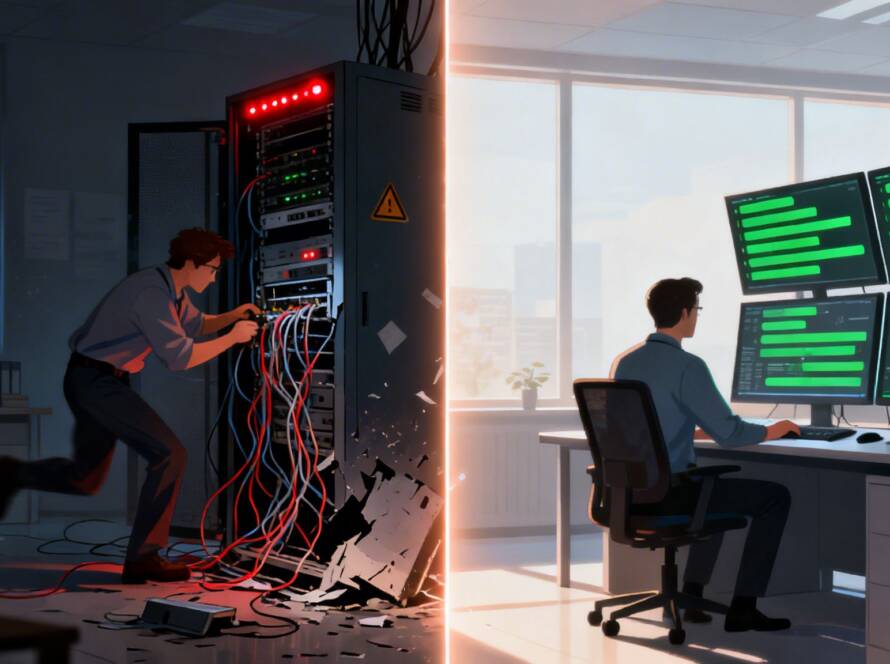
Imagine your most critical software freezing up right before a client deadline. Or worse, your entire network goes down. For a small business, that’s not just an inconvenience—it's lost revenue and a major blow to your reputation. What if you had an IT expert who could fix it instantly, without ever stepping foot in your office?
That's the power of remote IT support. It’s like having an on-call technology specialist available 24/7, ready to solve problems through a secure connection the moment they happen. This approach eliminates the long waits and high costs of traditional on-site service calls.
What Is Remote IT Support and Why It Matters Now

Think of it this way: instead of calling a technician to drive across town, a certified expert connects to your systems remotely and gets to work immediately. They see what you see, diagnose the root cause, and fix it in real-time. But modern remote support is much more than just a digital-first repair service; it’s a proactive partnership that keeps your entire tech infrastructure healthy.
For any small business, this is a game-changer. You get access to the kind of high-level IT expertise that was once only affordable for large corporations, giving you a serious competitive advantage.
The Shift to a Proactive Partnership
In the past, IT support was always reactive. You’d only call for help after something broke—a crashed server, a slow computer, or a lost file. Today’s remote IT support flips that model on its head by focusing on proactive maintenance and continuous monitoring to stop problems before they start.
Here’s what that actually looks like:
- Constant System Monitoring: Your provider acts as a digital watchdog, keeping an eye on your network, servers, and devices around the clock to spot early warning signs of trouble.
- Automated Maintenance: All the tedious but essential tasks—like security patches, software updates, and system cleanups—are handled automatically, usually after hours so your workflow is never interrupted.
- Rapid Helpdesk Access: When an issue does pop up, your team gets a direct line to experts who already know your systems and can solve the problem fast.
This proactive approach is essential in 2026. With so many businesses operating with hybrid or fully remote teams, you need to ensure everyone has secure, reliable access to company data from anywhere. Remote IT support is the engine that powers this flexibility.
For a quick overview, this table breaks down the core value you get right away.
Quick Answer: The Core Value of Remote IT Support
| Benefit | Impact on Your Business |
|---|---|
| Drastically Reduced Downtime | Problems are often fixed before you even know they exist. |
| Lower, Predictable Costs | A flat monthly fee replaces surprise, expensive repair bills. |
| Access to Top-Tier Experts | You get enterprise-grade knowledge without the enterprise price. |
| Improved Security Posture | Continuous monitoring and patching keep cyber threats at bay. |
| Focus on Your Core Business | We handle the tech, so you can focus on serving your customers. |
Ultimately, this is about building a more resilient and efficient operation from the ground up.
More Than Just a Helpdesk
Good remote IT support goes far beyond fixing the occasional glitch. It's a foundational piece of your business strategy. In fact, 37% of small businesses now outsource IT alongside other key functions like accounting and HR. The savings are substantial, with employers reporting they save an average of $11,000 per year for each employee they can support remotely.
As you look to grow, having a solid tech partner is essential for any digital transformation for small businesses. A remote IT provider helps you securely adopt the new tools and workflows you need to compete.
Remote IT support isn’t just a cost-saving measure; it's an investment in operational resilience and peace of mind. For professionals like lawyers and dentists who handle sensitive client data, it’s a non-negotiable part of maintaining compliance and client trust.
In the end, this service ensures your business isn't just running, but is also secure, efficient, and ready for whatever comes next. It frees you up to do what you do best: grow your business.
Keep your business running without IT headaches.
GT Computing provides fast, reliable support for both residential and business clients. Whether you need network setup, data recovery, or managed IT services, we help you stay secure and productive.
Contact us today for a free consultation.
Call 203-804-3053 or email Dave@gtcomputing.com
.
The Core Services Your Business Gets
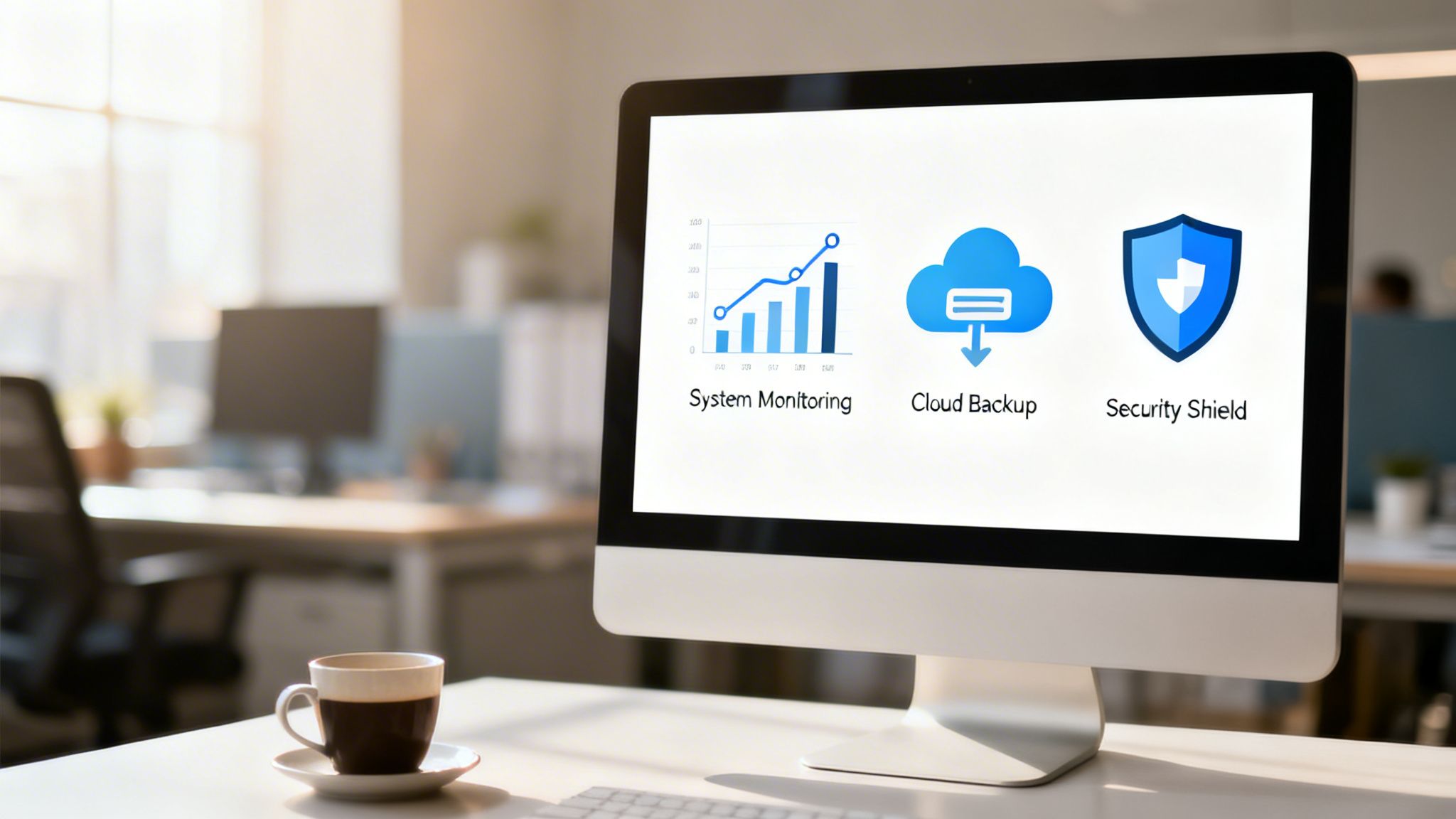
When you decide to get remote IT support for your small business, you’re not just buying a phone number to call when something breaks. It’s so much more than a simple helpdesk. You’re actually bringing a whole suite of services on board, all designed to keep your technology humming along securely and efficiently.
Let’s pull back the curtain and look at what really makes up a solid IT partnership. Think of it as having several expert teams on your payroll at once—a security team, a maintenance crew, and a strategic advisor, all wrapped into one predictable service. Each piece works with the others to build a stable and secure tech environment, freeing you up to actually run your business.
Proactive System Monitoring and Maintenance
The old way of fixing computers—waiting for them to break before calling for help—is a recipe for disaster. Modern remote support flips that script entirely. It's built on proactive monitoring, where our technicians are like digital sentinels, keeping a watchful eye on your network and devices 24/7. Using sophisticated tools, they can spot and fix potential issues long before they turn into costly downtime.
A failing hard drive gets flagged before it crashes. A strange blip in network traffic is investigated before it can become a security breach. It’s the difference between calling a plumber after your basement has already flooded and having a smart system that detects a tiny leak and shuts the water off for you. This preventative approach is the secret to keeping disruptions at bay and your team productive.
Robust Data Backup and Disaster Recovery
Take a second and ask yourself: what would happen if all your business data just disappeared tomorrow? A server crash, a fire, or a ransomware attack could make that a reality. For most small businesses, the outcome is catastrophic. That's precisely why a solid data backup and disaster recovery (BDR) plan is your ultimate insurance policy.
A good remote IT provider sets up and manages automated, secure backups of your most critical files and systems. This typically involves:
- Regular, Automated Backups: Your data is copied to a secure, off-site location on a set schedule, with no one on your team having to lift a finger.
- Rapid Restoration: If data is lost, we can restore files in a flash—sometimes in just minutes. A law firm hit by ransomware, for example, can have their client files restored from a clean backup, completely bypassing the attacker’s demands and getting back to billable hours.
- Business Continuity: For a true disaster, a full recovery plan ensures your entire operation can be brought back online, protecting you from crippling financial and reputational damage.
Comprehensive Cybersecurity Management
Cybersecurity threats are a constant, evolving danger, and they don’t just target big corporations. Remote IT support provides a multi-layered security strategy to shield your sensitive information, your network, and all your devices from bad actors.
A strong security posture isn't a luxury; it's a fundamental requirement. Remote IT management acts as your shield, deploying enterprise-grade security tools that most small businesses couldn't afford or manage on their own.
This means we’re managing your firewalls, deploying and updating antivirus and anti-malware software, and even helping train your staff to spot phishing scams a mile away. For a local dental office, this means ensuring its network is fortified to protect patient data and maintain HIPAA compliance—building trust and avoiding massive fines. If you want to go deeper into the software that enables this, our remote desktop software comparison is a great resource.
Efficient Network and Device Management
Your network is the central nervous system of your business—if it’s slow or unstable, everything grinds to a halt. A remote IT provider makes sure it stays fast, secure, and reliable. This covers everything from managing your office WiFi to ensuring servers and employee computers are running smoothly with the latest security patches and updates installed.
As small businesses map out their strategies for 2026, remote IT support is proving essential for enabling hybrid work and managing cloud infrastructure. Recent reports show that 65% of businesses that outsource their IT are better able to focus on core operations. Others gain the flexibility to redirect their staff to more important tasks. Moving to the cloud also cuts down on hardware costs and delivers the 24/7 availability needed to grow. You can see more on how SMBs are tackling what’s next in this BizTech Magazine article on 2026 tech trends.
The Real-World Business Advantages of Remote IT Support
While the technical services are the "how," the real magic of remote IT support is in the "why." It's about changing how you think about technology—not as a necessary evil or a money pit, but as a genuine tool for growth, efficiency, and rock-solid security.
The first thing most business owners notice is the impact on their bottom line. It’s a game-changer. Just think about the real cost of hiring a single, full-time IT specialist. You’ve got their salary, benefits, sick days, vacation time, and the constant need for expensive training to keep their skills sharp. A good IT pro costs a lot, and for a small business, that’s a huge chunk of the budget.
With remote IT support for a small business, you swap that one giant expense for a predictable, manageable monthly fee. Suddenly, you have a whole team of certified experts at your disposal for what is often less than the cost of that one in-house employee.
Access to a Full Team of Specialists
When you hire in-house, you’re hiring one person’s skillset. But what happens when you need a network guru today, a cybersecurity expert tomorrow, and someone who understands the cloud next week? No one person can be an expert in everything.
This is where a remote IT partner completely changes the game. You're not just getting a person to call for help; you're tapping into a diverse team of specialists whenever you need them.
- Cybersecurity Experts: Professionals who are completely focused on detecting and stopping threats.
- Network Engineers: The people who build and maintain the fast, reliable connections your business depends on.
- Cloud Professionals: Experts who manage your cloud services to make sure they’re running smoothly and cost-effectively.
- Data Recovery Technicians: The team you hope you never need, but are incredibly glad to have on standby if disaster strikes.
This model gives your small business the kind of enterprise-level expertise that would be completely out of reach otherwise. You can learn more about the many benefits of outsourcing your IT support on our blog.
A Stronger Stance on Security and Compliance
If you're in a field like law or healthcare, security and compliance aren't just good ideas—they're the law. A data breach can mean more than just a bad day; it can lead to crippling fines, losing your license, and destroying the trust you’ve built with your clients and patients. A good remote IT provider brings the specific tools and experience needed to keep you compliant with rules like HIPAA.
By bringing in an IT partner, you're making a proactive move to defend your business. They will set up and manage crucial security layers like advanced firewalls, endpoint protection, and 24/7 monitoring to shield your sensitive data from constant threats.
This round-the-clock watchfulness gives you invaluable peace of mind, knowing your critical information is being protected by people who truly understand the risks.
A Boost in Team Efficiency and Productivity
Technology is supposed to make work easier, not create more of it. When your team is constantly fighting with slow computers, spotty Wi-Fi, or buggy software, their focus and productivity nosedive. Remote support is all about making those daily headaches disappear.
With cyber threats looming, especially for small businesses with sensitive data, remote IT has become a core part of any modern security plan. The numbers back this up: 37% of small companies already outsource IT and other services, freeing up their people to focus on their actual jobs. The results are tangible, with 24% of businesses reporting they get more done after outsourcing. Better yet, enabling secure remote work through solid IT can save up to $11,000 per worker annually. You can explore these key 2026 growth insights to see more data on this trend.
Ultimately, the biggest advantage is getting your time back. You didn't start a business to become a part-time IT manager. With a reliable partner handling your tech, you can put your energy where it belongs: serving your clients, treating your patients, and growing your company.
Keep your business running without IT headaches.
GT Computing provides fast, reliable support for both residential and business clients. Whether you need network setup, data recovery, or managed IT services, we help you stay secure and productive.
Contact us today for a free consultation.
Call 203-804-3053 or email Dave@gtcomputing.com
.
From First Call to Full Support: Your Onboarding Guide
So, you’ve decided to bring in a professional IT partner. That's a great move, but what actually happens next? This isn't about us just flipping a switch and hoping for the best. A proper onboarding process should be smooth and deliberate, designed to get your new support system in place without disrupting your workday.
We've refined this process into four simple phases. Each step builds on the last, ensuring that when we go live, the remote IT support for your small business is already dialed in to how you operate.
Phase 1: The Initial Conversation & Discovery
Everything starts with a conversation. This is far more than a sales pitch; it's our chance to get a real feel for your business. We want to understand not just the technology you have, but how your team uses it every single day, what drives you crazy, and what you want to achieve.
During this first chat, we’ll dig into things like:
- Your current IT situation—what’s working, and what’s causing constant headaches.
- The essential software you rely on, whether it's for billing, patient records, or case management.
- Any specific industry rules you have to follow, like HIPAA compliance for a dental office or client confidentiality for a law firm.
- Where you see your business heading and how technology can clear a path for that growth.
This phase is really all about listening. A good IT partner isn’t there to sell you a box of services; they’re there to solve problems. And you can’t solve a problem you don’t fully understand.
Phase 2: The Custom Plan and Service Agreement
Once we have a clear picture of your world, we’ll put together a straightforward proposal. This isn't some generic, one-size-fits-all document. It’s a custom plan that lays out the specific services and strategies we believe will make the biggest impact on your business.
A critical piece of this is the Service Level Agreement (SLA). Think of it as the official rulebook for our relationship. It sets clear, measurable expectations so you always know what you're getting.
Key parts of the SLA include:
- Guaranteed Response Times: How fast you can expect to hear from us when an issue pops up.
- Hours of Coverage: Whether you need standard 9-to-5 support or around-the-clock peace of mind.
- Scope of Services: A transparent list of what’s covered in your plan, so there are no gray areas.
Your SLA is more than just a contract; it’s our promise to you. It creates the accountability and transparency that builds real trust, ensuring you know exactly what level of service to expect, guaranteed.
This document makes sure there are no surprises down the road. You’ll see all the costs, services, and performance commitments right from the start.
Phase 3: The Seamless Onboarding Process
With the plan approved, we get to work on the technical side of things. Our goal here is to make this part feel invisible to you and your team. We follow a detailed checklist to make sure every T is crossed and every I is dotted, integrating our support systems with zero drama.
Onboarding Checklist for a Smooth Transition
Hardware & Software Inventory: We start by creating a complete map of your IT environment. This means documenting every computer, server, printer, and critical piece of software your business depends on.
User & Access Setup: We'll get a list of every employee who needs support and create their accounts in our system. This includes setting up secure protocols so our technicians can remotely access devices to fix problems safely and quickly.
Agent Deployment & System Integration: We install a small, secure software agent on your computers and servers. This tiny tool is the key—it allows us to proactively monitor for trouble, run automated maintenance, and provide instant remote support.
Initial System Review & Tune-Up: Before we go live, we run a full health check on your network and key systems. We'll find and fix any immediate security gaps or performance bottlenecks to get you started on the right foot.
Phase 4: Our Ongoing Partnership
Once onboarding is finished, our real work together begins. This isn't the end of a project; it's the start of a partnership. Your remote IT support team now acts as a natural extension of your own, proactively managing your technology so you can get back to what you do best.
This means you get regular performance updates, strategic advice, and—most importantly—fast, friendly help whenever you or your team needs it. We're here to make sure your technology is always an asset, keeping you secure, productive, and ready for whatever comes next.
Keep your business running without IT headaches.
GT Computing provides fast, reliable support for both residential and business clients. Whether you need network setup, data recovery, or managed IT services, we help you stay secure and productive.
Contact us today for a free consultation.
Call 203-804-3053 or email Dave@gtcomputing.com
.
Choosing The Right IT Support Partner
Picking an IT support partner is a huge decision for any small business. It's not just about finding someone to fix your computers; it’s about trusting someone with the keys to your entire operation. You're looking for a genuine partner who’s invested in your success, not just a faceless vendor who clocks in when something breaks.
It's tempting to just compare monthly fees, but that’s a rookie mistake. A cheap provider who takes hours to answer a frantic call can cost you far more in lost business and productivity than you'd ever save. A real partner becomes an extension of your own team, working behind the scenes to keep things running smoothly so you can focus on what you do best.
This decision tree gives you a bird's-eye view of how a great partnership is built—from the first conversation to getting your team fully supported.
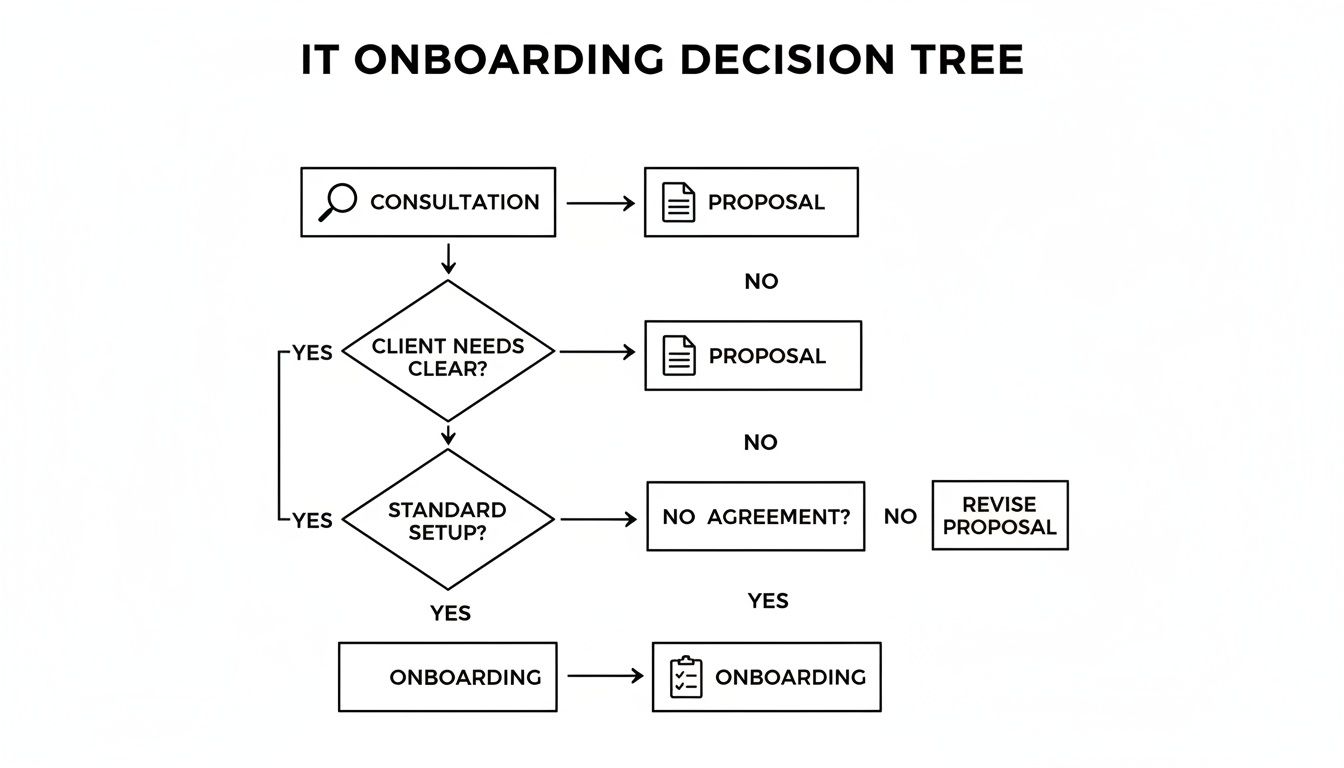
As you can see, a solid process is everything. It should always start with a detailed consultation, move to a clear proposal, and finish with a structured onboarding. That’s the foundation for success.
Key Questions To Ask Potential Providers
Before you even think about signing a contract, you need to go in with a list of smart questions. The way they answer will tell you everything you need to know about their service and whether they’re the right fit.
- What are your guaranteed response times? Don't just accept a vague answer. Ask to see their Service Level Agreement (SLA). It should spell out, in black and white, how quickly they'll acknowledge a problem and start working on it.
- Do you have experience with our industry and the software we use? If you run a dental practice, you need a provider who understands your specific practice management software. The same goes for a law firm and its case management systems. A generalist just won't cut it.
- How do you handle security? Dig into their protocols. Ask how they protect your data, what remote access tools they use, and what their own internal security practices look like.
- What if we need someone to come on-site? Remote tools are great, but some problems just need a hands-on fix. A local partner who can dispatch a real person to your office is a massive advantage.
It's also worth asking about the tools they use to manage their own operations. For example, their ability to provide the best HaloPSA support as an MSP shows they’re using professional-grade systems to track and resolve your issues efficiently. For a deeper dive, our guide on how to choose a managed service provider has even more questions to help you make a confident choice.
Understanding Pricing Models: Break-Fix vs. Managed Services
How you pay for IT support has a huge impact on the service you actually receive. It really boils down to two very different approaches.
The break-fix model is purely reactive. Something breaks, you call for help, and you pay an hourly rate—typically between $125 to $250 per hour. While that sounds straightforward, your costs are completely unpredictable. A major issue can lead to a shocking bill. Worse, this model gives the provider no incentive to prevent problems in the first place.
On the other hand, a flat-fee managed service plan is proactive. You pay a predictable monthly fee for all-inclusive support and maintenance. This completely changes the game. Your provider is now motivated to keep your systems secure and stable because it's more profitable for them when you don't have problems.
A flat-fee model transforms your IT provider from a simple repair service into a strategic partner. Their success is tied directly to your uptime and stability, creating a win-win relationship built on proactive care, not reactive fixes.
For nearly every small business, a managed service plan delivers far more value by preventing expensive downtime and giving you a predictable IT budget.
Comparing IT Support Provider Models
When you're searching for remote IT support for a small business, you'll find a few different types of providers. Choosing the right model is just as important as choosing the right company. This table breaks down your main options.
| Feature | Local Managed Service Provider (MSP) | National Call Center | Break-Fix Freelancer |
|---|---|---|---|
| Service Model | Proactive and relationship-based | Reactive and ticket-based | Reactive and on-demand |
| Local Presence | Yes, available for on-site emergencies. | No, remote-only support. | Yes, but availability can be spotty. |
| Industry Knowledge | Often specializes in local industries. | Generalist, limited specific knowledge. | Varies, often a generalist. |
| Response & Accountability | High accountability and personal service. | Often slow with anonymous technicians. | Unpredictable response times. |
| Best For | Businesses wanting a true partnership. | Companies needing basic, low-cost support. | Businesses with very rare IT issues. |
For a business here in Connecticut, a local MSP like GT Computing offers the perfect blend. You get the speed and efficiency of remote support backed by the confidence of knowing an expert can be on-site when you need one. It's the best of both worlds.
Keep your business running without IT headaches.
GT Computing provides fast, reliable support for both residential and business clients. Whether you need network setup, data recovery, or managed IT services, we help you stay secure and productive.
Contact us today for a free consultation.
Call 203-804-3053 or email Dave@gtcomputing.com
.
Answering Your Questions About Remote IT Support
Thinking about bringing in a remote IT support partner? It’s a big decision, and you probably have a few questions. Let's walk through some of the most common ones we hear from business owners.
Can I Trust a Remote Provider with My Sensitive Data?
This is always the first question we get, and it's the most important one. The short answer is yes, absolutely—as long as you partner with the right people. Any professional remote IT provider stakes their reputation on security. Your client records and financial data are protected by multiple layers of defense.
Here’s how it works:
- Encrypted Connections: Every remote session happens inside a heavily encrypted tunnel. Think of it as a private, digital hallway where no one can peek in on the data being exchanged.
- Secure Access Tools: Technicians don't just use any off-the-shelf software. They use professional-grade, secure tools that log every action and require specific permissions to access your systems.
- Multi-Factor Authentication (MFA): We enforce more than just a password to get into your network. This simple step is one of the most effective ways to ensure only authorized technicians can connect.
It’s like an armored car for your data. Your information is protected from start to finish.
A true IT partner treats your data security as their own. Protecting your information isn't just a feature; it's the foundation of the entire relationship, built on robust encryption, strict access controls, and constant vigilance.
What Happens if We Actually Need Someone in the Office?
While we can fix about 90% of IT issues remotely, some problems just need hands-on attention. A dead server, a complex network wiring job—these things can't be fixed through a screen. This is where having a local partner is a game-changer.
A huge, national call center can only ever help from afar. A local provider, on the other hand, gives you a hybrid approach. You get the incredible speed of remote support for daily hiccups, backed by the peace of mind that a real technician can be at your door when a crisis hits. You're never left on an island.
How Easy Is It for My Team to Get Help?
The last thing you want is for your team to waste time navigating a confusing phone menu or waiting hours for a callback. A good remote IT service makes getting help painless.
When someone on your team has an issue, they have a direct line to support. They can submit a ticket through a simple portal, send an email, or call a dedicated number. A ticket is instantly created and assigned, so the right person gets to work on it immediately. The whole process is built for speed and clarity, getting your people back to work without the usual tech frustration.
Keep your business running without IT headaches.
GT Computing provides fast, reliable support for both residential and business clients. Whether you need network setup, data recovery, or managed IT services, we help you stay secure and productive.
Contact us today for a free consultation.
Call 203-804-3053 or email Dave@gtcomputing.com
.
Stop Letting IT Headaches Run Your Business
Let's be honest. As a business owner, the last thing you want to deal with is a technology meltdown. When your server goes down or a critical piece of software glitches, everything grinds to a halt. It’s a frustrating, reactive cycle: something breaks, you panic, and you pay someone to fix it.
Remote IT support flips that script entirely. It's about moving away from that break-fix model and bringing in a partner who works to prevent problems before they start. Think of it like this: you wouldn't wait for your car's engine to seize before getting an oil change. The same principle applies to your business technology.
Get Back to Focusing on What Matters
By handing over the reins of your technology to a dedicated team, you're doing more than just outsourcing a task. You're freeing yourself and your team to focus on what actually grows your business.
This means you can stop worrying about the high cost of hiring an in-house IT person or getting hit with surprise repair bills. Instead, a predictable monthly plan gives you access to the same powerful tools and expertise that large corporations use for security, networking, and data protection—all for a fraction of the cost.
The real win here is for your team. When systems are running smoothly and securely, your staff can finally be productive. They can spend their time helping clients and generating revenue instead of fighting with a frozen computer or a network that keeps dropping.
The goal is to make technology invisible. When it works flawlessly in the background, you're no longer letting IT issues dictate your schedule. You’re free to run your business with confidence.
Ultimately, this is about building a more resilient business. With the right partner, your tech becomes a dependable asset that supports your goals and keeps you secure. Investing in professional remote IT support for your small business isn't an expense; it's one of the smartest moves you can make for your company's long-term health and success.
Keep your business running without IT headaches.
GT Computing provides fast, reliable support for both residential and business clients. Whether you need network setup, data recovery, or managed IT services, we help you stay secure and productive.
Contact us today for a free consultation.
Call 203-804-3053 or email Dave@gtcomputing.com
.