When something breaks, how long does it take to get things working again? That's the simple question Mean Time To Repair (MTTR) answers. It's the average time your business is down, measured from the very moment a failure is detected until the system is fully back online and doing its job.
Understanding Mean Time To Repair In Simple Terms
Let's say a critical server at your law firm suddenly crashes. The Mean Time To Repair (MTTR) isn't just the time the technician spends with a screwdriver in hand. It’s the entire clock time, starting from the second your staff realizes they can't access case files and ending only when that server is fully restored and everyone is back to work.
Think of it as a stopwatch for your business's agility. A high MTTR means you're bleeding productivity, frustrating clients, and likely losing revenue for longer. A low MTTR, on the other hand, shows you have a resilient and efficient process for handling technical hiccups.
The Full Repair Timeline
The MTTR clock starts ticking the instant a failure happens and doesn't stop until normal operations are completely back on track. This entire process involves several key stages, each one adding to the total downtime.
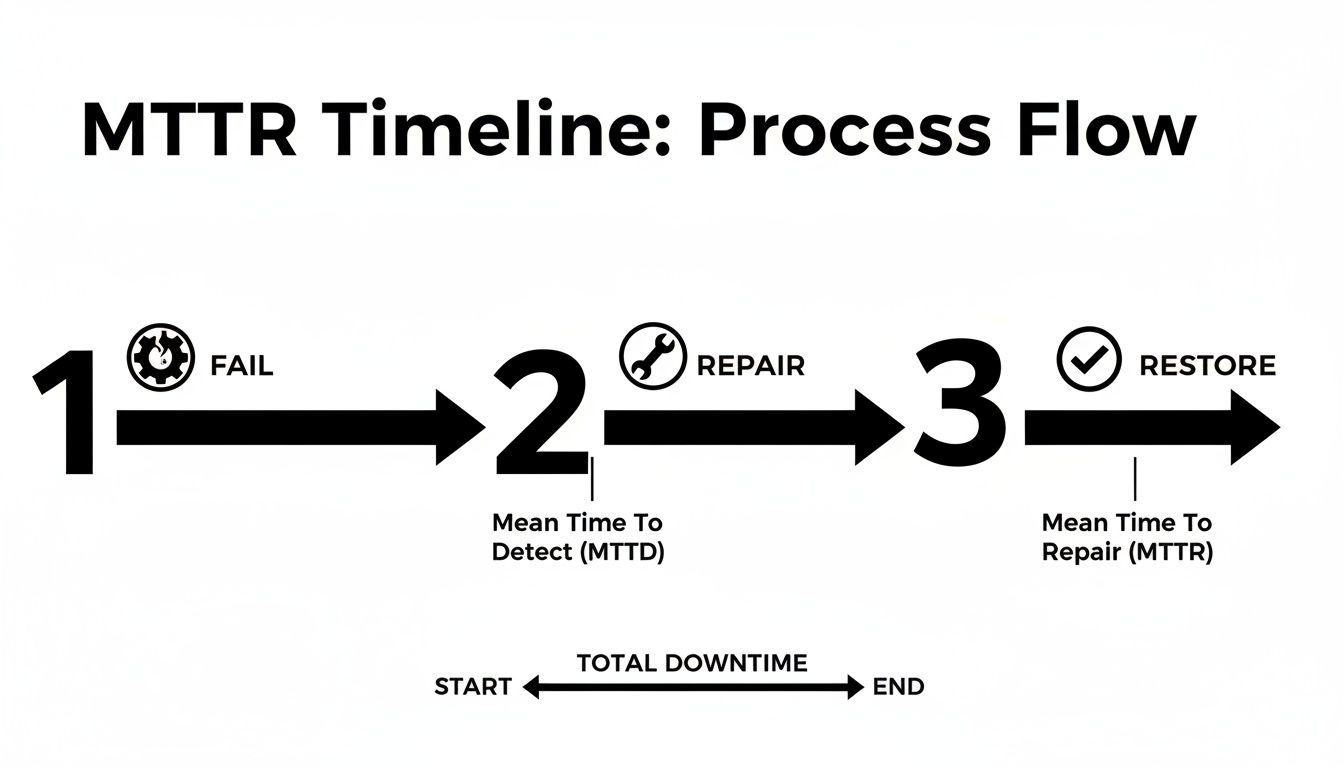
The image above breaks it down visually, but let's look at the distinct phases that make up the total repair time.
The Four Phases Of A Typical Repair Timeline
| Phase | Description | Example Action |
|---|---|---|
| Detection | The time it takes to become aware that a problem exists. | An automated alert pings the IT team, or an employee reports an issue. |
| Diagnosis | The investigation period to identify the root cause of the failure. | A technician runs diagnostics to pinpoint a faulty hard drive. |
| Repair | The hands-on work to fix the identified problem. | The technician replaces the failed hard drive. |
| Restore & Test | The final stage of bringing the system back online and verifying it works correctly. | The server is rebooted, and team members confirm they can access their files. |
As you can see, MTTR is much more than just the "fix-it" part. It’s the entire response lifecycle. Getting a handle on each of these stages is the key to shrinking your downtime.
Why This Metric Matters To You
Thinking about what is mean time to repair is really about assessing your company's ability to take a punch. The longer it takes you to get back up, the more damage is done to your productivity and your reputation.
Understanding MTTR gives you a concrete benchmark for your IT resilience. It turns a vague complaint like "the network was down again" into a hard number you can track, analyze, and improve upon.
By measuring this, you can quickly spot the weak points in your response plan. Maybe it takes too long to even realize there's a problem, or perhaps the diagnosis phase is a huge bottleneck. Once you know where the delays are, you can make smart changes—like bringing in a proactive IT partner or keeping critical spare parts in stock—to slash future outage times and keep your business moving forward.
How to Calculate MTTR with Real-World Examples
So, how do you actually put a number on your business's downtime? While Mean Time To Repair might sound like a complex bit of IT jargon, figuring it out is surprisingly simple. It’s a powerful metric that gives you a clear, measurable way to see the true impact of system failures on your day-to-day operations.

The formula itself is straightforward. You only need two pieces of information: the total time spent fixing things over a specific period and the number of times you had to make those fixes.
The MTTR Formula
Total Maintenance Downtime / Total Number of Repairs = Mean Time To Repair
What this gives you is the average time it takes your team to get back on its feet after something breaks—from the moment a system goes down until it’s fully working again. A lower MTTR is a clear sign of a more efficient and resilient repair process.
Scenario One: A Law Firm's Server Crash
Let's picture a small law firm that depends entirely on its central server for case files, billing, and scheduling. Over the last quarter, their server crashed three separate times, bringing work to a grinding halt each time.
Here's how the downtime broke down for each incident:
- Incident 1: The server went down on a busy Monday morning. It took 4 hours to diagnose a software conflict and get things running again.
- Incident 2: A power surge knocked the server offline. The repair, which included replacing a fried power supply unit, took 6 hours.
- Incident 3: A corrupted database required some serious work, leaving the team unable to access files for 5 hours.
Now, let's plug those numbers into our formula. First, we add up the total downtime: 4 + 6 + 5 = 15 hours. The firm dealt with a total of 3 repair incidents.
The calculation looks like this: 15 hours / 3 repairs = 5 hours MTTR.
This tells the firm something crucial: on average, every single server failure costs them five full hours of productivity. That's five hours where attorneys can't access critical files and staff can't process payments, directly hitting the firm's bottom line and ability to serve clients.
Scenario Two: A Dental Practice's Network Outage
Next, think about a busy dental practice. The front desk relies on specialized software for everything from booking appointments to processing insurance claims, and all of it runs on their local network. Over the last six months, they've had four different network outages.
- Outage 1: A faulty router caused a 2-hour disruption.
- Outage 2: A simple configuration error took 1 hour to track down and fix.
- Outage 3: The internet provider had an issue, but it still took the office 3 hours to run diagnostics and get confirmation.
- Outage 4: Another hardware failure led to 2 hours of repair time.
The total downtime here is 2 + 1 + 3 + 2 = 8 hours spread across 4 incidents.
Using the MTTR formula, we get: 8 hours / 4 repairs = 2 hours MTTR.
While two hours might not sound as bad as the law firm's five, it’s still a huge problem for the practice. It means that, on average, the front desk is completely paralyzed for two hours during an outage. They can't book new patients, check people in, or process payments. This creates chaos in the waiting room and a terrible patient experience. Understanding what is mean time to repair through these concrete examples shows how even "minor" IT issues add up to major business interruptions.
Why a High MTTR Is a Silent Business Killer
Figuring out your Mean Time To Repair is the first step, but the real lightbulb moment comes when you connect that number to your company’s health. A high MTTR isn’t just a tech headache—it’s a silent killer that quietly drains your bank account, chips away at your reputation, and grinds productivity to a halt. This is far more than an IT issue; it’s a serious business vulnerability.
Every minute your systems are offline translates into real, tangible losses. For small and mid-sized businesses, the pain is immediate and often intense. Think about the obvious costs first: lost sales opportunities, paid employees who are stuck unable to work, and potential overtime to make up for lost time. These are the expenses that directly hit your profit margin.
But it’s the hidden costs that often do the most lasting damage. What’s the long-term fallout when you can’t deliver for a client on a deadline, or a patient’s appointment gets thrown into chaos?
The Tangible Costs of Unchecked Downtime
When the tech fails, the business stops. It's that simple.
For a law firm racing to meet a court deadline, an hour of downtime isn't just an inconvenience. It’s a potential breach of client trust. Case files are locked away, billing comes to a standstill, and communication with clients goes dark.
Or picture a busy dental office. A network outage means the front desk can't pull up patient records, book new appointments, or process insurance claims. The waiting room gets crowded with frustrated people, appointments have to be canceled, and the entire day's revenue is suddenly at risk. That kind of chaos can sour a patient's experience for good.
These scenarios reveal a stark reality: unplanned downtime, driven by a high MTTR, is incredibly expensive. Research from the Aberdeen Group puts the average global cost of unplanned downtime at a staggering $260,000 per hour. Now, that number includes massive corporations, but even a tiny fraction of that figure can be crippling for a mid-sized business where every minute truly counts. You can learn more about how MTTR impacts business performance to see the full scope of these findings.
Protecting Your Revenue and Reputation
A high MTTR is a flashing red light indicating that your repair process is broken. Maybe your team doesn’t have the right diagnostic tools, or it just takes too long to pinpoint the root cause. It could also mean you don’t have a reliable IT partner ready to jump in immediately. Each one of these bottlenecks stretches out the disruption, multiplying the financial and reputational damage.
The real cost of downtime isn't just the money you lose during the outage. It's the future business you don't get because your reputation for reliability has been compromised.
Bringing your MTTR down isn't really a technology project—it's a business continuity strategy. When you focus on improving this metric, you're actively protecting your revenue, safeguarding your client relationships, and making sure your team can stay productive.
Shifting from Reactive to Resilient
Ultimately, a high MTTR is a symptom of a reactive, "break-fix" approach to IT. You’re essentially waiting for something to go wrong and then scrambling to fix it. That cycle is unpredictable, costly, and incredibly stressful.
A truly resilient business needs a proactive strategy—one that minimizes the chance of failure in the first place and guarantees a rapid, effective response when issues inevitably pop up.
This means putting a few key things in place:
- Proactive Monitoring: Catching potential problems before they escalate into a full-blown outage.
- Standardized Procedures: Creating a clear, repeatable playbook for diagnosing and resolving common issues fast.
- Expert Support: Having a dedicated IT partner who knows your systems inside and out and can respond in minutes, not hours.
By focusing on these areas, you can systematically drive your repair times down. This transforms your IT from a source of frustrating downtime into a reliable foundation for growth. It ensures that when problems happen—and they always will—your business is ready to handle them swiftly and get back on track.
Understanding The Full Picture Of IT Reliability
While knowing your Mean Time To Repair is a great start, it really only tells you half the story. MTTR is all about how fast you can get back up and running after something breaks. But it says nothing about how often things break in the first place, or how long your equipment should last before it gives up for good.
To get a complete view of your IT health, you need to look at MTTR alongside its two siblings: Mean Time Between Failures (MTBF) and Mean Time To Failure (MTTF).
Think about the air conditioning system in your office. It's something you completely depend on, especially during a heatwave.
- MTTR is the time it takes for the HVAC tech to fix the unit after it dies on the hottest day of the year.
- MTBF is the average time the system hums along perfectly between those breakdowns.
- MTTF applies to a part that simply can't be fixed, like a specific fan motor. It’s the total lifespan you can expect from that motor before it fails permanently.
Looking at these three metrics together gives you a much richer, more complete picture of your operational reliability.
Differentiating The Key Reliability Metrics
It’s easy to mix these terms up, but they each answer a very different—and very important—question about your technology. Getting the distinction right is what helps you move from just fixing problems as they pop up to strategically managing your IT for long-term stability.
These metrics work together to paint a full picture. MTBF predicts when the next failure might happen, MTTR tells you how long the cleanup will take, and MTTF warns you when a replacement is inevitable.
This combined insight is crucial for building a business that can weather any storm. It helps shape everything from your IT budget to your daily operational plans. In fact, our guide on creating a small business disaster recovery plan is a great resource for putting these concepts into practice.
Let's look at them side-by-side to make the differences crystal clear.
Reliability Metrics At A Glance
| Metric | What It Measures | Focus | Best For |
|---|---|---|---|
| MTTR (Mean Time To Repair) | The average time to fix a system after a failure occurs. | Maintainability & Speed | Measuring the efficiency of your repair process and response team. |
| MTBF (Mean Time Between Failures) | The average time a repairable system operates between breakdowns. | Reliability & Uptime | Predicting the frequency of failures for assets that can be fixed repeatedly. |
| MTTF (Mean Time To Failure) | The average expected lifespan of a non-repairable asset. | Longevity & Replacement | Planning for the eventual replacement of components like hard drives or printers. |
How These Metrics Inform Your Strategy
Putting these metrics next to each other shows how they drive different business decisions. For example, a system with a fantastic (high) MTBF but a terrible (high) MTTR is generally stable, but a single failure could be devastating because of the slow recovery.
On the flip side, a system with a poor (low) MTBF but a stellar (low) MTTR is constantly causing headaches but recovers instantly. This leads to frequent, minor disruptions instead of one big one.
By tracking all three, you can make smarter decisions. You’ll know when to invest in better monitoring tools to slash your MTTR, when to schedule proactive maintenance to boost your MTBF, and when it's time to budget for a replacement as a key component nears the end of its MTTF. This holistic view is the bedrock of any solid IT management strategy.
Actionable Strategies to Reduce Your Repair Time
Knowing your Mean Time To Repair is one thing; actually shrinking it is another. Lowering this number isn't about forcing your team to work faster under pressure. It's about working smarter with better processes and tools. This is where you shift from just tracking problems to actively preventing them, turning a reactive scramble into a proactive strategy.
Think of these not as technical tweaks, but as practical investments in your business's stability and growth. The real goal is to build a system where repairs are quicker, less disruptive, and—most importantly—far less frequent.
Standardize Your Repair Processes
Uncertainty is the biggest time-waster during a system failure. When your team doesn't have a clear plan, they lose precious minutes—or even hours—just figuring out where to start. Standardizing your repair process eliminates that guesswork entirely.
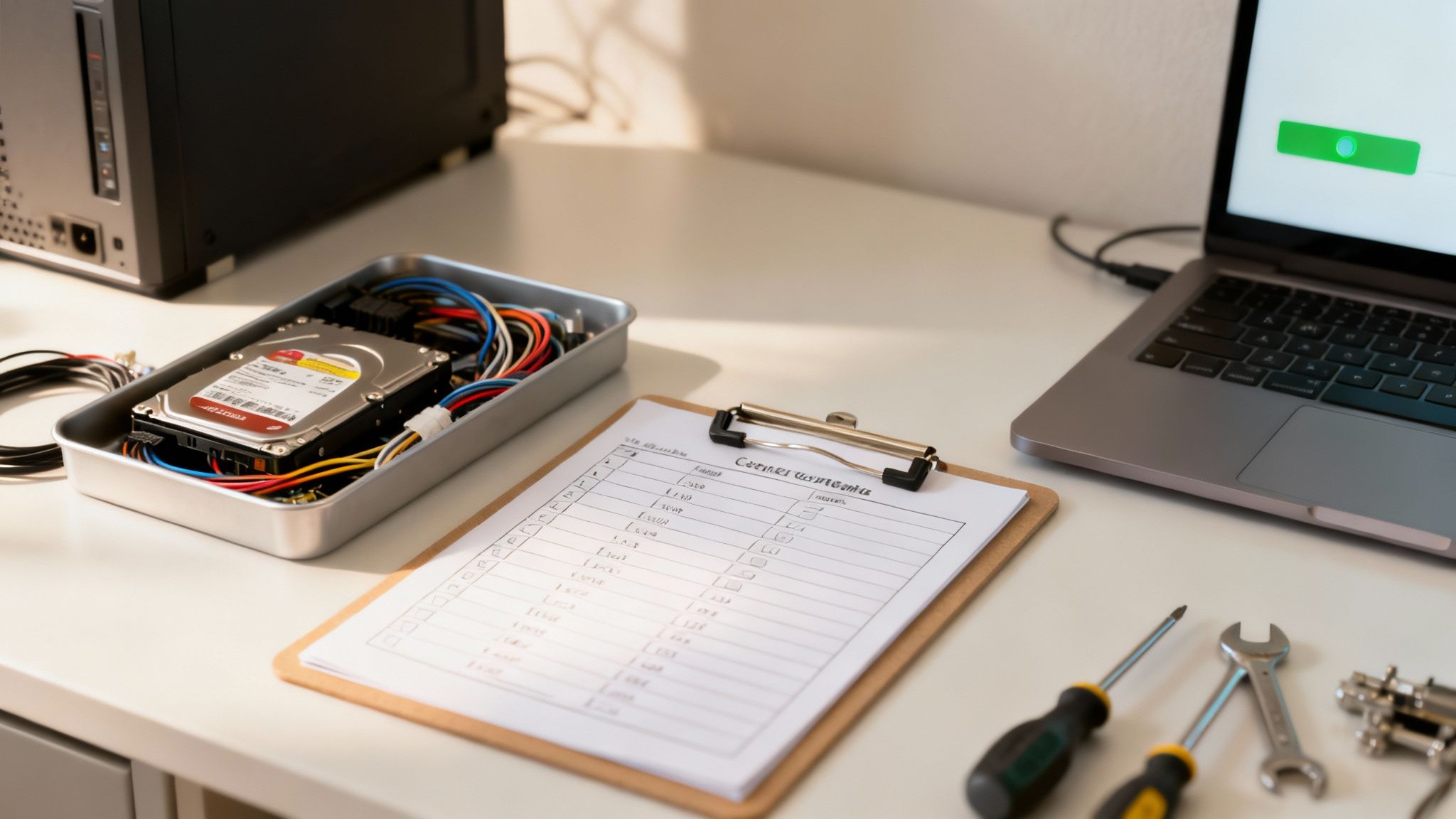
Adopting solid process improvement best practices is the key to streamlining IT operations and cutting down repair times. This means creating simple, step-by-step checklists for common issues. For instance, a "Network Down" checklist might involve checking the router, then verifying the internet service, and finally testing internal cables—all in a specific, logical order.
This approach guarantees that every team member, no matter their experience level, follows the same proven steps. It prevents people from repeating diagnostics or missing an obvious fix, which dramatically shortens the diagnosis phase of MTTR.
Empower Your Team with the Right Tools and Training
A standardized process is only as strong as the people and tools used to execute it. Your team needs access to the right diagnostic software and physical tools to quickly pinpoint the root cause of any problem. A well-organized inventory of critical spare parts—like extra routers, hard drives, or power supplies—can turn what could be a multi-day wait into a ten-minute fix.
Ongoing training is just as important. Technology is always evolving, and regular training ensures your team is up-to-date on the latest systems and repair techniques. This investment in knowledge pays for itself by slashing the time spent troubleshooting unfamiliar problems.
Embrace Proactive Monitoring and Maintenance
The absolute best way to reduce your MTTR is to catch problems before they cause a complete failure. This is where proactive IT management becomes a game-changer. Instead of waiting for a server to crash, modern monitoring tools can detect warning signs, like a hard drive showing early signs of failure or a server's temperature slowly creeping up.
Proactive monitoring allows an IT partner to spot and fix issues before they cause catastrophic failure, turning a potential day of downtime into a minor five-minute intervention.
Shifting from a reactive "break-fix" model to proactive maintenance is transformative. It’s the difference between replacing a worn-out tire during a scheduled service and having a blowout on the highway during rush hour. By getting ahead of issues, you can prevent the vast majority of disruptive downtime altogether. You can explore our guide on https://www.gtcomputing.com/what-is-server-maintenance/ to see how this proactive approach works for your most critical assets.
Leverage Predictive Maintenance Technologies
Modern IT solutions are taking proactive management a step further with predictive maintenance. These advanced systems use data analysis to forecast when a piece of hardware is likely to fail. This allows you to schedule repairs at a time that won't disrupt business operations, effectively reducing unplanned downtime to near zero.
This approach has proven incredibly effective. In the maintenance industry, 91% of adopters have cut both repair times and unplanned downtime after implementing predictive tools. By using these technologies, businesses can anticipate needs rather than just reacting to emergencies.
These actionable strategies provide a clear roadmap for any business looking to slash its repair times. By standardizing procedures, empowering your team, and adopting a proactive mindset, you can significantly lower your MTTR and build a more resilient, productive, and stable operation.
How Proactive IT Management Slashes Your MTTR
Relying on reactive IT support is like waiting for a smoke alarm to go off before you look for a fire extinguisher. By the time you hear the beep, the damage is already done. This old-school "break-fix" approach means your business grinds to a halt first, and only then does the clock on repairs even start ticking. It's a recipe for long, painful downtime.
But there’s a much smarter way to handle your technology. Proactive IT management completely flips that script. Instead of waiting for things to break, the goal is to stop them from ever failing in the first place. This simple shift can have a massive impact, drastically cutting your MTTR by catching problems before they ever affect your team.

From Reactive Scrambles to Proactive Solutions
Let's make this real. Imagine a server at your dental practice starts to overheat. In a reactive world, you wouldn't know about it until it crashes, taking your appointment and billing systems down with it. Suddenly, you can't see patients or process payments.
Now, picture that same scenario with GT Computing's managed services. Our 24/7 system monitoring would spot that rising temperature instantly and send an alert. Our team could then remote in, diagnose the failing fan, and get it fixed—all before it ever causes an outage. You might not even know there was ever a problem.
That's the fundamental difference. It's the choice between an emergency shutdown and a minor, behind-the-scenes tune-up.
A proactive IT partner doesn't just fix problems faster—they prevent the vast majority of them from ever happening. This strategy ensures business continuity and turns IT from a liability into a stable asset.
Our services are built to keep you ahead of trouble:
- Constant System Monitoring: We are always watching your critical systems. When we spot warning signs, we can schedule maintenance during off-hours to make sure you never experience a surprise shutdown. See for yourself how powerful network monitoring can be.
- Instant Remote Support: If an issue does pop up, you're not stuck waiting for a technician to drive to your office. We can securely access your systems from our own office to start troubleshooting immediately. This alone can turn hours of waiting into just minutes of work.
- Robust Disaster Recovery: Some things are out of anyone's control. For those moments, a solid recovery plan is non-negotiable. Our disaster recovery solutions make sure that even in a worst-case scenario, your data is safe and can be restored quickly, getting you back in business in minutes, not days.
The True Impact of a Proactive Partnership
This shift from defense to offense directly shrinks your MTTR. By cutting out travel time, automating threat detection, and preventing the most common hardware and software failures, we can dramatically lower your average repair time. To take this even further, modern tools like AI-powered support solutions can help streamline incident resolution and get your team back to work even faster.
At the end of the day, proactive management means fewer disruptions for your team, more predictable IT costs, and the quiet confidence that comes from knowing experts are always watching over your systems.
Answering Your Questions About MTTR
Putting a new metric like Mean Time To Repair into practice always raises a few questions. How does this actually apply to my business? What should I even be aiming for? Let's clear up some of the most common questions business owners ask when they start tracking MTTR.
Think of this as your quick-start guide—just the practical advice you need to get moving.
What Is a Good MTTR for a Small Business?
This is the million-dollar question, but the honest answer is: it depends. There's no universal number that fits everyone. A five-hour MTTR might be a catastrophe if your main server goes down, but it could be perfectly fine for a faulty office printer.
The real goal isn't to hit some industry-wide benchmark, but to establish your own baseline and then work on improving it.
The most important goal is continuous improvement. If your average repair time for critical systems is four hours, your first target should be getting it down to three. A "good" MTTR is simply one that's consistently getting shorter.
That said, for most small businesses, getting your MTTR under one hour for critical failures is an excellent goal. Achieving that usually means having a proactive IT partner ready to jump on problems instantly.
Can I Track MTTR Without Expensive Software?
Absolutely. You don't need a fancy, expensive platform to get started. While specialized tools can automate the process, you can begin today with something as simple as a spreadsheet.
Just create a few columns to log every incident:
- Incident Date & Time: When was the problem first reported?
- System Affected: What broke? (e.g., "Main Server," "Front Desk PC")
- Resolution Date & Time: When was it fully back online?
- Total Downtime: Calculate the difference between the start and end times.
By diligently logging every issue, you'll build a dataset. From there, just add up the total downtime over a specific period and divide it by the number of incidents. That's your MTTR.
How Often Should I Review My Business's MTTR?
This isn't a "set it and forget it" metric. For most small and mid-sized businesses, a quarterly review hits the sweet spot. It’s frequent enough to catch developing problems but not so often that it feels like a chore.
When you sit down for your review, you're looking for patterns. Is one specific computer failing over and over? Do repairs seem to drag on when they happen over the weekend? Digging into these questions is how you find the real bottlenecks in your repair process and make smart changes.
Ready to Stop Worrying About IT?
If you're tired of dealing with IT headaches and just want your business to run smoothly, GT Computing is here to help. We offer fast, reliable support for businesses and home offices alike.
From setting up a new network to recovering critical data or providing full-scale managed IT services, our goal is to keep you secure and productive. Let us handle the tech, so you can focus on what you do best.
Ready for a conversation? Let's talk about how we can support your business.
Contact us today for a free consultation.
Call 203-804-3053 or email Dave@gtcomputing.com
Keep your business running without IT headaches.
GT Computing provides fast, reliable support for both residential and business clients. Whether you need network setup, data recovery, or managed IT services, we help you stay secure and productive.
Contact us today for a free consultation.
Call 203-804-3053 or email Dave@gtcomputing.com